The tools waiting for you on event day
Most of what you need on Saturday morning already exists somewhere on the site: a flyer with a scannable code, roles people signed up for by hour, and a check-in page that still has a paper version.
Three days before a festival, most of what you will need on Saturday morning already exists. It is worth learning where, because seven in the morning at the gate is a poor time to go looking.
Weeks out: paper that recruits
Behind every listing sits a print page. One letter-size sheet with the title, the organization and its town, the summary, a details box down the side, and a QR code that opens the listing when somebody scans it. The site's menus and footer are left off, so what feeds through the printer is only the flyer. No account is needed to print one.
It prints what the organization published that day. There is no way to edit the wording, swap the photo or drop in your own logo.
The "Print flyer" link sits in the sidebar of volunteer opportunity pages, under the "Save listing" button, and on drop-off site pages. An event, a donation need or a board opening has the same sheet waiting behind it, reachable by adding /flyer to the end of the listing address.
That code keeps working after the paper leaves your hands. Somebody photographs your flyer, drops the picture into a group chat, and a scan off that screen opens the listing as it stands right then. Only while the listing is published, though: once it expires the flyer page goes with it, so take the paper down when the need is met.
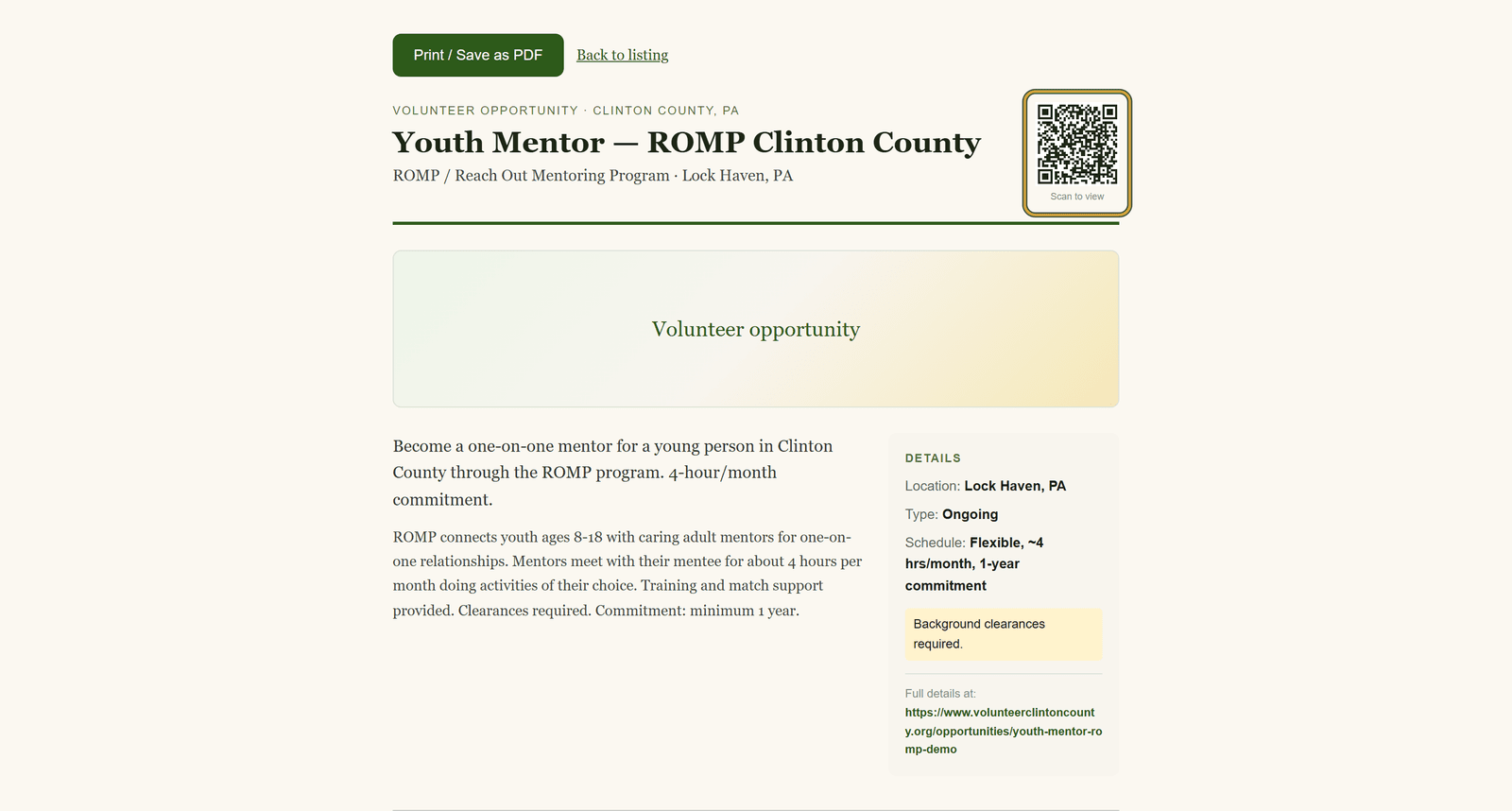
More on the flyer at https://www.volunteerclintoncounty.org/help/printable-qr-flyer
A week out: people pick their own hours
Nobody volunteers for a twelve-hour festival. They volunteer for the part they can do.
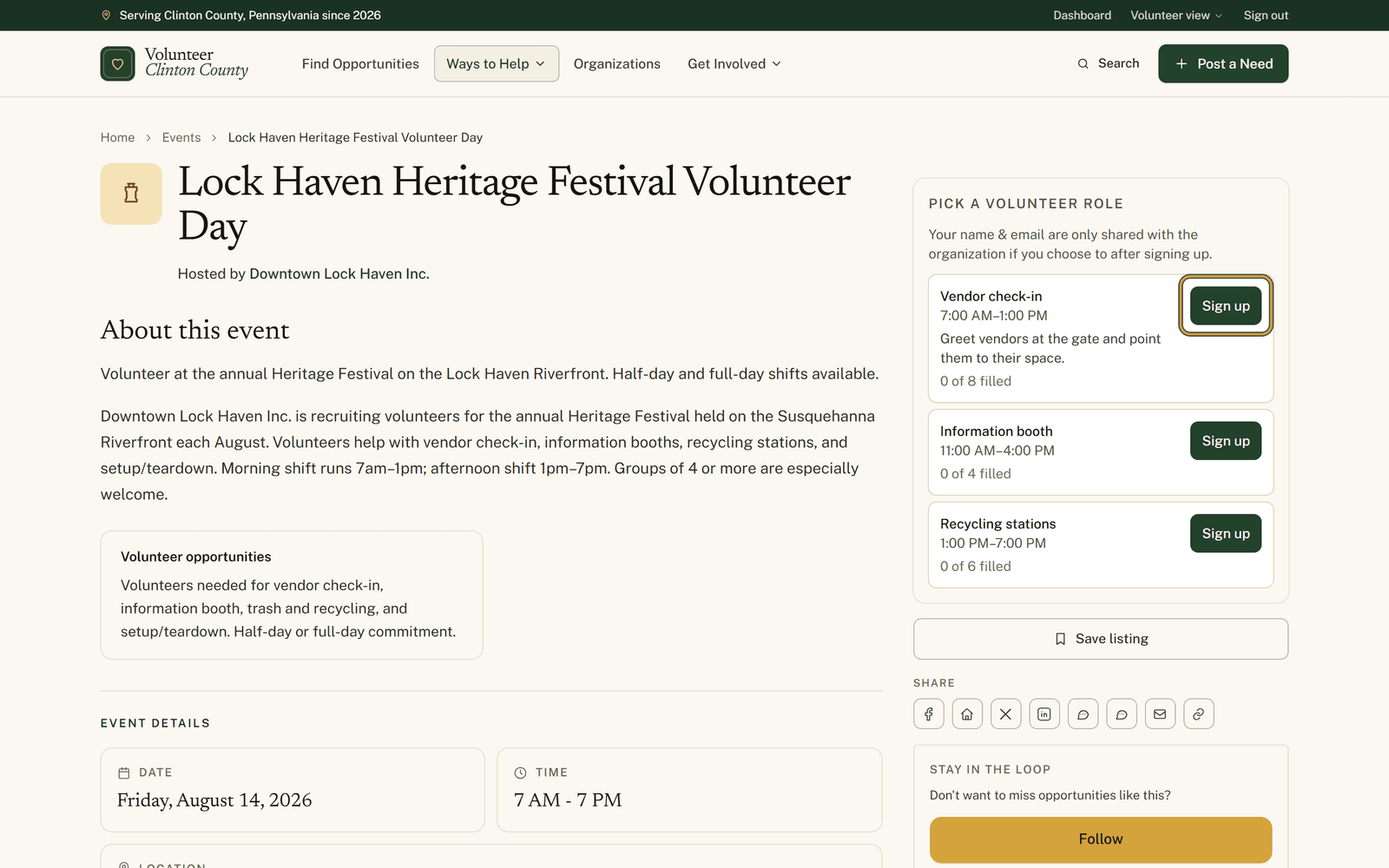
If you split the day into roles, those roles show up on the public event page under "Pick a volunteer role", each with its hours, a line about what it involves, and a count reading something like "3 of 8 filled". When a role reaches its cap the button becomes "Join waitlist", and those names queue rather than vanish, which matters because people cancel. Somebody who changes their mind presses Sign up on a different role and their place moves across instead of doubling. A green "You're in" badge marks the role they hold, and a gold "Waitlisted" badge means they are in line for it.
Smaller events skip roles entirely and take a plain Going or Interested answer, and a few hand people off to the organization's own registration form.
How that looks from a volunteer's side: https://www.volunteerclintoncounty.org/help/event-pages-shifts
Saturday: check-in, walk-ins and the clipboard
"Day-of check-in" lists everybody by role, each role showing how many are checked in against how many signed up. Check people in as they arrive, mark a no-show when somebody does not, and undo either when you press the wrong one. There is a box for typing in whoever turns up unannounced; they join that role with a Walk-in badge.
Checking in a volunteer who has an account files an hours entry that lands on your Volunteer Hours page for review. Walk-ins have no account for those hours to attach to, so they stay on the roster only.
The code beside the header on that page lets volunteers check themselves in, with one condition: they need an account here and a role they already signed up for. Anyone else, waitlisted people included, gets checked in from your side, so keep the tablet staffed.
Print the sign-in sheet the day before and the signal stops mattering. One table per role with columns for Name, Signature, Time in and Time out, capacity beside the role name, walk-ins marked, and every table padded to at least six blank rows. It is built role by role, so an event with no roles prints a page saying none are defined and leaves you nothing to sign. If paper matters to you, add one catch-all role.
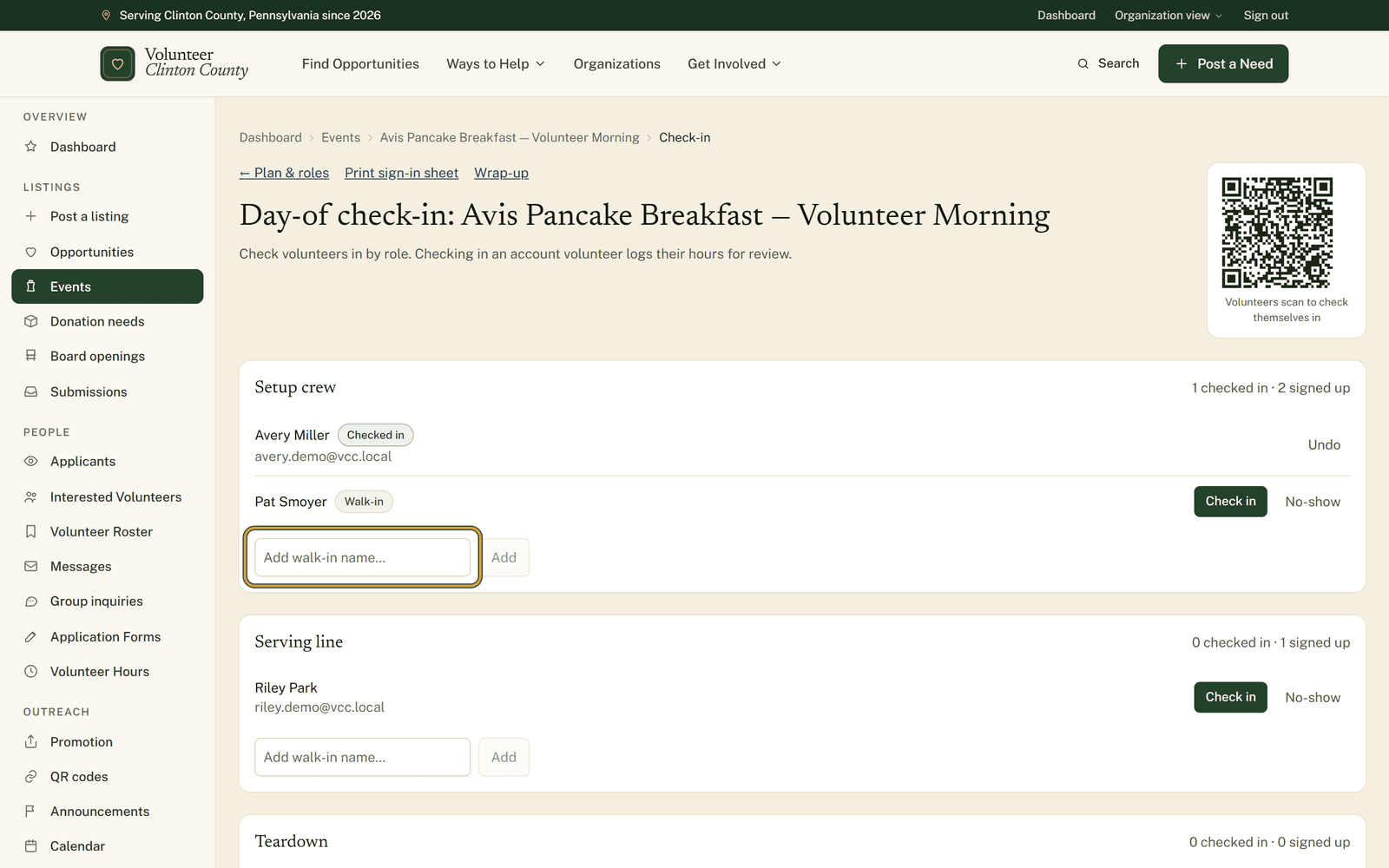
The organizer's screens are covered at https://www.volunteerclintoncounty.org/help/event-day-tools
All of it counts the volunteers working your event rather than the crowd who come to enjoy it. Set the roles up while the event is still three weeks away, and Saturday morning turns into reading names off a screen. Go to your events list.