Event pages with named roles, shifts and a calendar
A long event day is broken into named roles with their own hours and a headcount, and you sign up for one of them.
An event page for a bigger day lists the roles the organization needs filled, each with its own hours, a line of description and a cap on numbers, and you claim one rather than the whole day. The events page also has a Calendar view that lays the month out so you can see what lands on a Saturday you have open. Smaller events are not built this way: they take a plain Going or Interested answer, and a few hand you off to the organization's own registration form.
Who this is for: Anyone who can give three hours of a twelve-hour festival and would rather be the one to say which three.
Before you start: An account, since a role is held against your name.
- 1
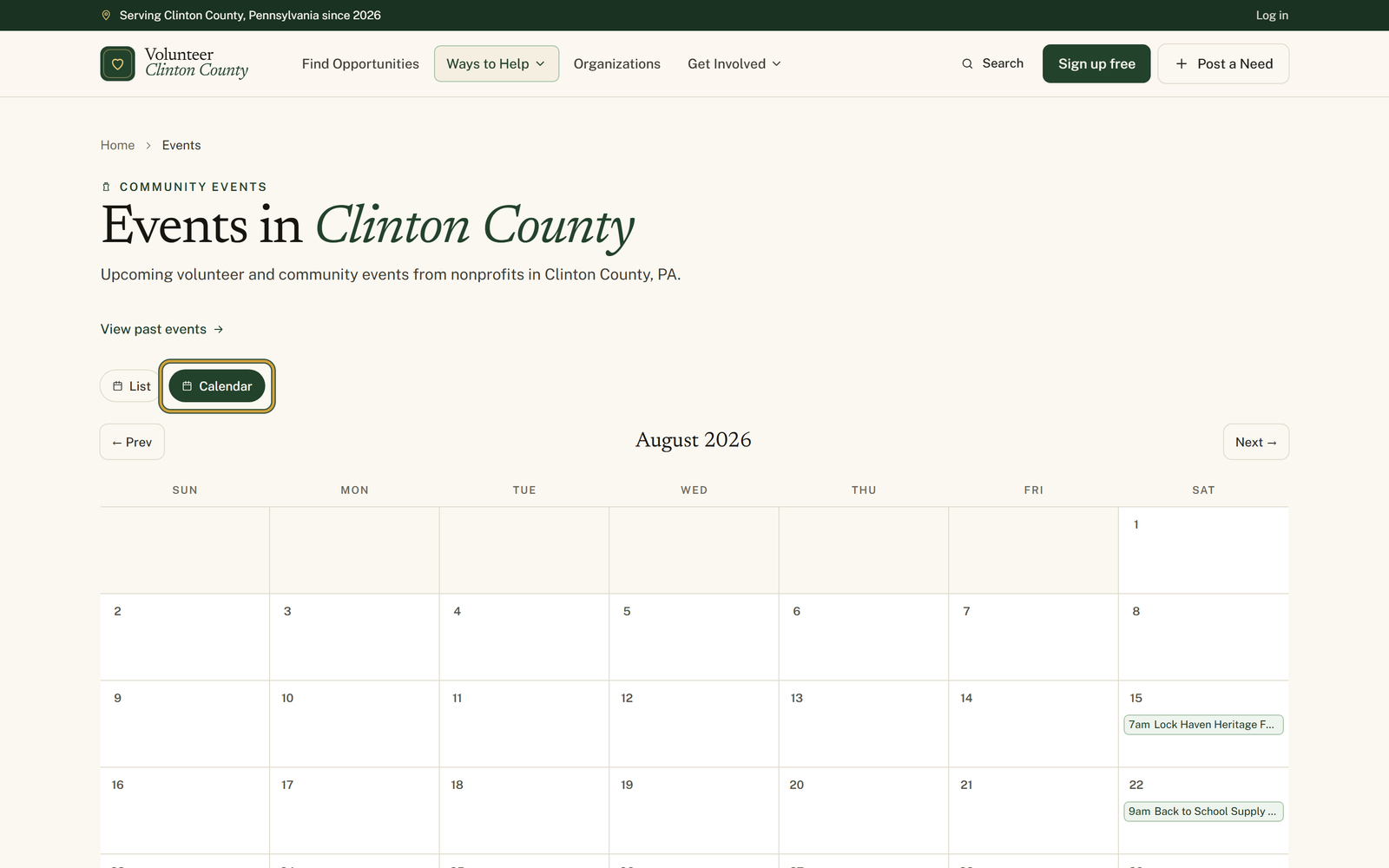
Open "Events in Clinton County" and press "Calendar" beside "List" to see the month laid out, using "← Prev" and "Next →" to move between months.
- 2
Click an event in a day cell to open it, or click "+N more" on a busy day to see everything on that date in the list.
- 3
On the event page, find the sidebar box headed "Pick a volunteer role" and read the roles, their hours and their descriptions.
- 4
Check the line under each one, which reads like "3 of 8 filled", then press "Sign up" on the role you want, or "Join waitlist" if it is already full.
- 5
Look for the green "You're in" badge on your role. A gold "Waitlisted" badge instead means you are in the queue for it.
- 6
Press "Cancel" to give the role back, or press "Sign up" on a different one, since "Switching roles moves your signup to the new shift."
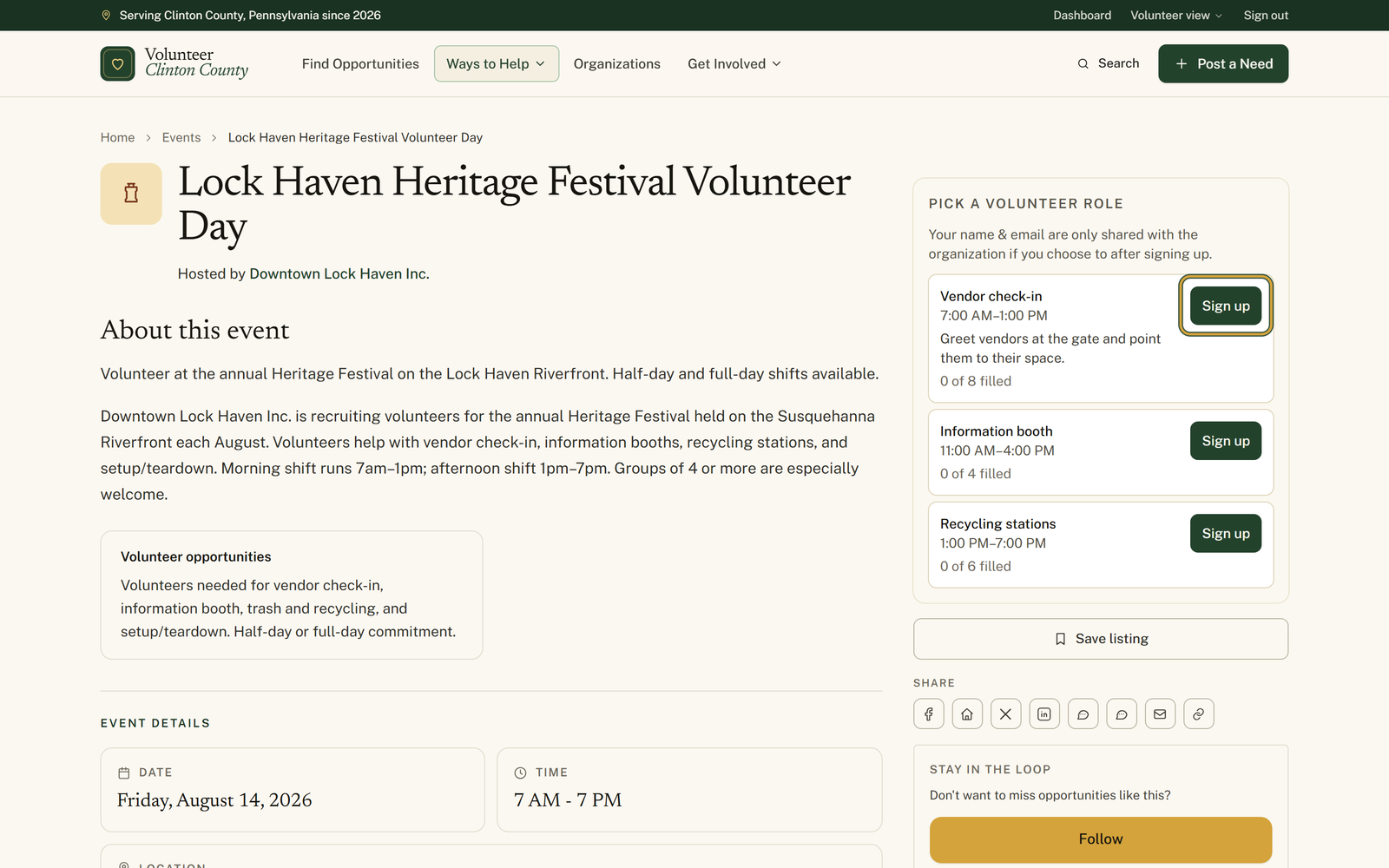
You'll know it worked when: The role you chose carrying a "You're in" badge, with the count beside it moved up by one.
Watch out for: The Calendar view drops the filter panel, and the filters stop applying: the month shows everything published, whatever you had narrowed to in "List". Days holding more than three events show only three, with a "+N more" link that opens that date in the list view.
What this doesn't do: Not a ticket. A role is a place held on the organization's list, and the organization may still be in touch about the details. Some events skip roles altogether and take a Going or Interested answer, and some send you to their own registration form through a Register link.
The calendar shows the whole month and the filter panel is hidden while it is open, because those filters do not apply to it. Press "List" to get them back.
Three is all a day cell shows. When there are more, a "+N more" link sits underneath, and it opens the list view for that one date so you can see the rest.
The button changes to "Join waitlist". Press it and your name goes in the queue with a gold "Waitlisted" badge, which is worth doing, because people do cancel and organizers work down the list.
Yes, and you do not need to cancel first. Press "Sign up" on the role you would rather have and your existing signup moves across, which is what the note about switching roles means.
On most events, no. The line above the roles says your name and email are only shared if you choose to after signing up. Where the organization has attached questions to the listing, that line changes to say plainly that signing up shares your name and email so they can follow up, and you can read it before you press anything.
Then the organization did not split the day into shifts. Answer "Going" and, if a headcount is set, a badge shows how full it is, as in 12 of 20 going. Past that number you can still say Going, and you join a waitlist while the organizer sorts it out.
Volunteer Clinton County is a community directory. You browse what local organizations post and contact them directly. More guides