Event day: roles, check-in, walk-ins and the paper backup
Six people at seven for tents, four on drinks at eleven, three at five for teardown. Here is how to split an event into roles, check people in by role, and still have paper when the signal drops.
It is ten past seven at a festival in Mill Hall, the tents are still flat on the grass, and the woman in front of you wants to know whether she is supposed to be here yet. She is not on the morning crew at all. She is on the drinks table from eleven. Thirteen names live on the one sheet of paper in your hand, not a time beside any of them, and you have about four seconds to give her an answer.
Split the day into roles
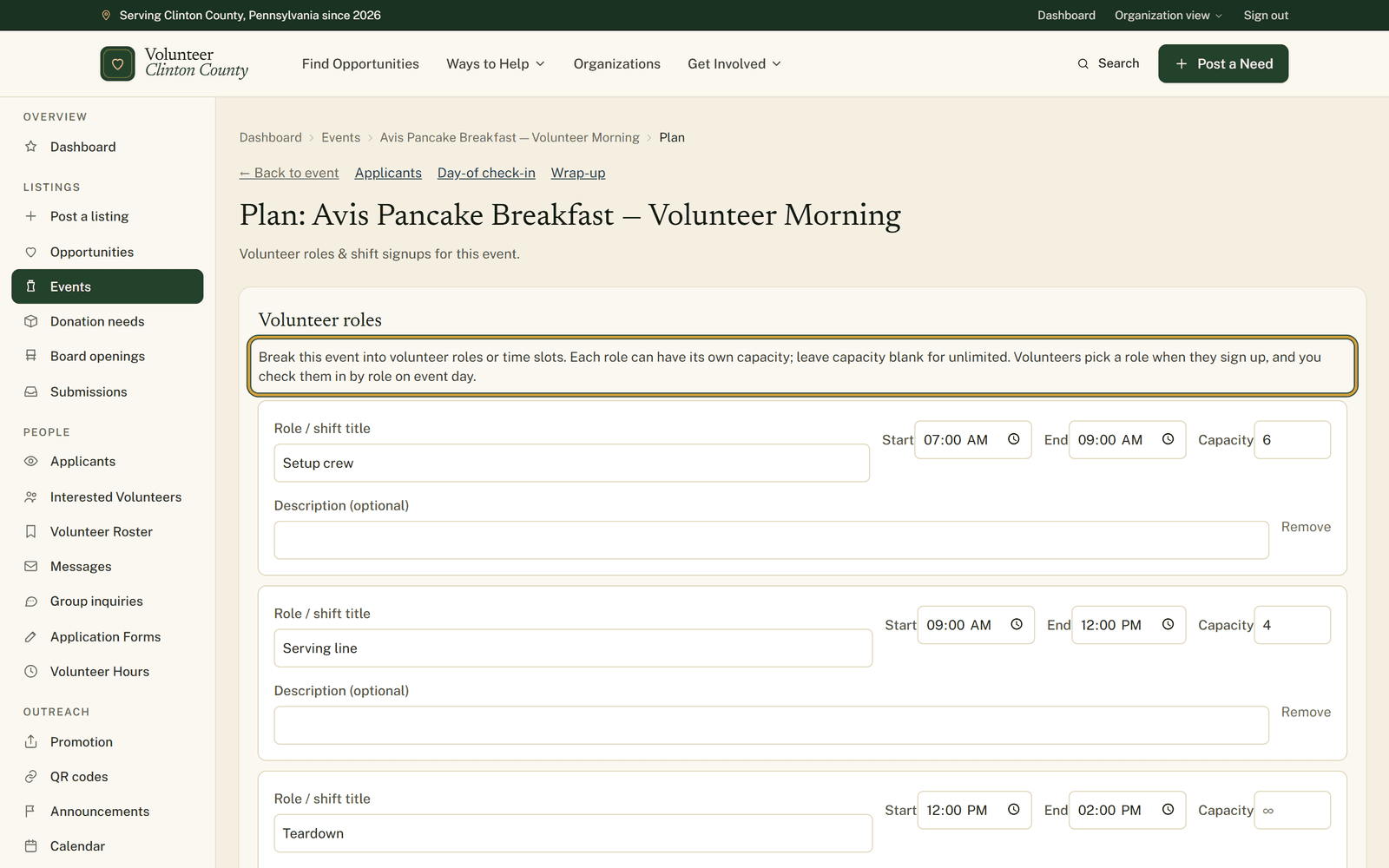
An event's plan page, reached through the "Roles & check-in" link on the event itself, breaks the day into volunteer roles. Each role carries a title, a start time, an end time and a capacity. Setup crew, seven to nine, six people. Drinks table, eleven to three, four people. Teardown at five with the capacity left blank, which means it takes as many as offer.
Save those and volunteers get "Pick a volunteer role" on the public event page, each role showing how full it is. When one reaches capacity the button becomes "Join waitlist", and whoever joins carries a Waitlisted badge on your roster without counting toward the signed-up number. Somebody who later picks a different role moves across rather than taking up two places, and your roster follows them.
On the morning
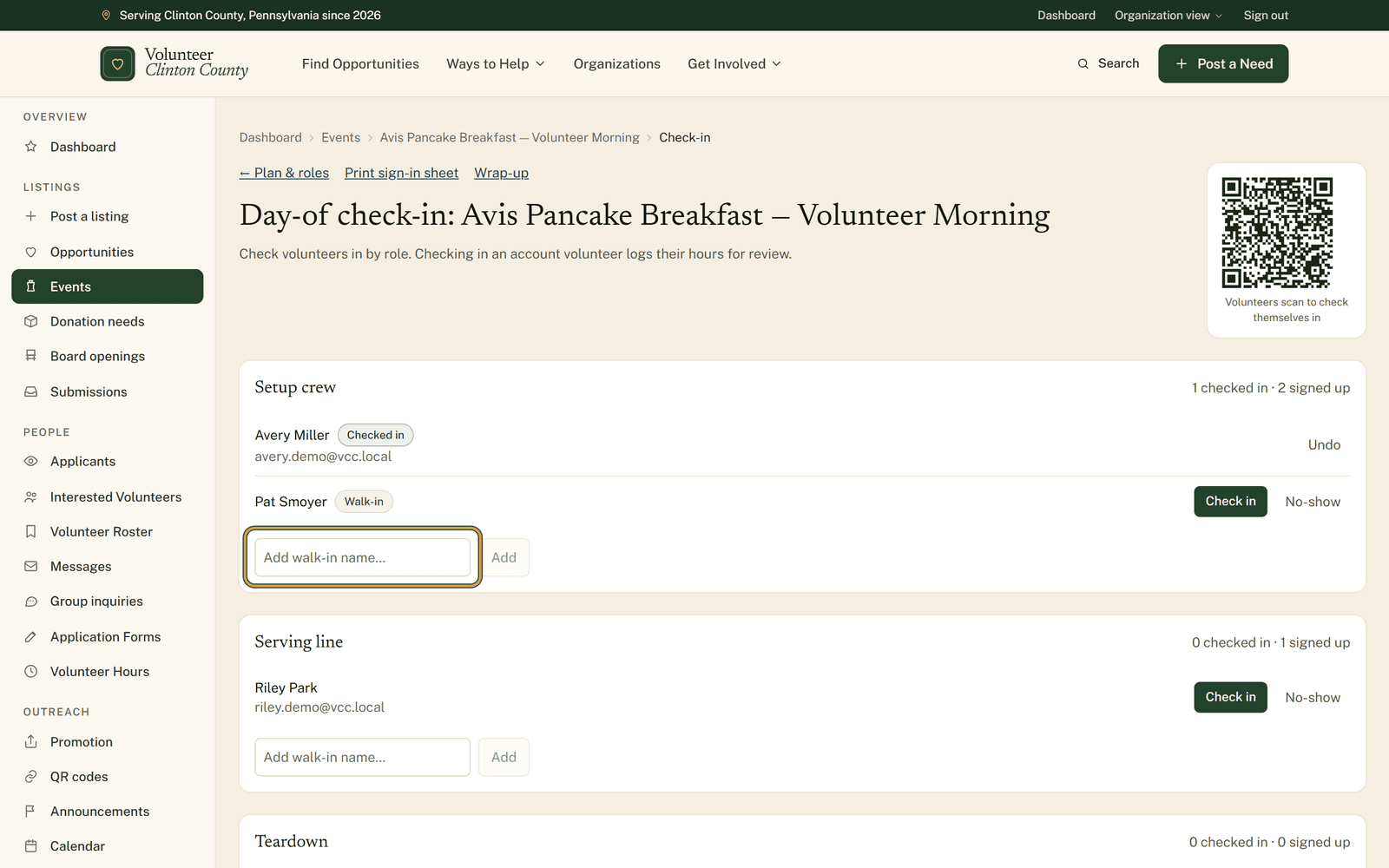
"Day-of check-in" lists everybody by role, with each role showing how many are checked in against how many signed up. Press "Check in" as people arrive, "No-show" when they do not, and "Undo" when you press the wrong one, which you will.
There is a box for typing in whoever turns up unannounced. They join that role with a "Walk-in" badge and stay marked that way everywhere afterwards, the printed sheet included.
Checking in a volunteer who has an account also files an hours entry for them, which lands on your Volunteer Hours page waiting for review, the same as one they logged themselves. Walk-ins have no account for those hours to belong to, so they appear on the roster only.
The code and the paper
A code sits beside the header on that page, captioned "Volunteers scan to check themselves in". It saves real time on a busy morning, with one condition attached: it works only for somebody who has an account here and already signed up for a role. Everyone else is told they have not signed up for this event, so keep the tablet or the clipboard for them. Waitlisted people cannot use it either, so if one turns up and you have room, check them in from your side. The code lives on that screen, not on the printed sheet.
"Print sign-in sheet" is the version that works when the signal does not. The event name and date at the top, then one table per role with columns for Name, Signature, Time in and Time out, capacity printed beside the role name, everyone signed up printed in, walk-ins marked as such, and every table padded to at least six rows so people can write themselves in.
Know this before you lean on it: the sheet is built role by role. An event with no roles at all prints a page saying no volunteer roles are defined, and gives you nothing to sign. Check-in still works without roles, with everybody on one list, so if you want paper as well, add a single catch-all role.
What is being counted
Everything here counts the volunteers working your event. The public who come along are a different question, and this is not the place that answers it. No tickets, no crowd headcount.
Both screens are laid out button by button, with pictures, at https://www.volunteerclintoncounty.org/help/event-day-tools
The woman at the gate in Mill Hall is on the drinks table at eleven, and the page in front of you says so before she has finished asking. Open your events.