Group inquiries: one planning note instead of four phone calls
Eleven kids, four parents, a Saturday in October, and a question about the under-twelves. Here is where group requests land, and how to work one from New to Scheduled.
The scout leader in Avis cannot bring anybody anywhere until she knows a few things. Whether a Saturday in October suits you. Whether eleven kids and four parents is more than you can use. Whether the ones under twelve are allowed to take part at all.
None of that is hard to answer. It just has to reach the right person and come back, which is why it usually arrives as three or four separate phone calls to whoever picked up, gets written on the back of an envelope, and is half remembered by the weekend.
One note with everything in it
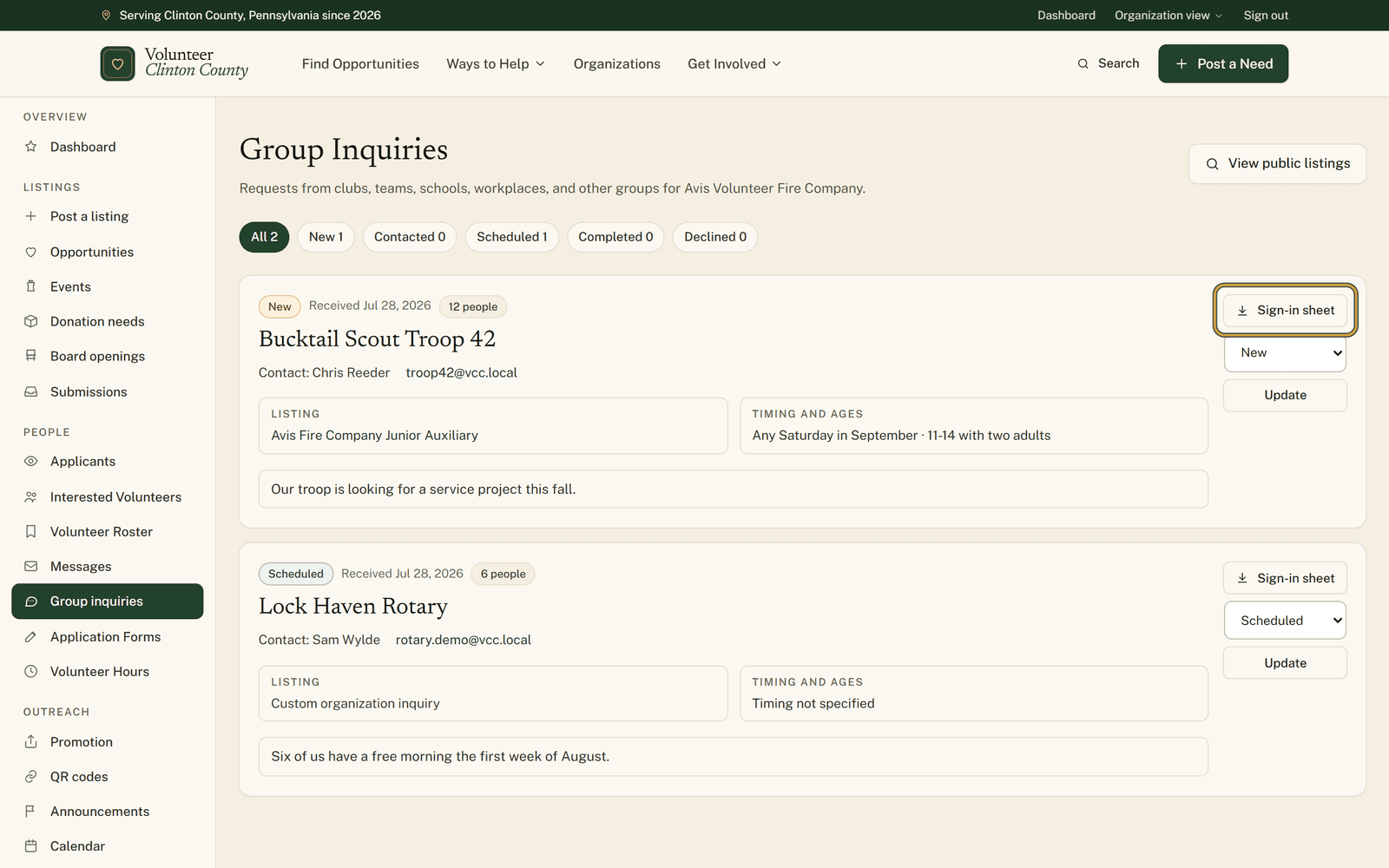
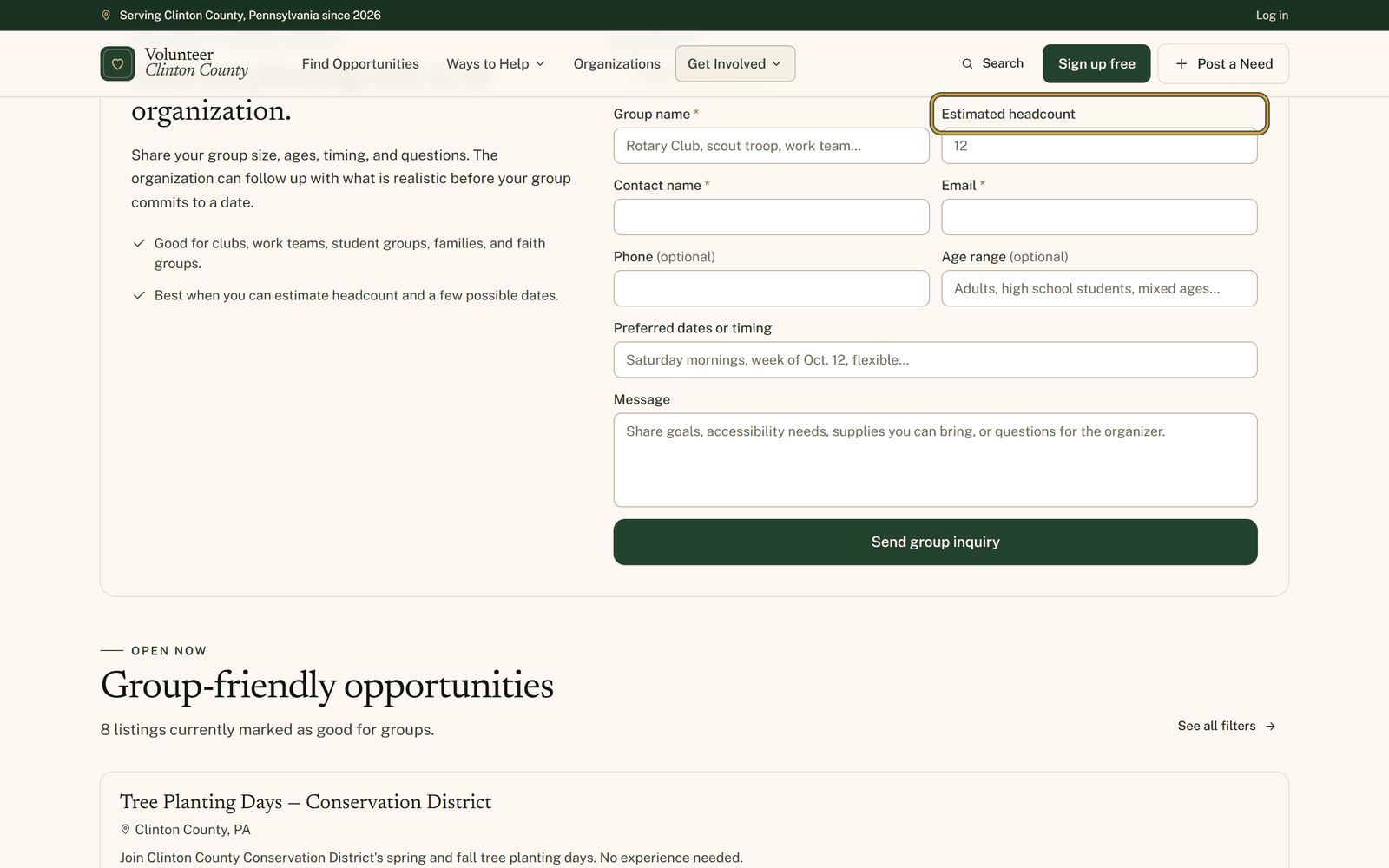
A group inquiry is a single planning note from a club, a class, a workplace or a family who want to volunteer together. The form asks for a group name, a contact name and an email, then prompts for the rest: roughly how many people, their ages, the dates that could work, a phone number, and whatever they wanted to ask.
It lands in "Group inquiries" in your portal as a card. The group name is the heading, with a status badge, the date it came in and a badge counting the people. Their contact name sits underneath with the email address and phone number as links you press rather than copy out. A "Listing" panel names the posting they were looking at, or reads "Custom organization inquiry" when they came to you generally, and a "Timing and ages" panel carries the dates and who is coming.
Keeping the conversation visible
Move the status along as things settle: New, Contacted, Scheduled, Completed, Declined. Those are notes to your own team rather than messages to the group, so marking one Scheduled tells whoever opens the page next where the conversation got to, and tells the scout leader nothing. Filter pills across the top count how many sit in each status, which makes it obvious when something has been left in New for a week.
An inquiry holds nothing for anybody. No capacity is taken, no date is reserved, nobody is signed up. The day exists once you have agreed it between yourselves by email or phone.
How a group reaches you in the first place
There are two doors. The county-wide group page carries a form with an organization picker, and you show up in it once your organization is approved, publicly listed, and ticked on your profile as accepting group volunteer events. Separately, any volunteer opportunity you mark "Group-friendly" gets a "Bring a group" card on its public page with the same form attached to that posting. That checkbox exists on opportunities only, so your events, donation needs and board openings will not carry the card.
The download for the day itself
"Sign-in sheet" gives you a spreadsheet already carrying the group name, the listing, the status, their dates, their ages and their contact details, followed by one blank row per expected person with columns for attendee name, email, phone, whether they attended, hours, signature and notes. With no headcount given it hands you twenty rows, and it stops at two hundred however large the group said it was.
Group days tend to produce hours requests from employers and schools a week later. That sheet is the thing that answers them.
The part that catches people out
The emailed heads-up about a new inquiry reaches only owners and managers who have the Volunteer interest notification switched on in their settings. A poster can read and work the inbox and is never emailed about it. If your owners have that toggle off, inquiries pile up quietly, so either turn it on or make the page part of somebody's Monday.
There is a click-by-click version, pictures included, at https://www.volunteerclintoncounty.org/help/group-inquiries
Eleven kids, four parents, some Saturday in October, and a question about the under-twelves. Four answers, one reply, one evening saved. Open your group inquiries.