Eleven replies in nine days, and nobody remembers who was called
Sign-ups arrive through accounts, forms and word of mouth. Here is the one table that holds them, with a status per person, a private note, and a date that brings them back to you.
Put up one good Saturday shift and about ten days later you will have a problem you did not have before it went up.
The food pantry in Lock Haven posted a single shift and got eleven replies inside nine days. Some arrived through an account on the site. Some came through the form on the listing. Two came by phone after a neighbor shared the post. By the second week nobody could say which of the eleven had already been called back, and the one person who might have known was at work until five.
One table per listing
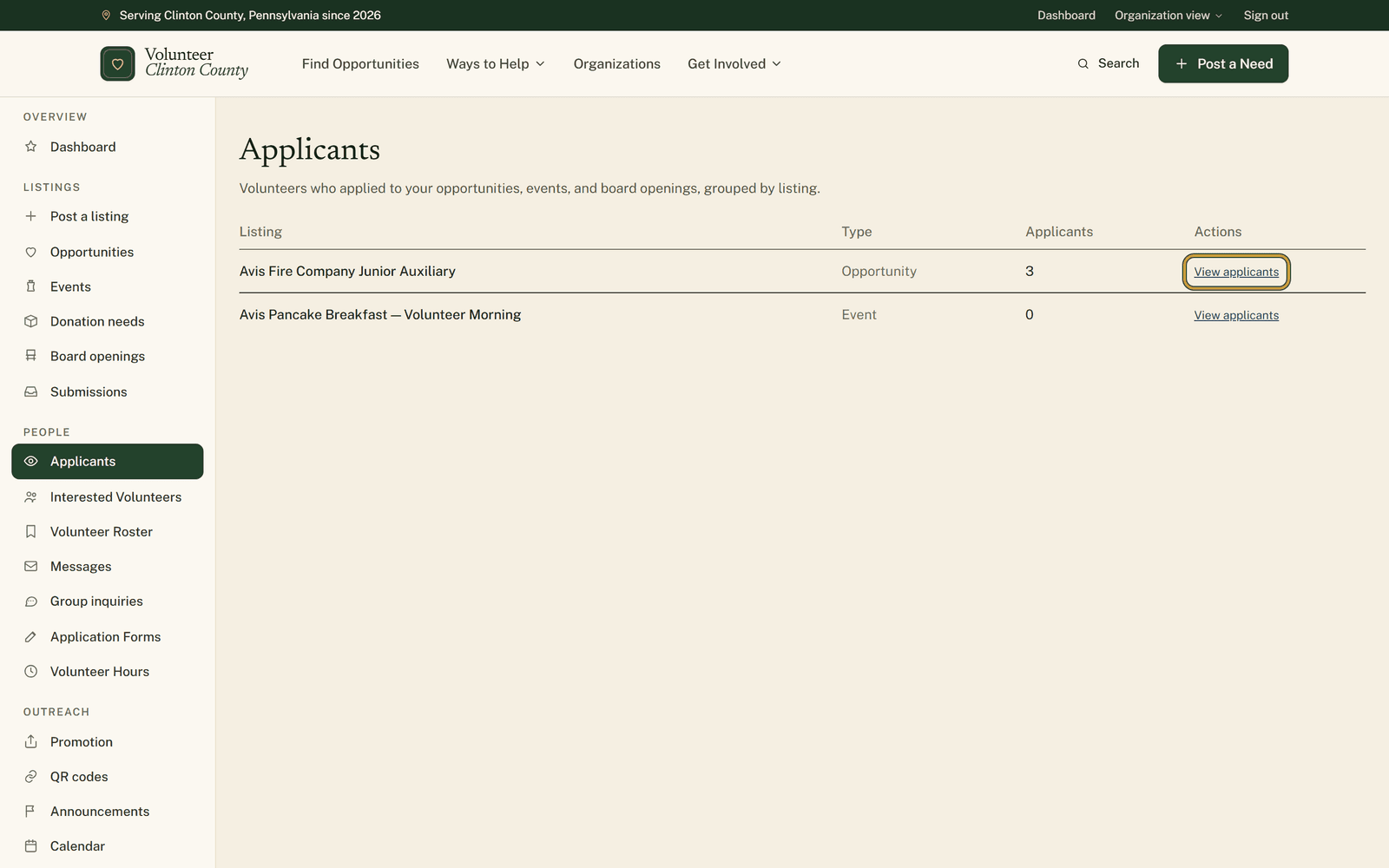
"Applicants" in your portal menu gathers everyone who raised a hand on your opportunities, events and board openings. Your listings sit there in order of the count in the Applicants column, busiest at the top.
Read that number for what it is. It counts everyone in that listing's table, the account sign-ups who shared their contact details and the form applicants alike. The only people it leaves out are the ones who signed up without sharing a way to reach them, and they are counted inside the listing instead.
What is inside one
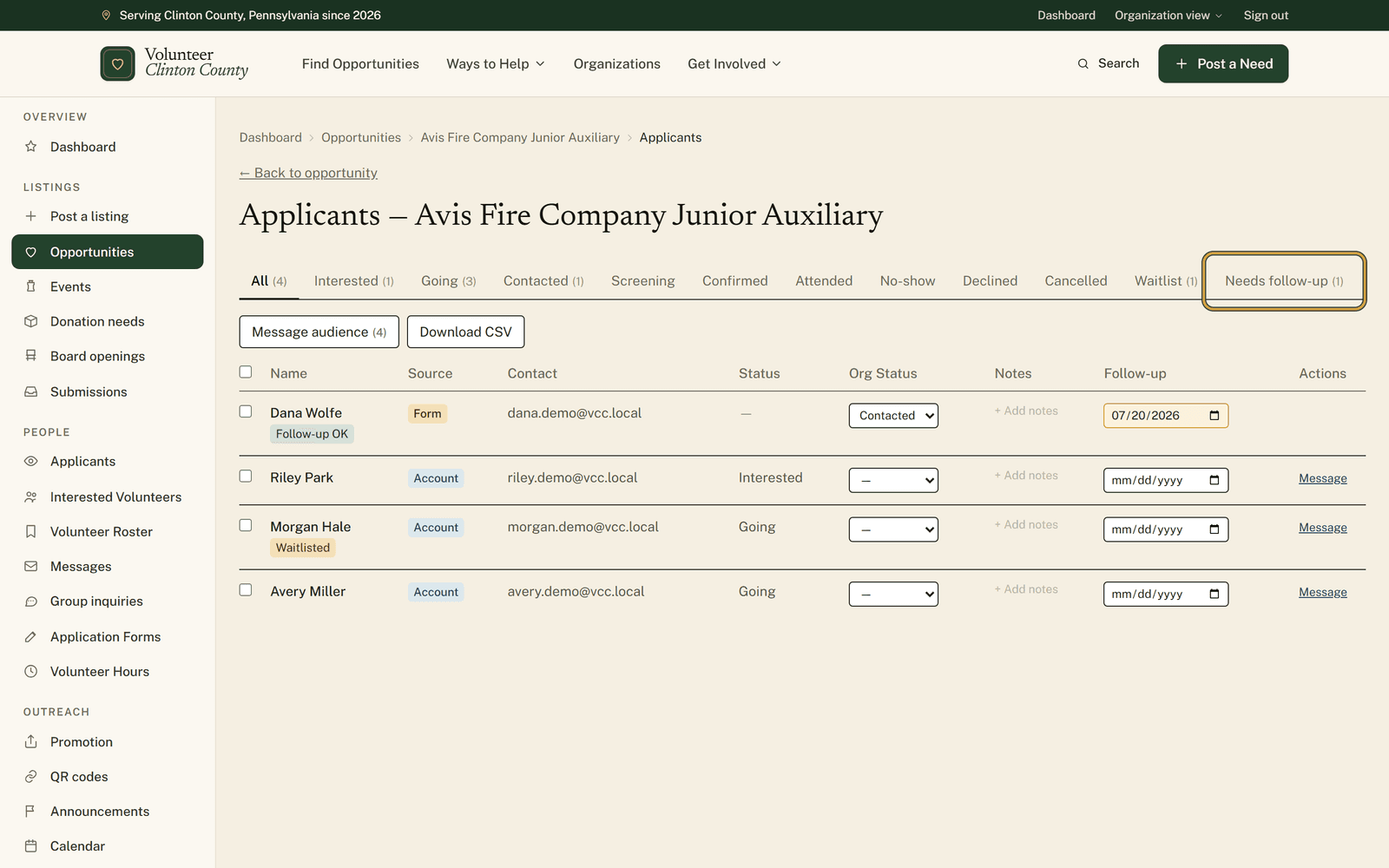
Open a listing and you get a table of names. Each row shows where the person came from, badged Account if they signed up through the site or Form if they filled in the interest form on your listing, how to reach them, the status they chose themselves, and an Org Status you set: Contacted, Screening, Confirmed, Attended, No-show or Declined. Pick one and it saves on the spot.
There is room for a note against each name, and a follow-up date. The date works quietly. Nothing is emailed to you or to them, but the box turns gold once the day arrives and that person appears on the "Needs follow-up" tab, which is the tab to open on a Monday morning.
Tabs run across the top with a live count on each, so a glance tells you whether anything has been sitting untouched.
Handling several at once
Tick a few rows and you can mark them all with one status or clear it again. "Message audience" writes to everybody matching the tab you are viewing, with templates for an event reminder, day-of details, a thank you or a cancellation, and a preview before anything leaves.
Where that message lands depends on the person. Volunteers with an account read it inside the site. People who came through the form get an email, and only when they agreed to be contacted. The dialog names the audience first and tells you how many are being skipped for that reason. "Download CSV" hands the lot over when somebody wants it in a spreadsheet.
The people you cannot see
Not everyone interested appears by name. A line above the table counts the people who signed up without sharing their contact details, and there is no way to reach those individually. Keep the listing itself clear about how to get in touch with you, because for them the listing is the only channel there is. On events there is no anonymous interest form at all, so everybody in an event's table came through an account.
Your notes deserve one caution. The volunteer never sees them, but anybody on your team with access to that listing can, so write them as a memory aid for the group rather than as a private diary.
Nothing in here moves without you. The statuses, the notes and the dates are yours to set, and no applicant advances along the list on their own.
A picture-by-picture version of the same table is at https://www.volunteerclintoncounty.org/help/applicant-management
The pantry has eleven names and one Saturday to fill. Which three were already called stops being a memory test the moment the answer lives beside the names. Open your applicants list.