See and answer everyone who raised a hand
Everyone who signed up or filled in a form on your listings lands in one list, with somewhere to write down who you already called.
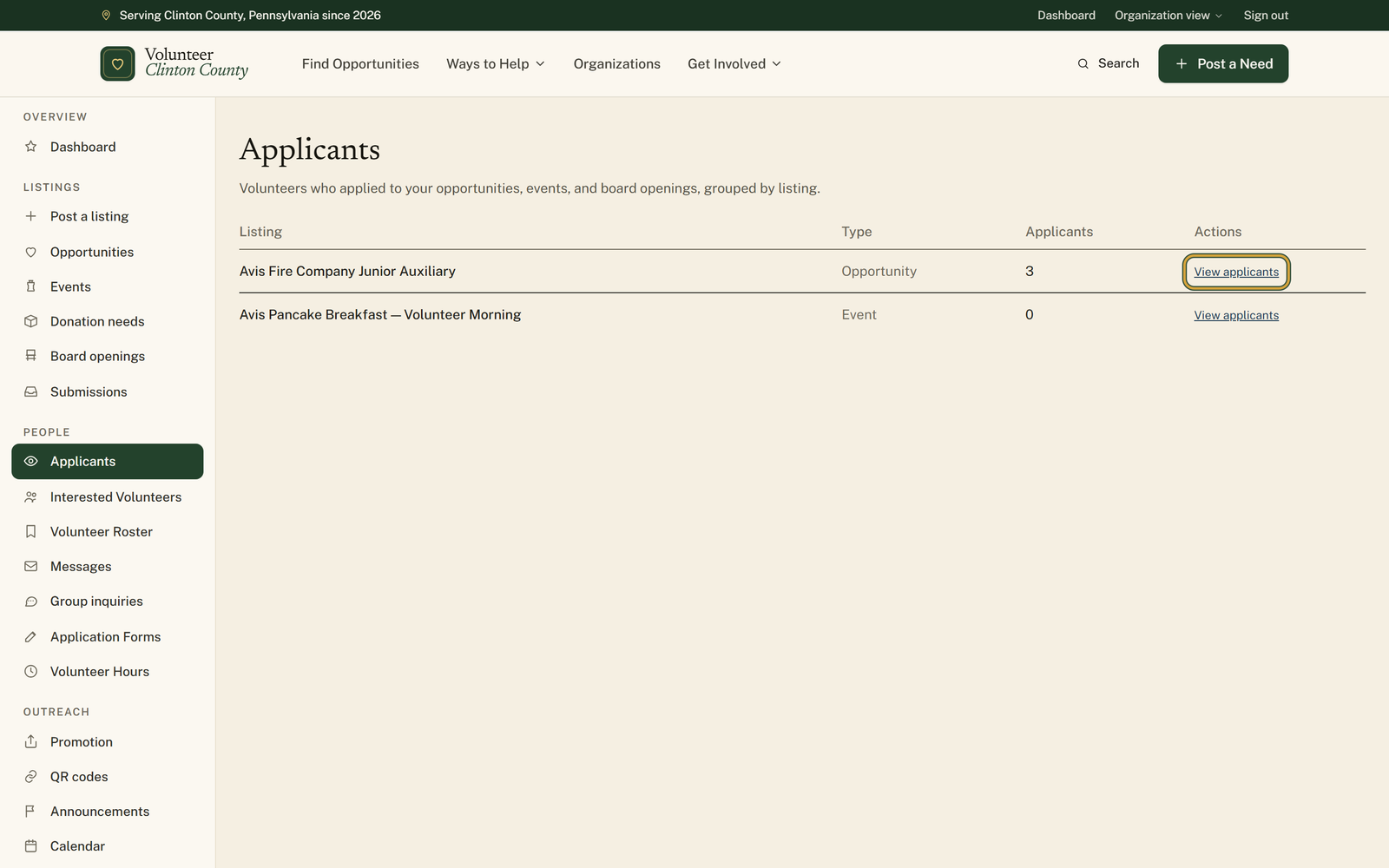
Applicants gathers the people who put a hand up on your opportunities, events and board openings, with your listings ordered by how many are waiting on you. Open one and you get a table of names showing where each person came from, how to reach them, a status you set, a private note and a follow-up date. People who chose not to share their contact details are counted at the top but not named, so the table is the set you can actually reply to.
Who this is for: Whoever answers the volunteers, once more than a couple of people are in play at the same time.
Before you start: At least one opportunity, event or board opening with somebody signed up.
- 1
Open "Applicants" in your portal menu. Your listings are sorted by the number in the "Applicants" column, which counts everyone in that listing's table: account sign-ups who shared their contact details and form applicants alike.
- 2
Press "View applicants" on the one you want to work through.
- 3
Narrow the table with the tabs across the top. "Going", "Waitlist" and "Needs follow-up" answer most of the questions you will have.
- 4
Set each person's "Org Status" as you go. Contacted, Screening, Confirmed, Attended, No-show and Declined all save the moment you pick one.
- 5
Press "+ Add notes" to keep a note against a name, and put a date in "Follow-up" so that person comes back to you on the "Needs follow-up" tab.
- 6
Tick several rows to get "Mark all Contacted" and its siblings, or press "Message audience" to write once to everyone on the tab you are viewing.
- 7
Press "Download CSV" when somebody wants the whole thing in a spreadsheet.
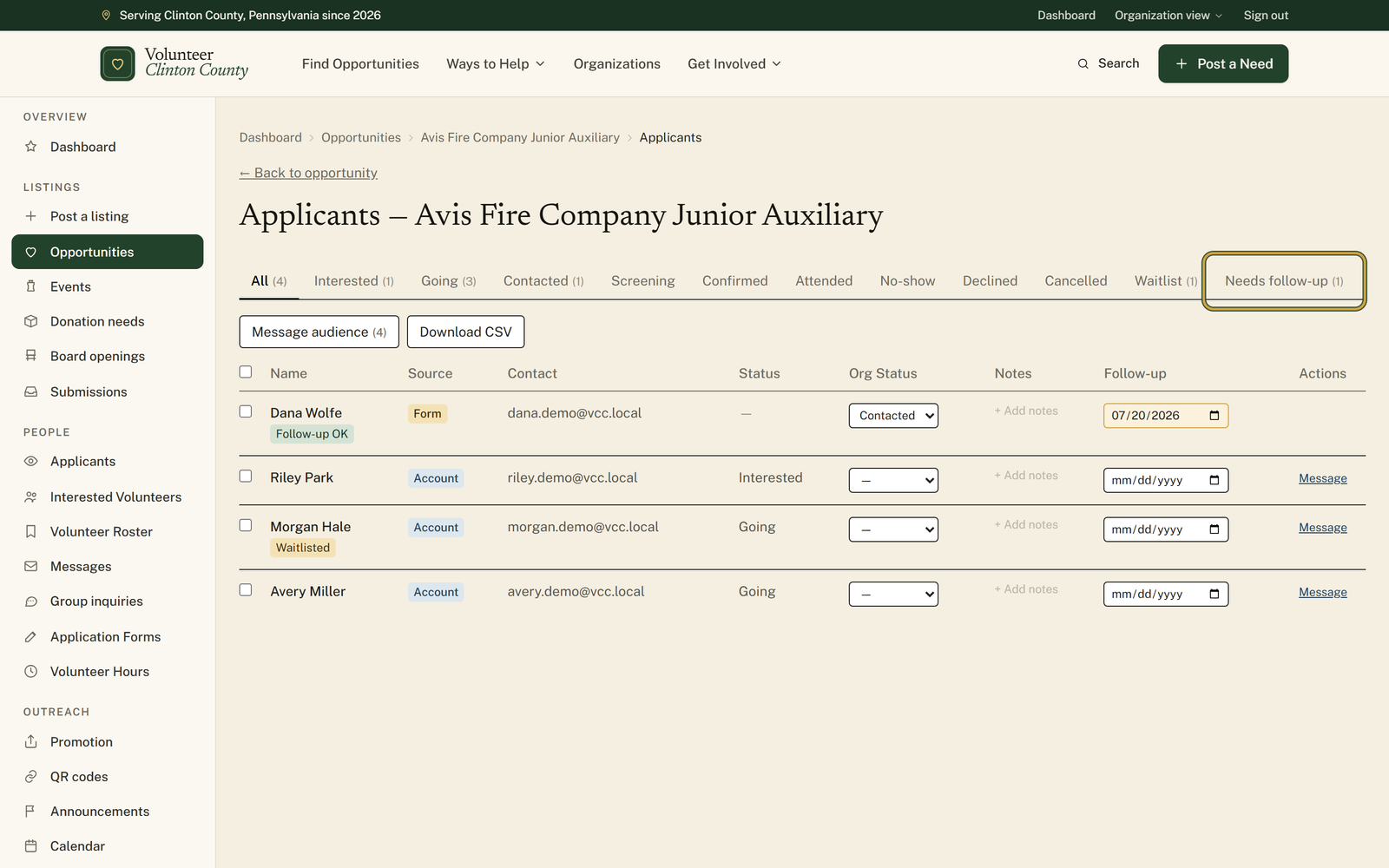
You'll know it worked when: A table of names with a status beside each one, notes only your team can read, and dates that bring people back when it is time.
Watch out for: Not everyone interested shows up by name. A line above the table counts the people who signed up without sharing their contact details, and there is no way to reach those individually, so keep the listing itself clear about how to get in touch with you.
What this doesn't do: Not something that decides anything for you. The statuses, the notes and the dates are all yours to set, and nobody moves along the list on their own.
Account means the person has a Volunteer Clinton County account and signed up through it. Form means they filled in the interest form on your listing without making an account. Both land in the same table; the difference matters when you message them, because account volunteers get an in-app message and form applicants get an email, and only if they agreed to be contacted.
The notes, the status and the follow-up date are annotations your organization keeps against an applicant. The volunteer does not see them. Treat them as an internal memory aid rather than a private diary, since anyone on your team with access to the listing can read them.
Put a date on somebody and the box turns gold once that date arrives, and they appear on the Needs follow-up tab. It is a reminder rather than an alarm: nothing is emailed to you or to them. The tab is the thing to open on a Monday morning.
It writes to everyone matching the tab you are on. The dialog names the audience before you send, offers templates for an event reminder, day-of details, a thank you or a cancellation, and shows the finished text on a preview step before anything goes out. It also tells you how many form applicants are being skipped because they did not opt into being contacted.
The table shows people who agreed to share their contact information with you. Anyone who signed up without sharing is counted in the line above the table instead. On events specifically there is no anonymous interest form, so everyone in the table arrived through an account.
Volunteer Clinton County is a community directory. You browse what local organizations post and contact them directly. More guides