Stop sharing one login: team roles for your organization page
The person who set up your page has the password, and everyone else borrows it. Invite each helper by email instead, pick the role that matches the job, and take access back when they move on.
Nobody ever decided that the fire company in Beech Creek would keep its web page inside the chief's personal email account. It happened the way these things happen. Somebody had a spare evening years ago, the account already open in front of him was his own, and the page got made.
The chief has since moved away. The secretary who puts up the February pancake breakfast borrows that login every year, and every year somebody wonders aloud whether he still reads that address.
Access as a list of people, not a password
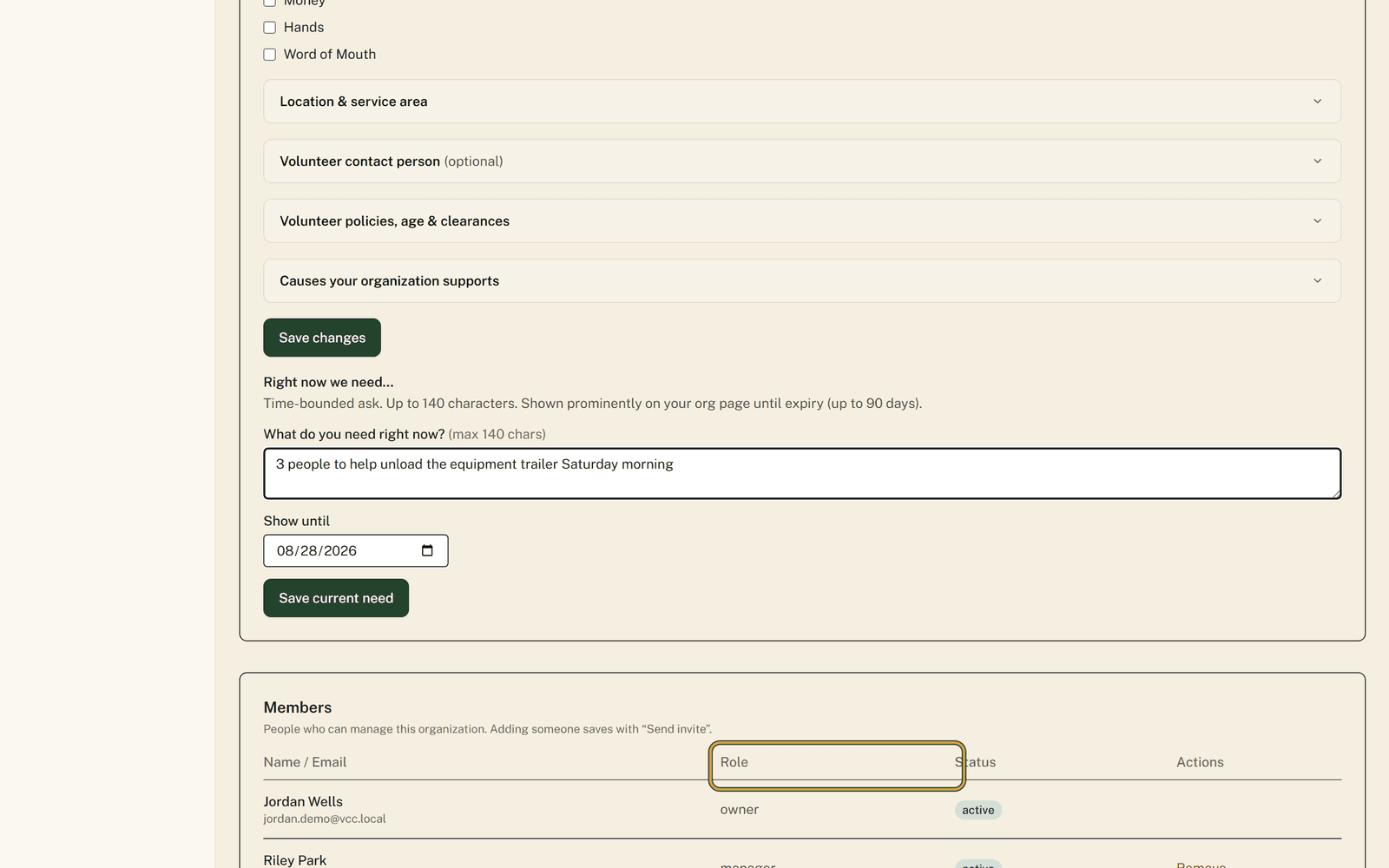
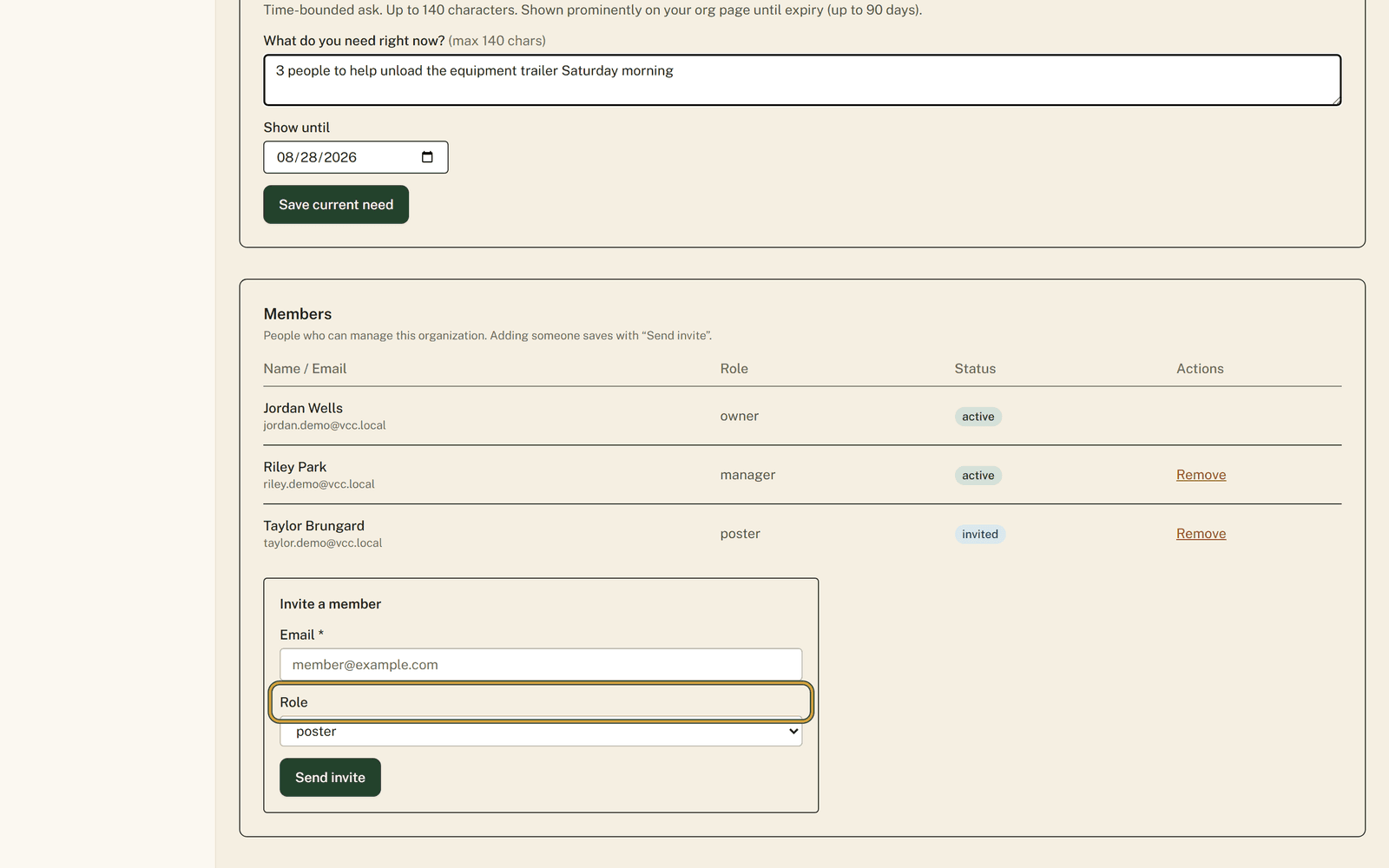
The Members section of your Organization Profile names everybody who can act for your organization. Each person sits under their own email with a Role and a Status beside them, so a glance tells you who can do what.
There are four roles. Owner runs the place and is the only one who can remove members, and every organization keeps at least one active owner. Managers work alongside owners: both edit the Organization Profile and send invites. Posters write and update your listings, though they see a line on the profile page telling them they are not an owner or manager. Viewer is read-only, with no posting tools and no Interested Volunteers page.
Adding somebody
An invitation attaches to an account that already exists rather than making one, so ask the person to sign in here once on their own before you start. Until they have, the invite form answers that the user must sign in once first to register their email, and there is nothing you can do from your side. Invite the exact address they signed in with, because that is what the invitation checks against when they accept.
The Role box starts on poster, and you cannot send a role above your own. A manager can invite managers, posters and viewers, and only an owner can hand out ownership.
Your invited person accepts from their own dashboard, under "Pending invitations", and their Status in your table changes from invited to active.
The one place to be careful
An invitation stops working after fourteen days. The row stays in your Members table with a Status of invited, and pressing Accept invite after that returns an error saying the invite has expired.
The tempting fix is to press Remove on that row and send a fresh one. Do not. Once a membership row exists for somebody in any status, removed included, a new invite to that address comes back refused because they already have a membership. If an invitation ages out, get in touch rather than clearing the row yourself.
When somebody moves on
Remove lives in the Actions column, which only owners see. It marks that membership removed here and nothing else: their own account carries on, they keep their volunteer hours, and they stay in whatever other organizations they belong to.
You cannot remove yourself, and you cannot remove the last active owner without adding another owner first. That guardrail exists so a group cannot lock itself out of its own page, and it is worth using deliberately. Naming a second owner takes about a minute and retires an entire category of future trouble.
None of this reaches past this site. A role here does not touch your bank, your email account, or anything else your organization runs.
The ordered version, with a screenshot at every box, sits at https://www.volunteerclintoncounty.org/help/team-roles
Nobody enjoys the phone call where a former officer is asked for a password. Handing out roles instead is how you never have to make it. Open your Members list.