Give everyone who helps their own sign-in and role
Instead of passing one password around the committee, each person who helps run your page signs in as themselves.
The Members section of your Organization Profile lists everyone who can act for your organization, each under their own email, with a role of owner, manager, poster or viewer. You invite people by email, they accept from their own dashboard, and owners can remove anyone afterwards. The roles cover this site only, so nothing here reaches your bank, your email account or anything else your organization runs.
Who this is for: Organizations where more than one person touches the page, or where the person who set it up is about to hand it off.
Before you start: Owner or manager access, and the email address the person will sign in with.
- 1
Ask the person to sign in once on their own first. The invite form answers "User must sign in once first to register their email." for anybody it cannot find.
- 2
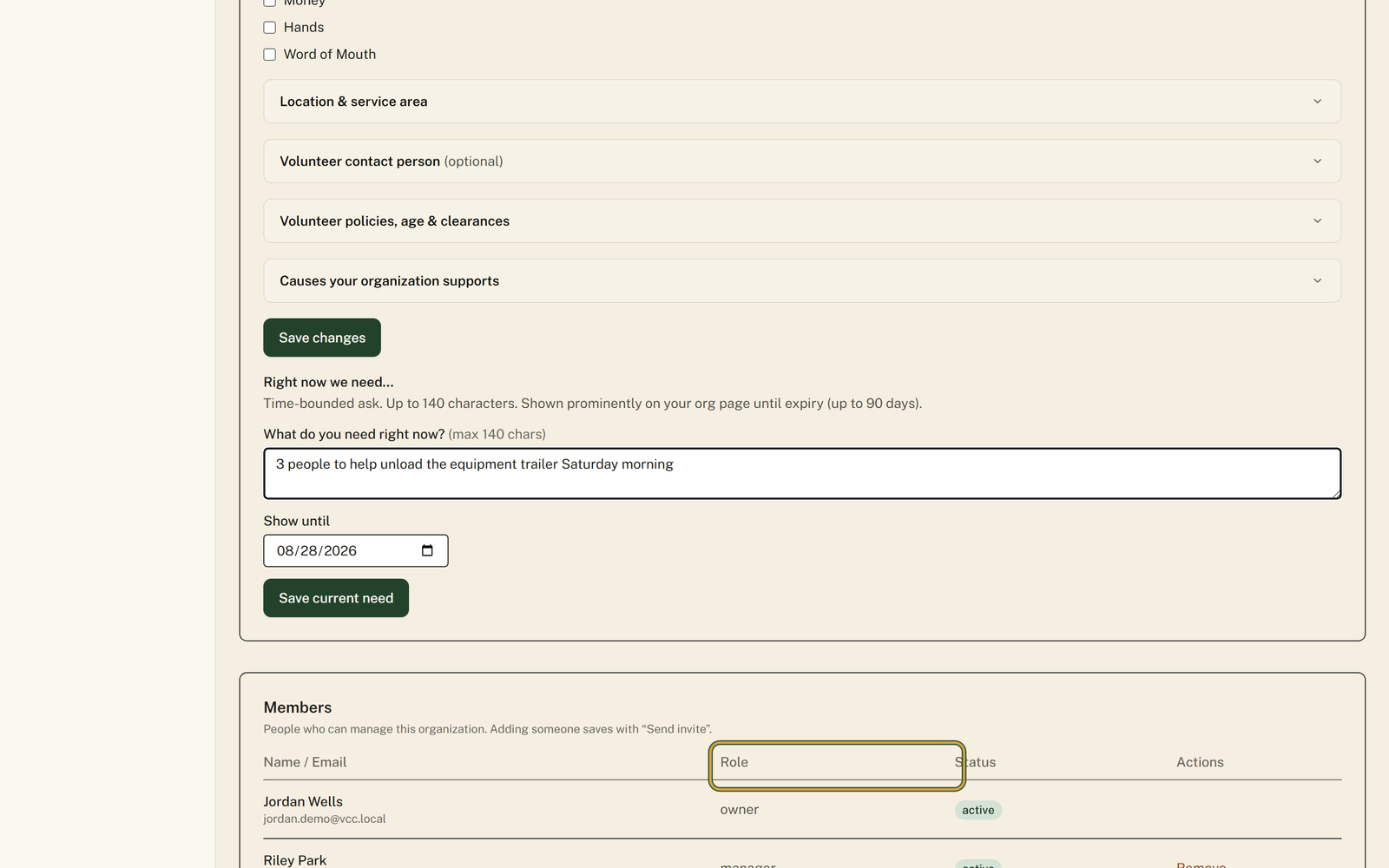
Open "Profile" in your portal menu and scroll past Organization Details to the "Members" section.
- 3
In the "Invite a member" box, fill in "Email *" and set "Role" to match what the person will actually do. It starts on poster.
- 4
Press "Send invite". Their row joins the table with a "Status" of invited, and the invite stops working after 14 days.
- 5
Have them press "Accept invite" under "Pending invitations" on their own dashboard, which flips their "Status" to active.
- 6
Press "Remove" in the "Actions" column when somebody leaves. That column only appears for owners, and the last active owner cannot be removed.
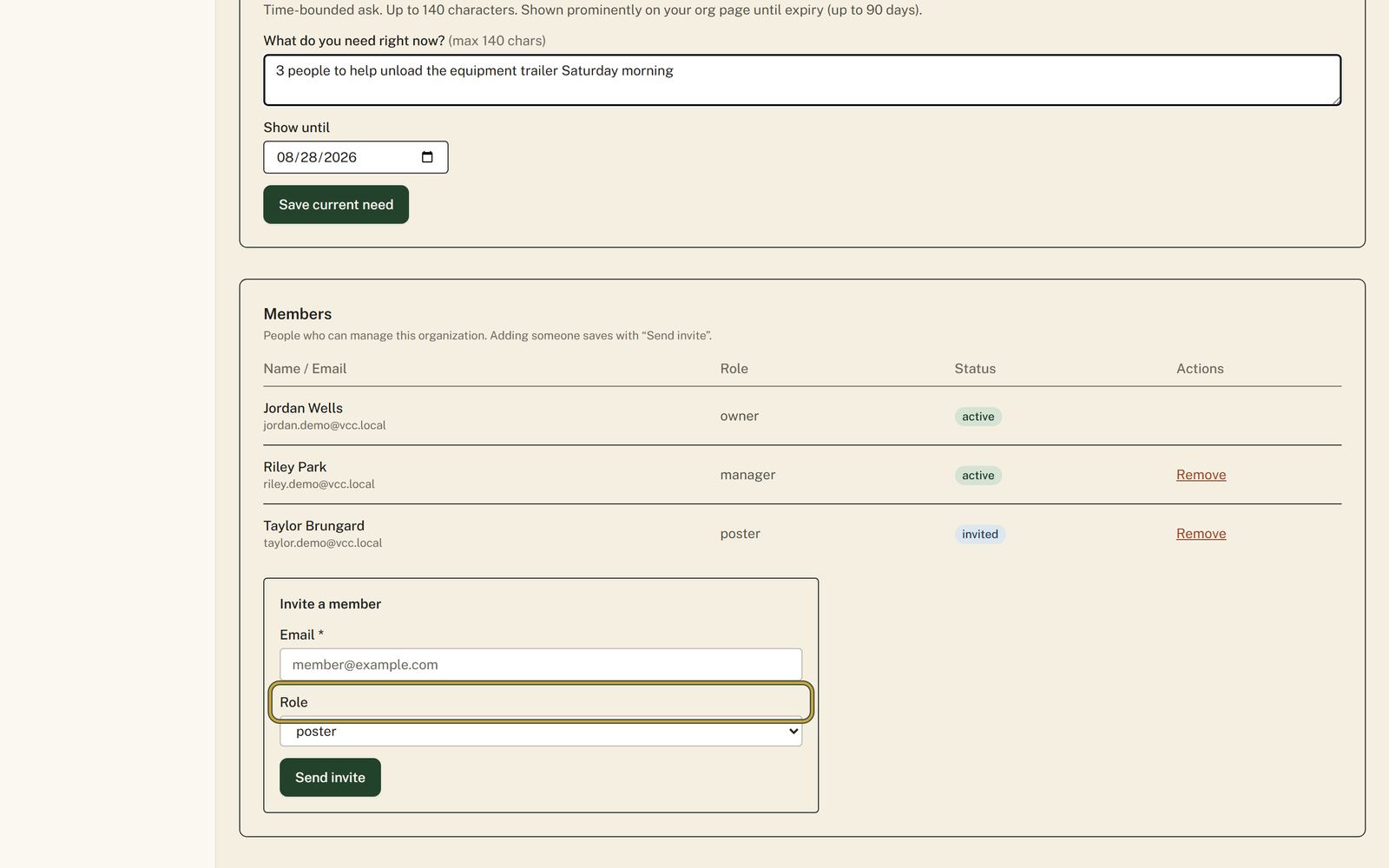
You'll know it worked when: A Members table naming everyone with their own email, a Role and a Status, so you can see at a glance who can do what.
Watch out for: You cannot invite an email that has never signed in here. The person has to create their own account first, then you invite the exact address they used, or the form refuses to find them.
What this doesn't do: Not a shared password to hand out. Everyone signs in as themselves, and removing somebody marks their membership removed here rather than doing anything to their account. That removed row stays on file, so the same address cannot simply be re-invited afterwards.
Owner is the only role that can remove members, and every organization has to keep at least one active owner. Owners and managers edit the Organization Profile and send invites. Posters write and edit listings but see a line on the profile page saying they are not an owner or manager. Viewer is read-only: no posting tools and no Interested Volunteers page.
An invite attaches to an existing account rather than creating one. Until somebody has signed in once, there is no account for the invitation to land on, so the form tells you to have them register first. Invite the exact address they signed in with, because that is the address the invitation checks against when they accept.
Fourteen days. After that the row still sits in your Members table with a Status of invited, and pressing Accept invite returns an error saying the invite has expired. Do not press Remove on it: once a membership row exists for somebody, in any status including removed, a fresh invite to that address is refused with a note that they already have a membership. If an invite ages out, get in touch rather than clearing the row yourself.
Only if you are an owner yourself. The form refuses to send a role above your own, so a manager can invite managers, posters and viewers but not owners. That keeps anyone from quietly promoting themselves past the person who actually runs the organization.
Their membership status changes to removed and they lose access to your organization here. Their own account is untouched, so they can still volunteer, keep their hours and belong to other organizations. You cannot remove yourself, and you cannot remove the last active owner without adding another owner first.
Volunteer Clinton County is a community directory. You browse what local organizations post and contact them directly. More guides