The quality panel that reads your listing like a stranger would
You know where to park and what to wear, so you stop writing it down. A panel above every listing form counts what is missing, scores it, and tells you why each gap costs you people.
Try this with the listing you are proudest of. Read it as somebody who has never been to your building and is deciding, on a Tuesday night, whether to hand a Saturday morning to a room full of strangers. Where does that person park? Which door do they use? How long will they be there, and should they wear boots?
A church in Flemington posts the same pantry shift every autumn, and every autumn somebody turns up in sandals having circled the block three times looking for a space. The listing was never wrong. It just never said the things the regulars had stopped noticing they knew.
The panel above the first field
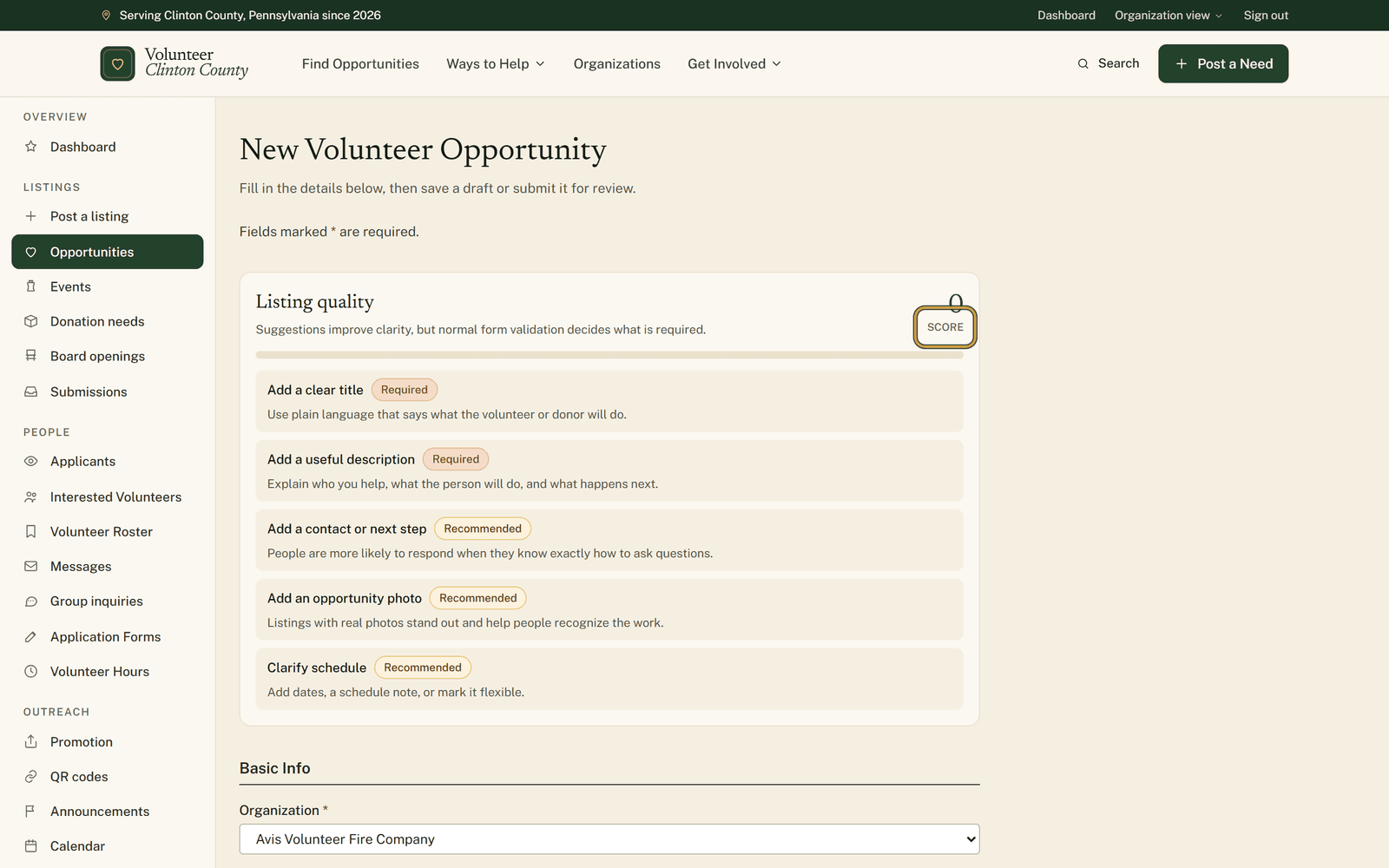
"Listing quality" sits at the top of every listing form, on all four types, whether you are writing something new or opening an old one to edit. It reads what you have typed and names what a stranger still would not know.
The number in the panel's top corner moves while you type, before anything is saved. A blank opportunity form reads exactly 0, which catches people off guard, then climbs as you fill things in.
What each tag costs you
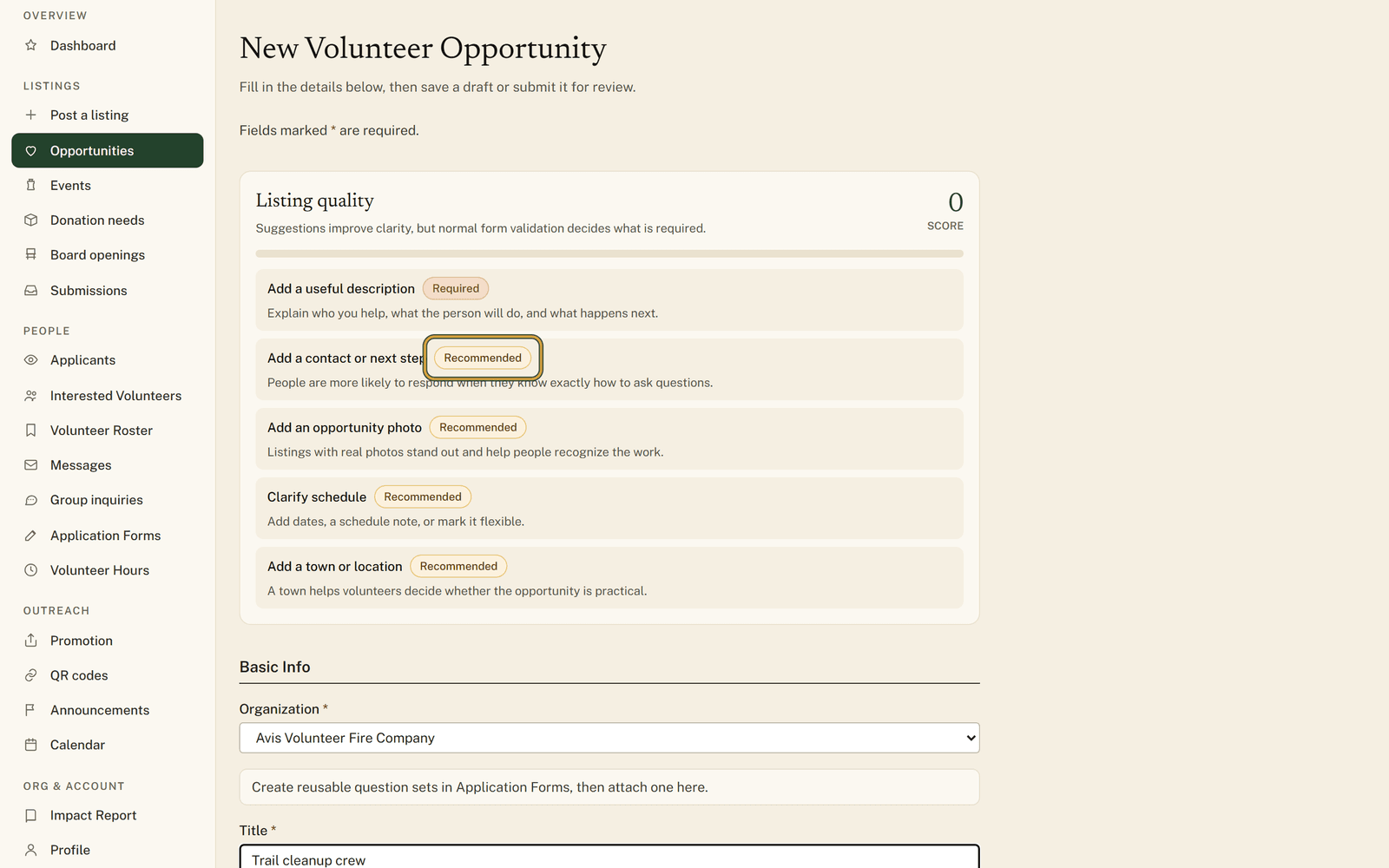
Under the number sit up to five gaps, each tagged Required, Recommended or Helpful. Those tags are prices. The score starts at 100 and takes off 25 for a Required gap, 12 for a Recommended one, 5 for a Helpful one, with a floor of zero. Fill in a field and the points come straight back.
The line under each gap is the part worth reading. "Add first-timer details" explains that arrival, parking or first-shift notes reduce no-shows and nervous drop-off. "Mention age/minor rules" asks you to say whether students, minors, or guardian-supervised youth can help. "Clarify clearances" wants the background-check question answered even if the answer is no.
What gets checked depends on what you are writing. An opportunity is looked over for a title, a description, a way to get in touch, a photo, a schedule or a flexible marker, a town, an age answer, an hours estimate, what to bring, arrival or parking notes, a clearances answer and a capacity. Events, donation needs and board openings each have their own list.
Advice rather than a gate
The panel says so under its own heading: suggestions improve clarity, but normal form validation decides what is required. A Required tag is the panel's ranking of what a gap costs a reader, not a refusal to save. Whatever the form genuinely insists on arrives the usual way, as an error under the field.
The score belongs to you and stays with you. Nothing about it reaches your public listing, and nobody is ranking your organization against anybody else's.
Only five gaps show at a time. Clear one and a sixth can step into the gap, so a list that is not shrinking means the panel is working through a queue rather than ignoring what you just typed. Keep going and the whole list is replaced by a single line saying the listing has the core details volunteers expect.
Reaching 100 is not the job. Plenty of good listings sit in the seventies because the Helpful gaps genuinely do not apply to them.
It comes looking for you afterwards
The same check runs again over your published listings, and the biggest gap can surface on your dashboard as a "Listing tip" with an "Edit listing" button beside it. Only Required and Recommended gaps travel that far; the Helpful ones stay in the form. Press "Dismiss" on any you have made your peace with.
There is a slower walkthrough of the same panel, one screen at a time, at https://www.volunteerclintoncounty.org/help/listing-quality-score
The pantry shift in Flemington comes round again this autumn, and the listing will be almost right again. Open it and look at what the panel says. In most cases it is the parking. Start a listing.