The phone number on your page rings somebody's kitchen
Small groups run on personal numbers and home addresses. Every contact field has its own show box, the private organization email is never published, and hiding them all still leaves a way in.
Search for the historical society in Lock Haven and you might be handed driving directions to somebody's house. Not the archive, which is open on Thursdays. A house, with two retirees in it, and a map pin to make it easy.
The phone number on the same page rings a kitchen in the evenings. Neither of those was a decision anybody made. They were typed into a form years ago by a volunteer who was filling in the blanks, and they have stayed there because nobody was sure they were allowed to change them.
Every field carries its own box
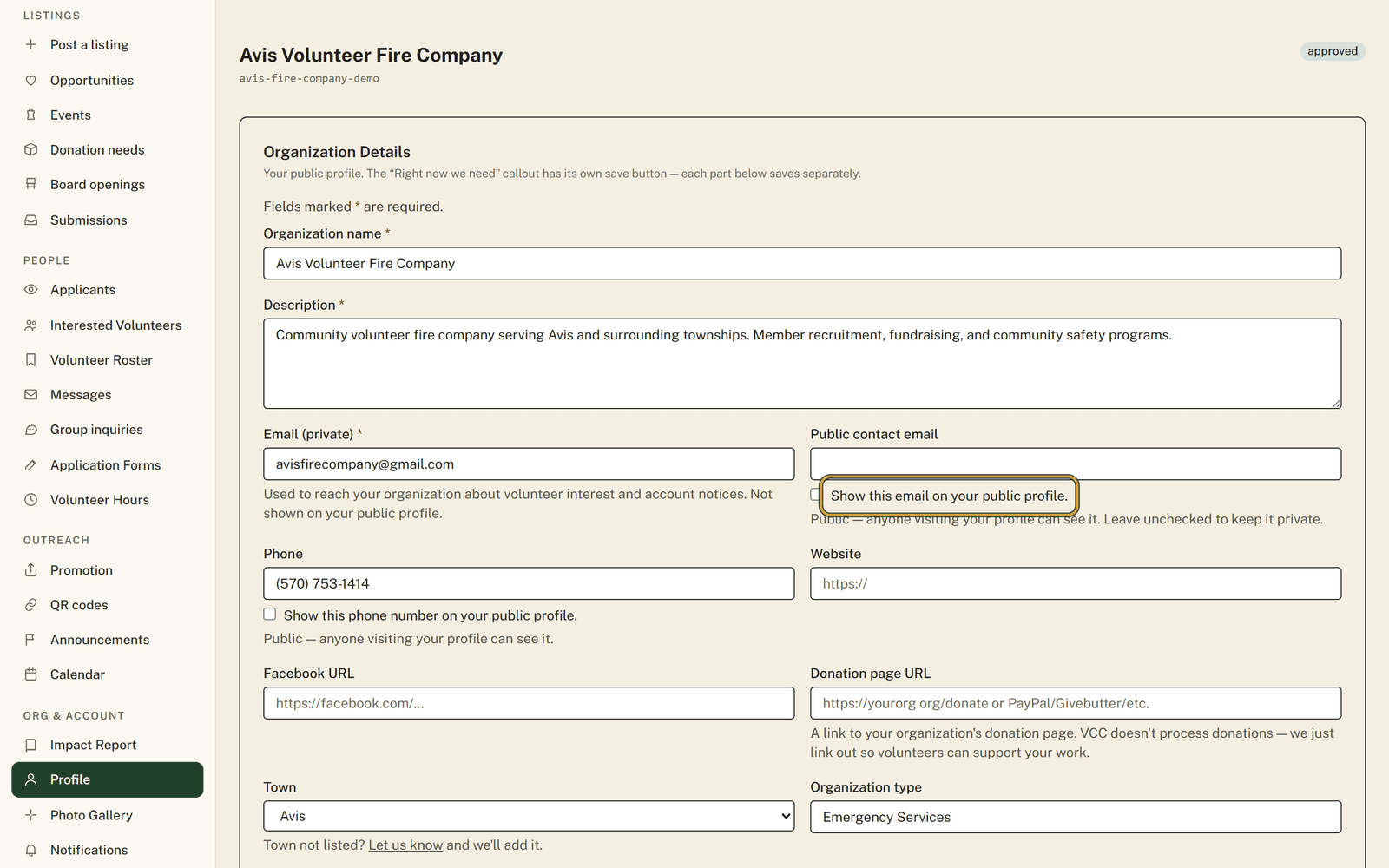
On your organization profile, each contact field has a visibility checkbox next to it, and a field with its box unticked is not sent to your public page at all. That is a stronger promise than hiding, because the page never receives the value in the first place.
Start at the top with "Email (private)". That is your operational address, the one the site uses to reach your organization about volunteer interest and account notices, and the note under it says plainly that it is not shown on your public profile. Beneath it sits "Public contact email", the address you are willing to publish, and even that appears only when you tick "Show this email on your public profile."
Phone has its own box. So does Address, tucked inside the "Location & service area" section, and that one carries more weight than the rest: ticking it hands your address to search engines and puts the map on your page. Right for a building people should visit. Wrong for a home.
A "Volunteer contact person" section lets you name the human people should actually ask for, with their own email and phone if you want. It stays hidden until you tick its box, which is worth doing when the person who handles volunteers is not the person on the main number.
Fill the field first, tick second
A box will not hold if the field behind it is empty. Show this email needs something in Public contact email, and the volunteer contact person box needs a name, so write the value before you reach for the checkbox.
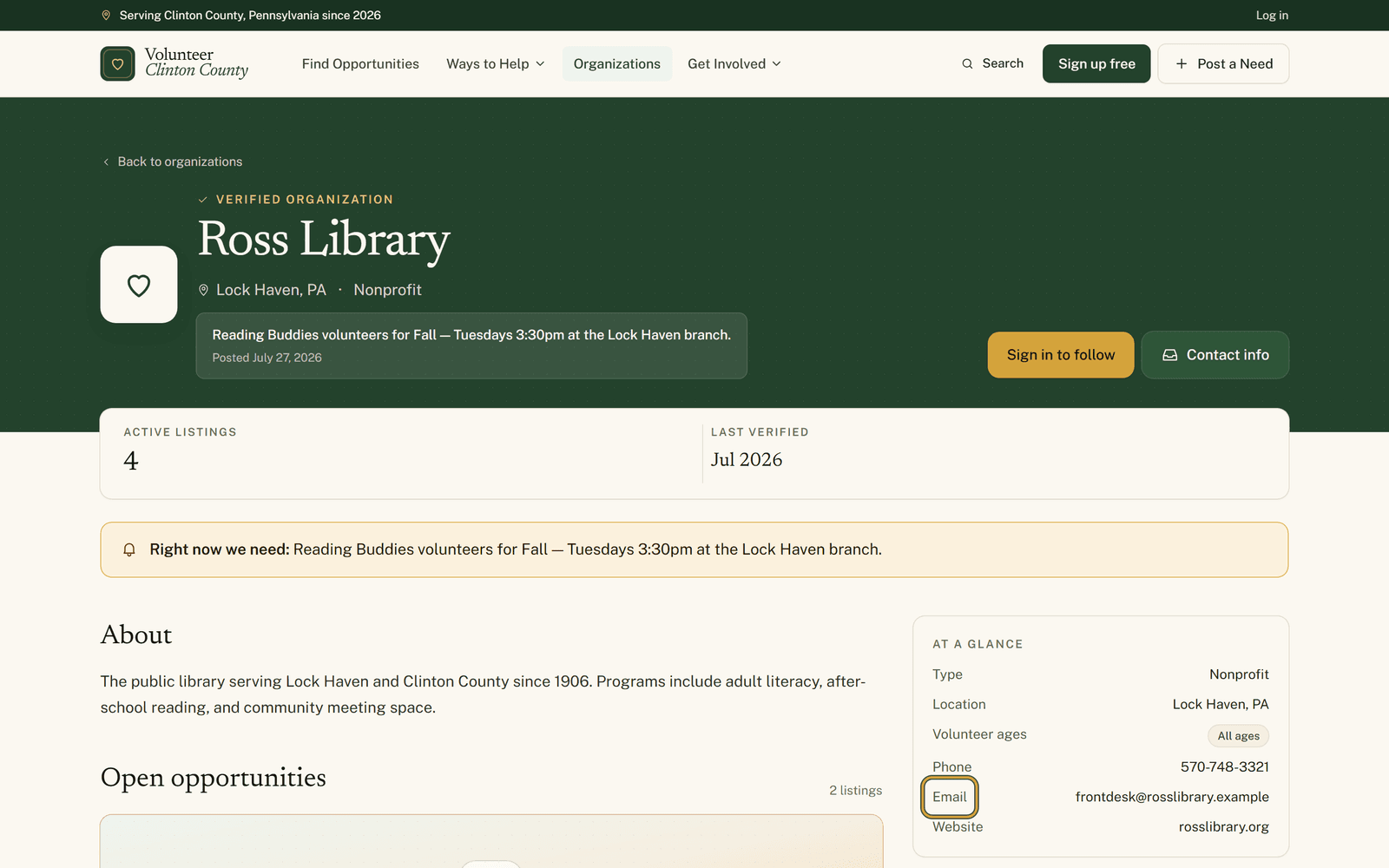
Once you save, go and look at your own page. A "Contact info" button appears under your organization name whenever at least one detail survived, and it jumps to the "At a glance" card holding the rows you allowed.
If you decide to hide all of it
The usual worry is that a quiet page means an unreachable organization. It does not, as long as somebody on your side is listening. Interest raised on one of your listings is emailed to owners and managers who have the Volunteer interest notification switched on in their settings, and that path does not depend on anything your profile publishes.
Check that at least one person has that toggle on before you tighten things up. With nobody listening and no contact email on the listing itself, a volunteer trying to apply is told your organization cannot take applications right now, which serves you worse than a published phone number ever did.
What publishing really means
Anything you do publish is genuinely public. It is written into the page in a way that makes life harder for the machines that harvest addresses, and any person reading it can still pick up the phone. So put a shared address out there rather than one that belongs to a single volunteer.
If your details have been public for years, nothing shifted underneath you. Organizations that were here before these controls arrived kept the visibility they already had, and what changed is that you can now switch any one of them off instead of choosing between all and nothing. Editing them takes owner or manager access.
Each box is shown in place, in order, at https://www.volunteerclintoncounty.org/help/contact-privacy-controls
The archive is open on Thursdays and the house never was. Ten minutes on the profile page settles which of the two the county gets pointed at. Review your contact visibility.