Stop retyping the same listing
The coat drive gets written once and typed four times. Three tools take that work back: build the listing from the flyer you already made, forward the email you already sent, and let the promotion page write the posts.
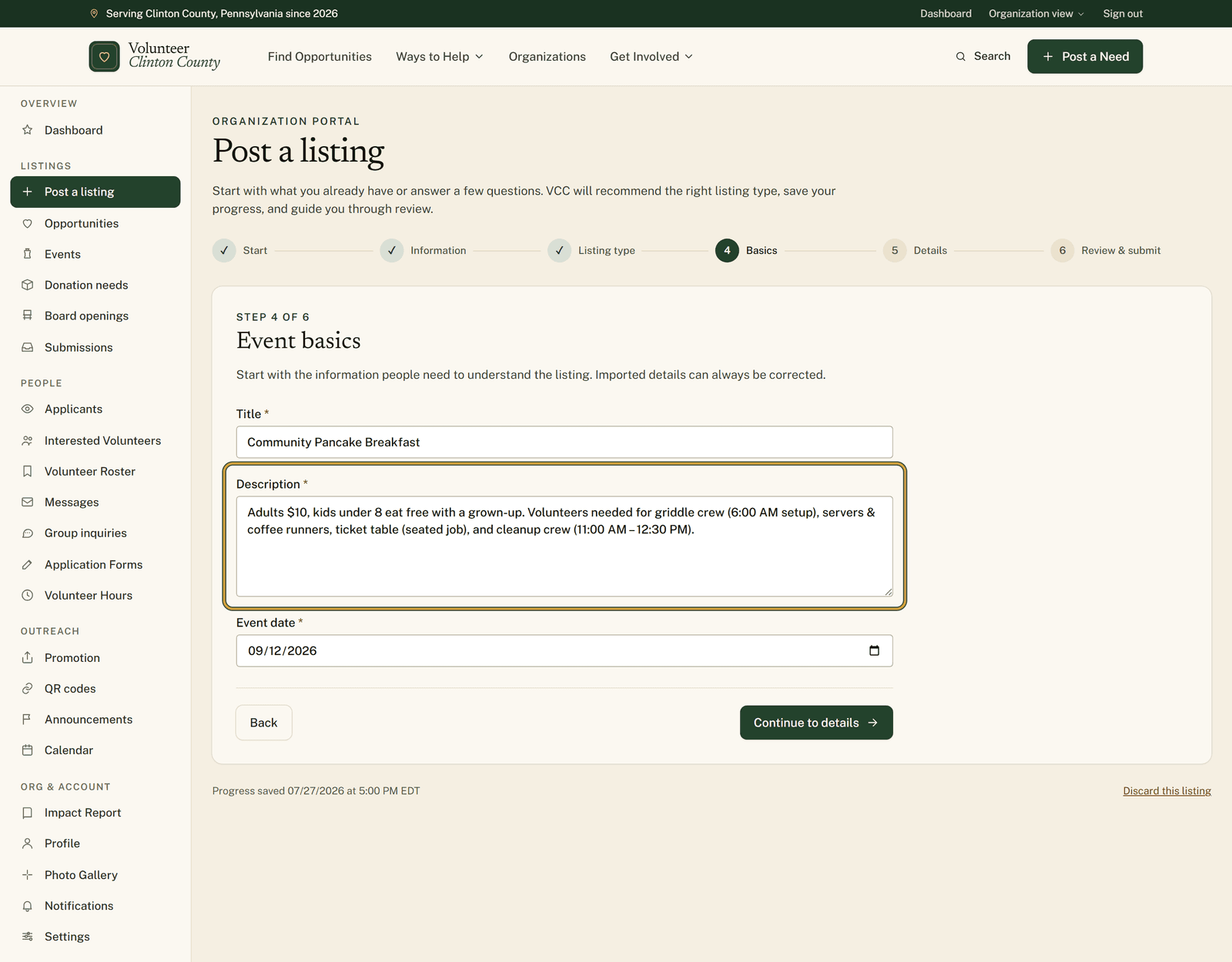
Count how many times the same forty words get typed.
The coat drive at a church in Mill Hall starts life as an email to the congregation. Then it becomes a flyer for the door. Then somebody types it into Facebook. Then, if there is any evening left in the week, somebody types it a fourth time into a web form so the rest of the county can find it. You can guess which of the four gets dropped.
Three separate tools on the site chip away at that count. None of them is clever. They just refuse to make you write the same thing twice.
The flyer you already made
The posting wizard reads a flyer image, a PDF, text pasted out of an email or a Facebook post, or a public webpage. It fills in the fields, picks which of the four listing types fits, and pulls the flyer in as the listing photo. If the date is on the flyer and the details are in an email, hand it both.
You stay the one who submits. Nothing saves and nothing publishes until you read it over and send it yourself, and then it joins the normal county review queue like anything else.
The one source it cannot follow is a Facebook link, because Facebook does not let outside tools read most posts. A screenshot of the post works, and so does the caption text.
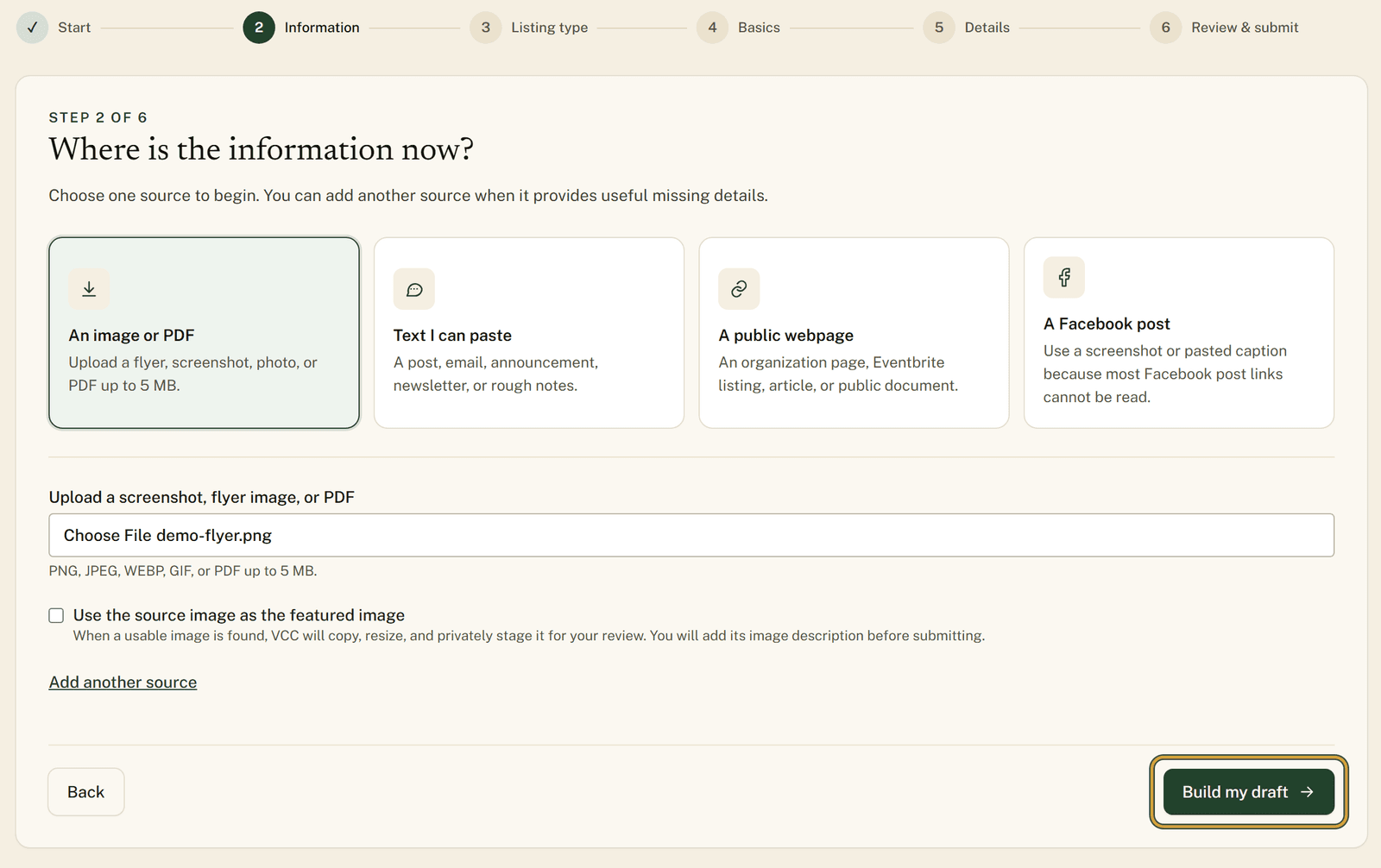
Written up in full at https://www.volunteerclintoncounty.org/help/turn-a-flyer-into-a-listing
The email you already sent
Post by email skips the form altogether. An approved organization names one address it always sends from, an administrator checks that address once, and after that a forwarded event, volunteer need, donation need or board opening turns into a listing without anybody signing in.
Inbound mail is picked up every ten minutes, so give it a few minutes rather than watching for it.
The message has to come from the exact address that was approved, which means a forward out of a personal account or a second staff inbox will not be recognized. Only the organization owner can request the address in the first place. And if anything in the email is unclear or missing, the listing waits for site staff to read it before it reaches the directory.
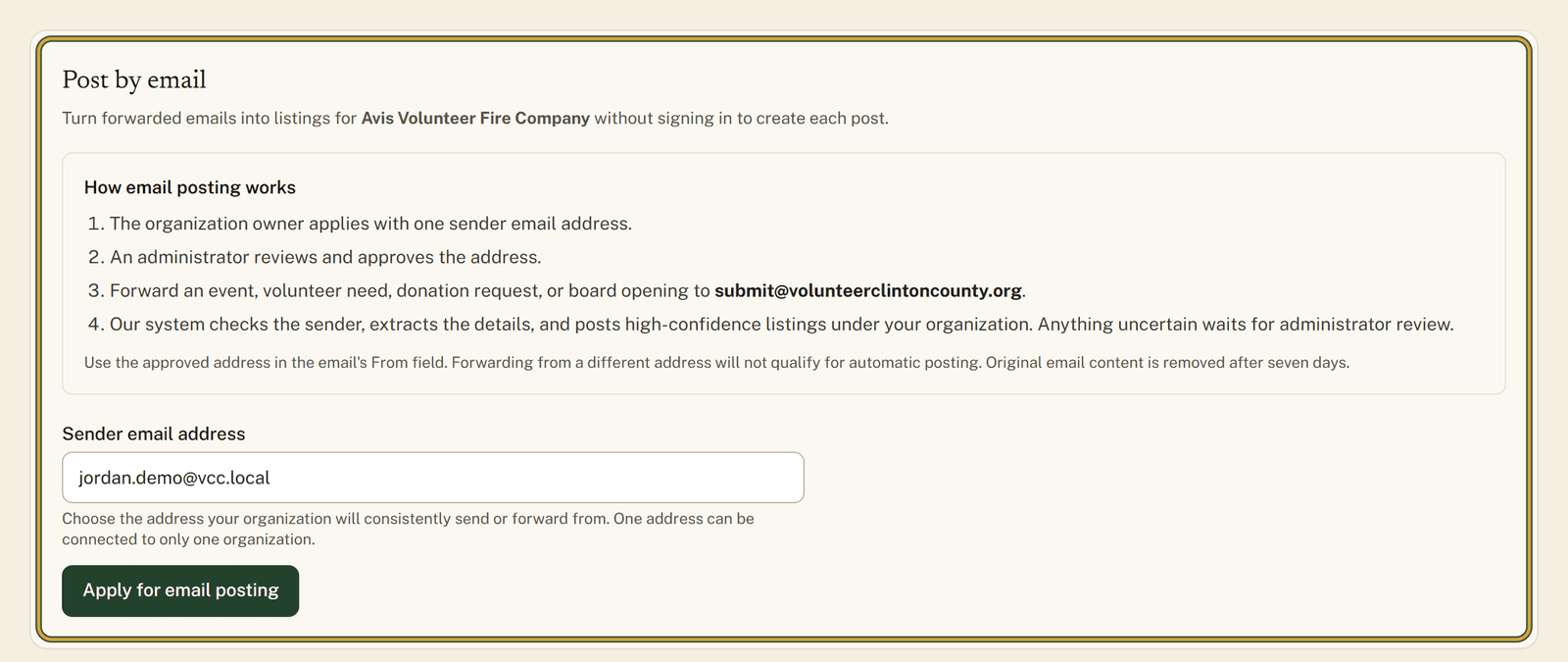
The owner's half of the job is at https://www.volunteerclintoncounty.org/help/post-a-listing-by-email
The posts you have not written yet
Once a listing is published it comes with a promotion page. A short post and a longer post, both drafted from your own listing, each with a Copy button. Three share images to download, sized for a link card, a feed post and a story. A flyer that prints on letter paper with a QR code in the corner. A campaign checklist and a running view count on the same page.
The site writes the words and renders the images. It does not put anything on your Facebook page or anywhere else, so you copy what you want and post it in your own voice, on your own schedule.
Only published listings carry these tools. Drafts and anything still in review wait lower down the page under "Needs publishing first". And the QR printed on a listing flyer is baked to that one listing's web address, so when the listing comes down, that paper leads to a page that no longer exists. For signage meant to outlast one campaign, make a reusable code on the QR codes page instead and re-point it whenever you need to.
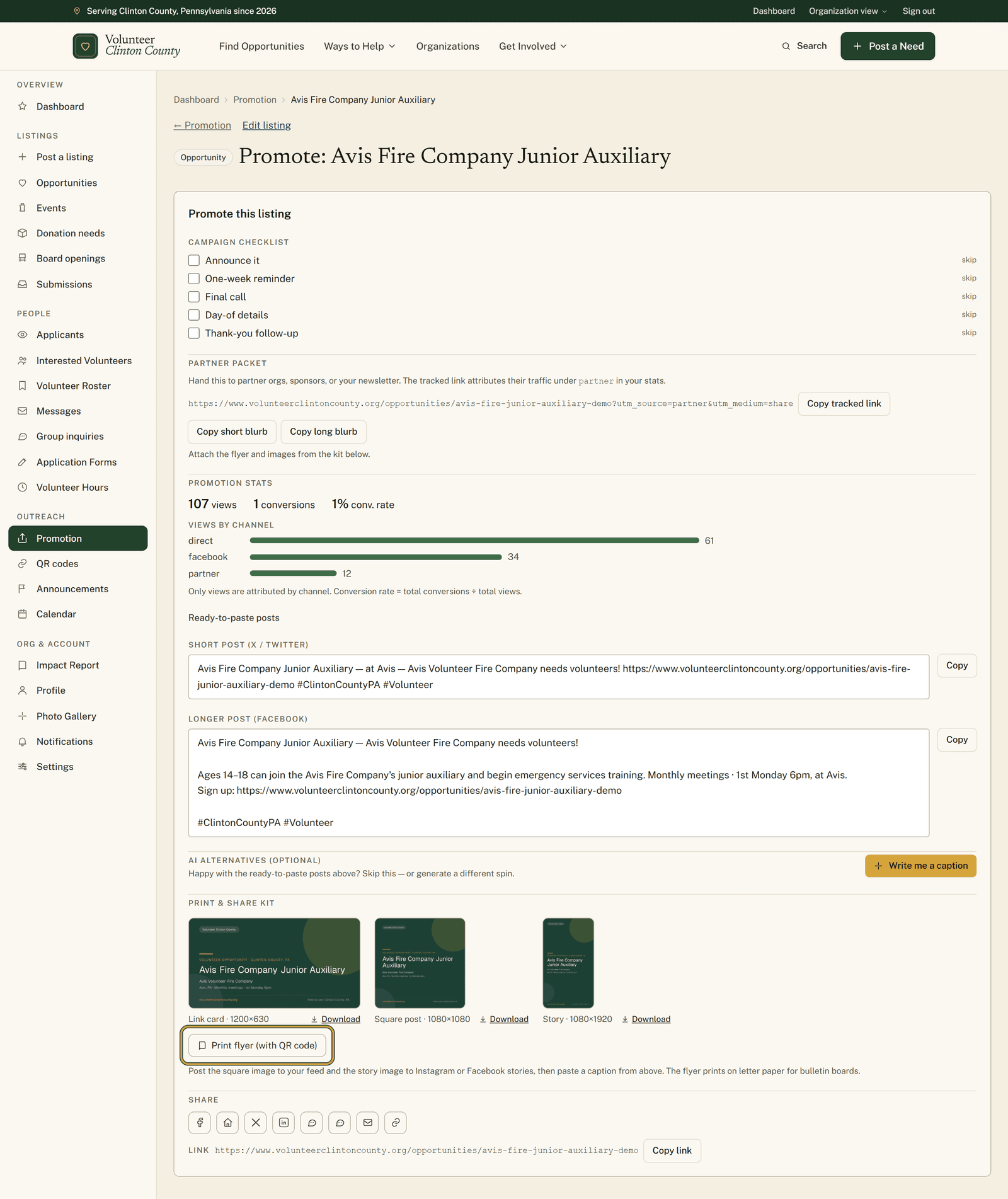
Every part of that page is walked through at https://www.volunteerclintoncounty.org/help/promotion-kit
Put end to end
The coat drive gets written once. The email that went to the congregation becomes the listing. The listing produces the captions, the images and the flyer for the door. What used to be a fourth evening at the keyboard turns into a copy button and a trip to the printer. Open the posting wizard.