Turn a flyer or Facebook post into a listing, no retyping
Upload a photo of your flyer or paste the text of a post you already wrote, and the listing form fills itself in.
The posting wizard can read a flyer image, a PDF, pasted text from an email or a Facebook post, or a public webpage. It fills in the fields, picks which of the four listing types fits, and pulls the flyer in as the listing photo. Nothing saves or publishes until you review it and submit it yourself.
Who this is for: Any organization whose volunteer info lives on a flyer, in an email, or in a pinned Facebook post.
Before you start: An approved organization account; registration takes a day or two to review.
- 1
Sign in and go to Post a listing. On the first step, choose "Use something I already have."
- 2
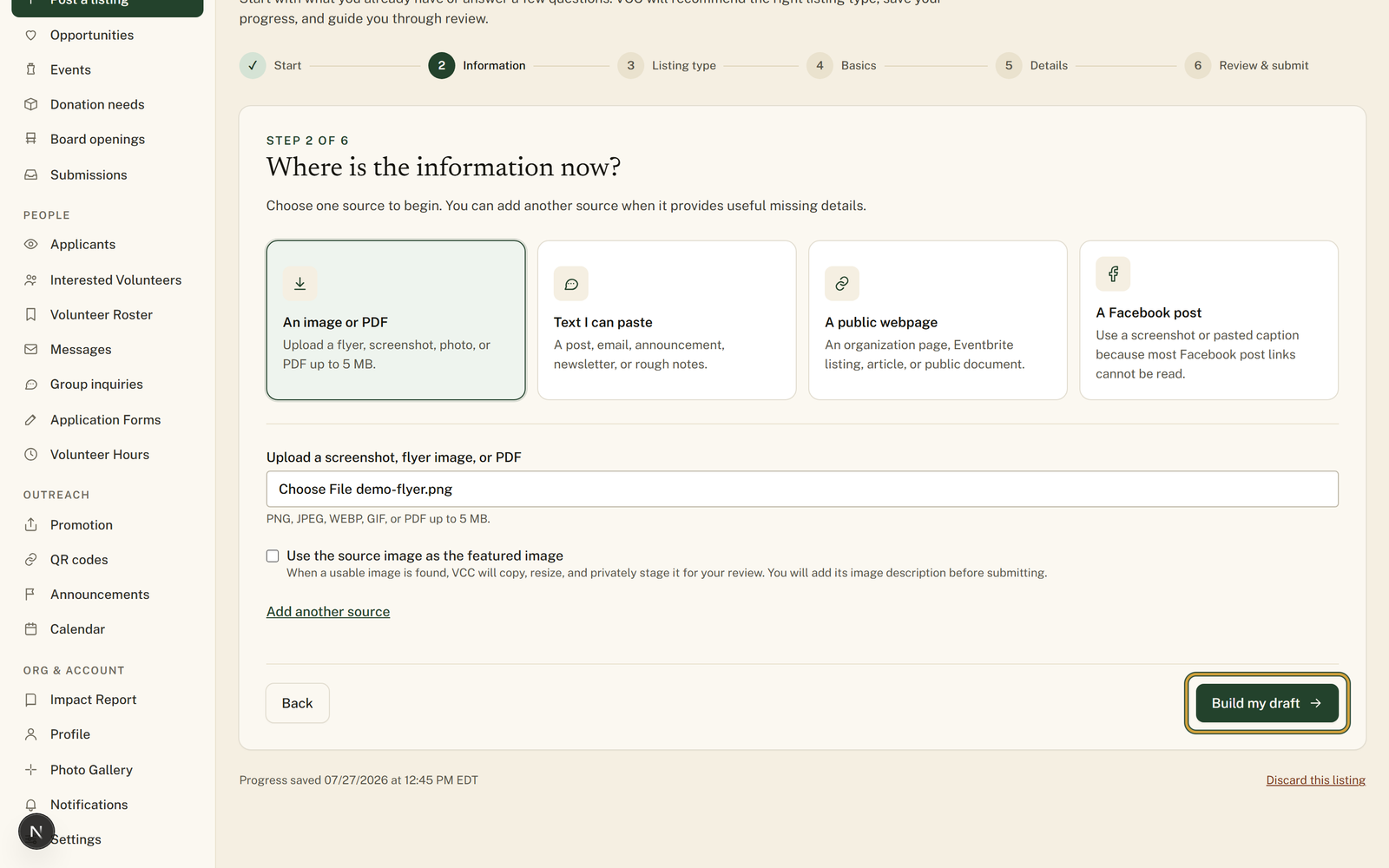
On the step headed "Where is the information now?", pick your source: "An image or PDF," "Text I can paste," "A public webpage," or "A Facebook post."
- 3
Upload the flyer or paste the text. Use "Add another source" if the date is on the flyer but the details are in an email.
- 4
Press "Build my draft." It reads your source and suggests the listing type.
- 5
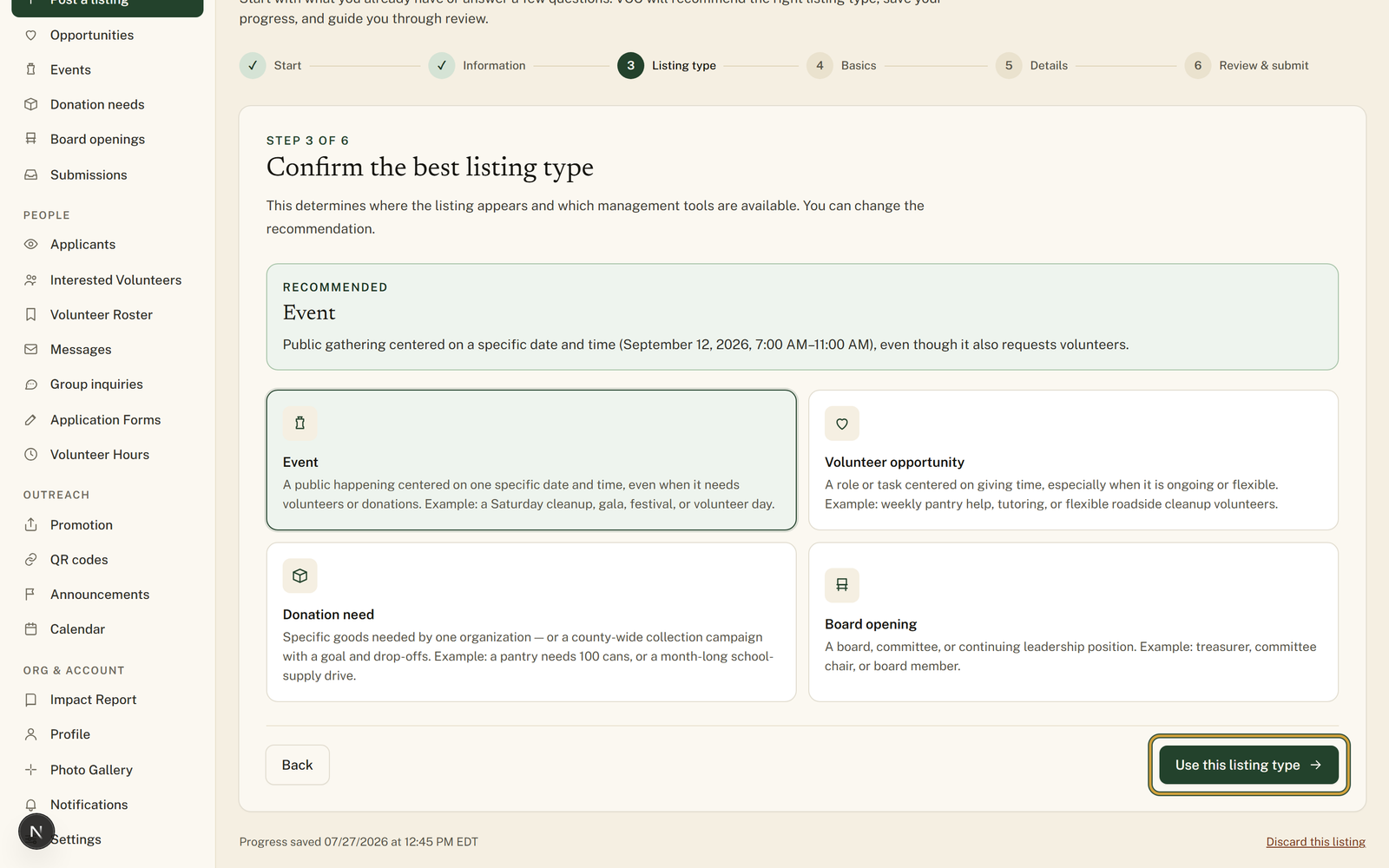
Confirm with "Use this listing type," or change it first.
- 6
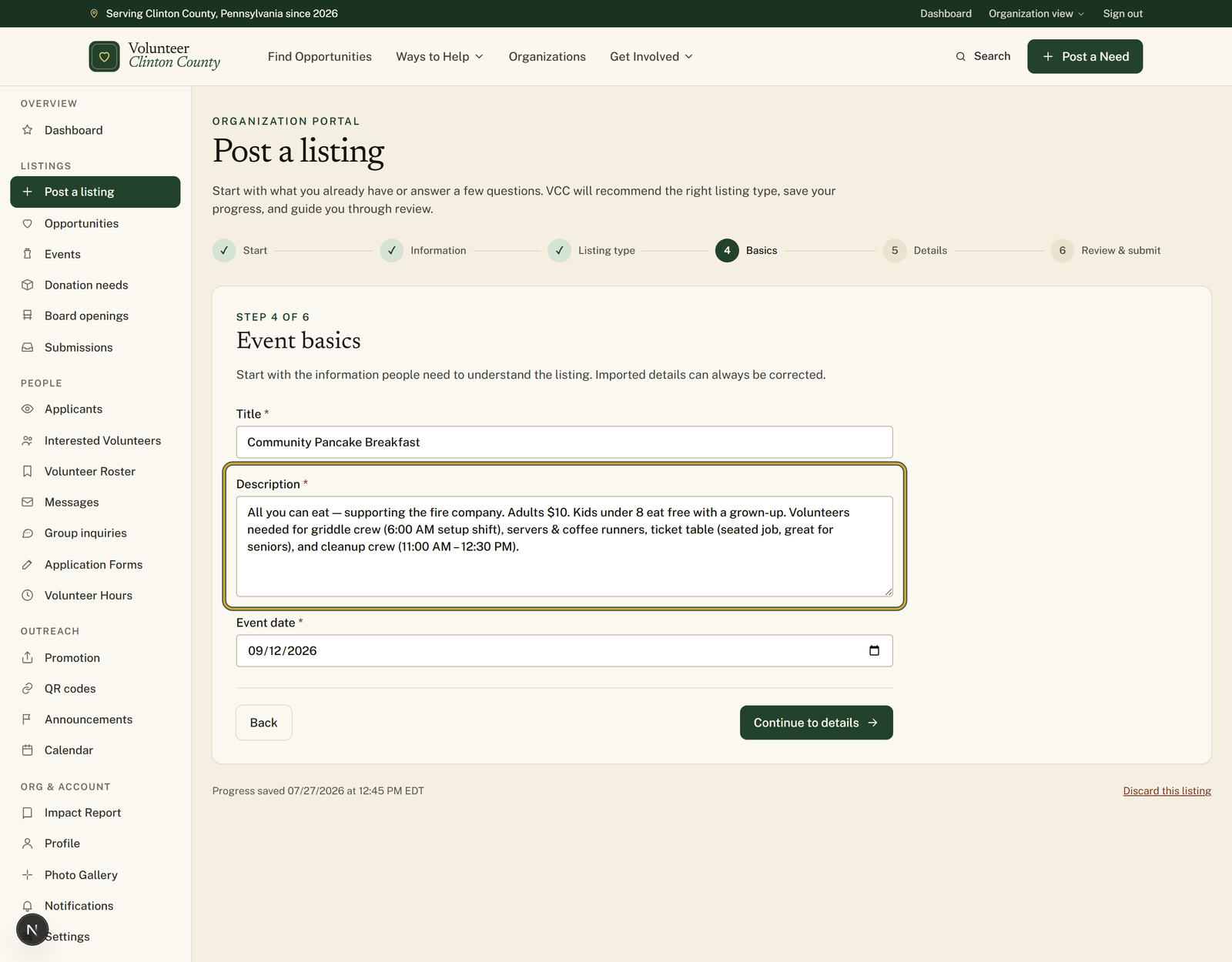
Check the "Basics" and "Details" steps. The fields are already filled; fix anything wrong.
- 7
On "Review & submit," read it once more and submit for review.
You'll know it worked when: You land on a confirmation that it was submitted, and the listing enters the normal county review queue.
Watch out for: It cannot open a Facebook link. Facebook does not let outside tools read most posts. Upload a screenshot of the post, or paste the caption text.
What this doesn't do: It does not post anything to Facebook or anywhere else, and it never publishes a listing on its own.
No. Facebook does not let outside tools read most post links. Upload a screenshot of the post or paste the caption text and it works the same way.
No. You review every field, submit it yourself, and a county reviewer approves it before it goes public.
Volunteer Clinton County is a community directory. You browse what local organizations post and contact them directly. More guides