Forward an email and get a listing without signing in
You already write these announcements in email, so forward one to the site and it becomes a listing for your organization.
Post by email lets an approved organization send or forward a message to the site's intake address and have it turn into a listing, with no sign-in and no form to fill out. The site picks up new mail every ten minutes. It only creates new listings, so it cannot edit or take down something you already posted.
Who this is for: Owners of organizations already approved on the site who would rather write an email than a form.
Before you start: Your organization is approved on the site and you are its owner.
- 1
Sign in as the organization owner and open the "Organization settings" page in your organization portal.
- 2
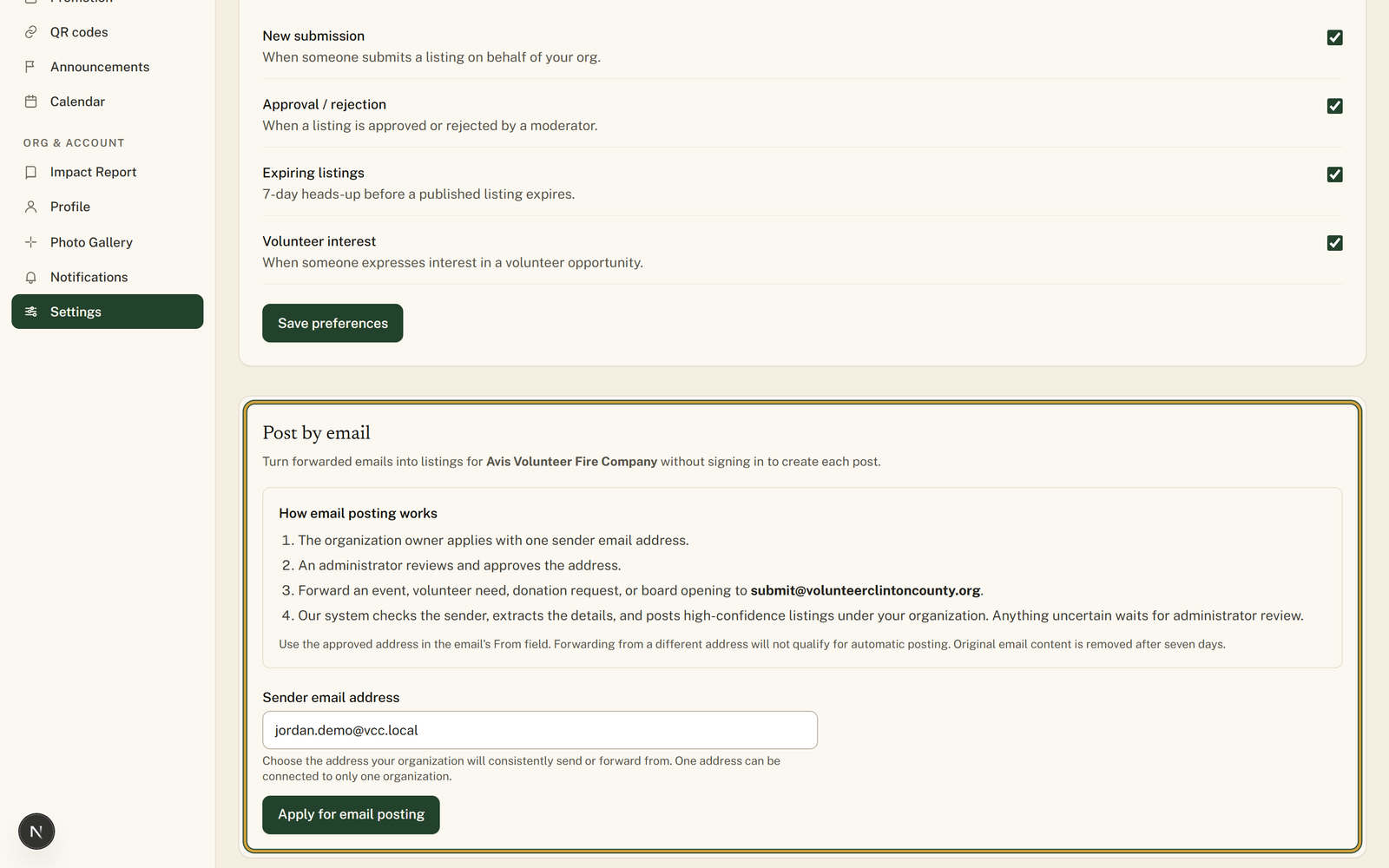
Scroll to the "Post by email" card and read the short "How email posting works" list inside it.
- 3
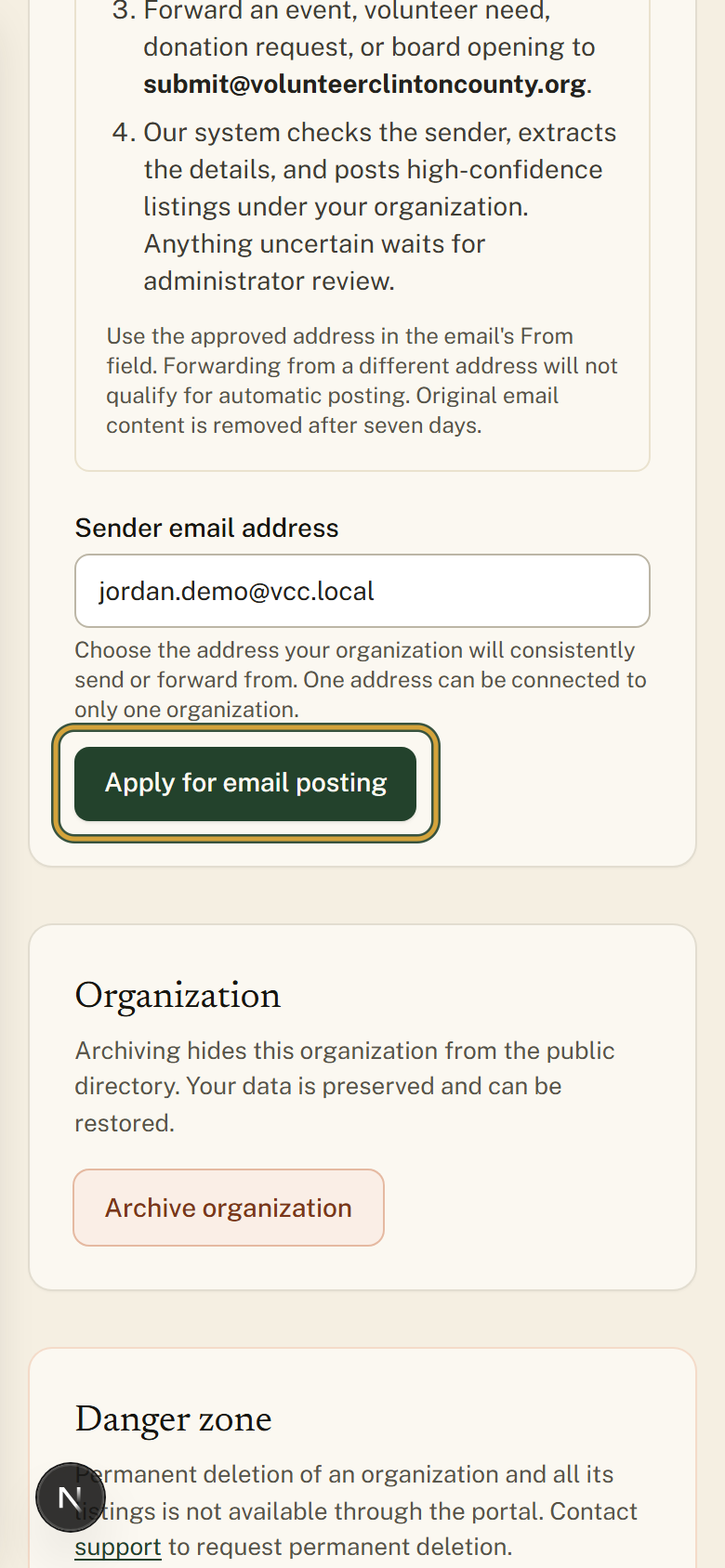
Enter the address your group always writes from under "Sender email address", then choose "Apply for email posting".
- 4
Wait for a site administrator to check the address. The card reads "Awaiting review", then changes to "Approved".
- 5
When the card says "Email posting is ready", forward an event, volunteer need, donation need, or board opening to submit@volunteerclintoncounty.org.
- 6
Give it about ten minutes, then open "Submissions" in the portal menu to see the listing your email created.
You'll know it worked when: Within about ten minutes the listing appears under Submissions, filled in from your email and already live if nothing was unclear.
Watch out for: The message has to come from the exact address that was approved. A forward out of a personal account or a second staff address will not be recognized.
What this doesn't do: This posts listings for your own organization. It is not a way to email the site's staff or ask a general question.
Inbound mail is picked up every ten minutes, so the listing usually appears within about ten minutes of sending. It is not instant, so give it a little time before you go looking.
Only the organization owner can request the sender address, and only mail sent from that one approved address is accepted. A forward from a staff member's personal account will not be recognized.
Usually yes. If the email is clear and comes from the approved address, the listing goes live under your organization. If something is missing or unclear, it waits for site staff to read it before it appears in the directory.
Events, volunteer opportunities, donation needs, and board openings. Send the same details you would put in an email to your members: what is happening, when and where, and who to contact.
Once an address is approved the card no longer shows the form, so contact support to switch to a different one. One email address can be connected to only one organization.
Volunteer Clinton County is a community directory. You browse what local organizations post and contact them directly. More guides