You already wrote the volunteer post. Don't write it again.
Small organizations keep their volunteer info on a flyer and a pinned Facebook post. Both of those are now enough to create a listing.
There is a fire company auxiliary in Renovo with a pancake breakfast to staff. The volunteer call is on a flyer taped inside the door, where anybody walking through sees it.
The same words are in a Facebook post, pinned since March.
What never happened was the third version. Nobody sat down and retyped it into a web form, so the pancake breakfast never reached the county directory. The auxiliary would have taken the extra hands. Retyping the whole thing was one more evening, and that evening kept not happening.
The part where people stop
You already wrote this. Somebody made the flyer, somebody wrote the post, and between them the date, the time, and the phone number are all correct.
Then a form asks you for a title, a description, a date, a location, a contact. And you think: I have all of that. It is on the paper in my hand.
That is usually where the listing dies.
What the posting wizard does with what you have
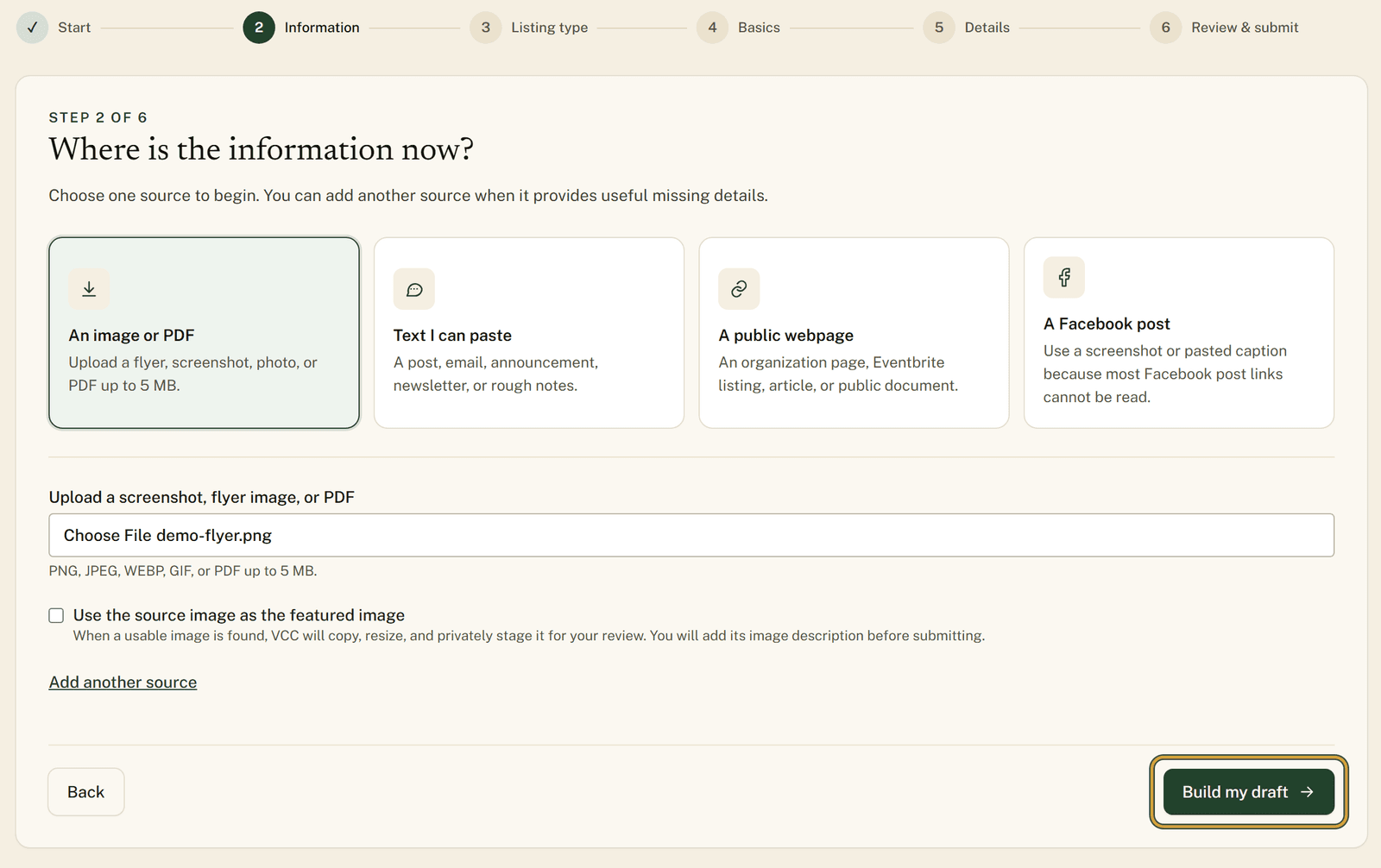
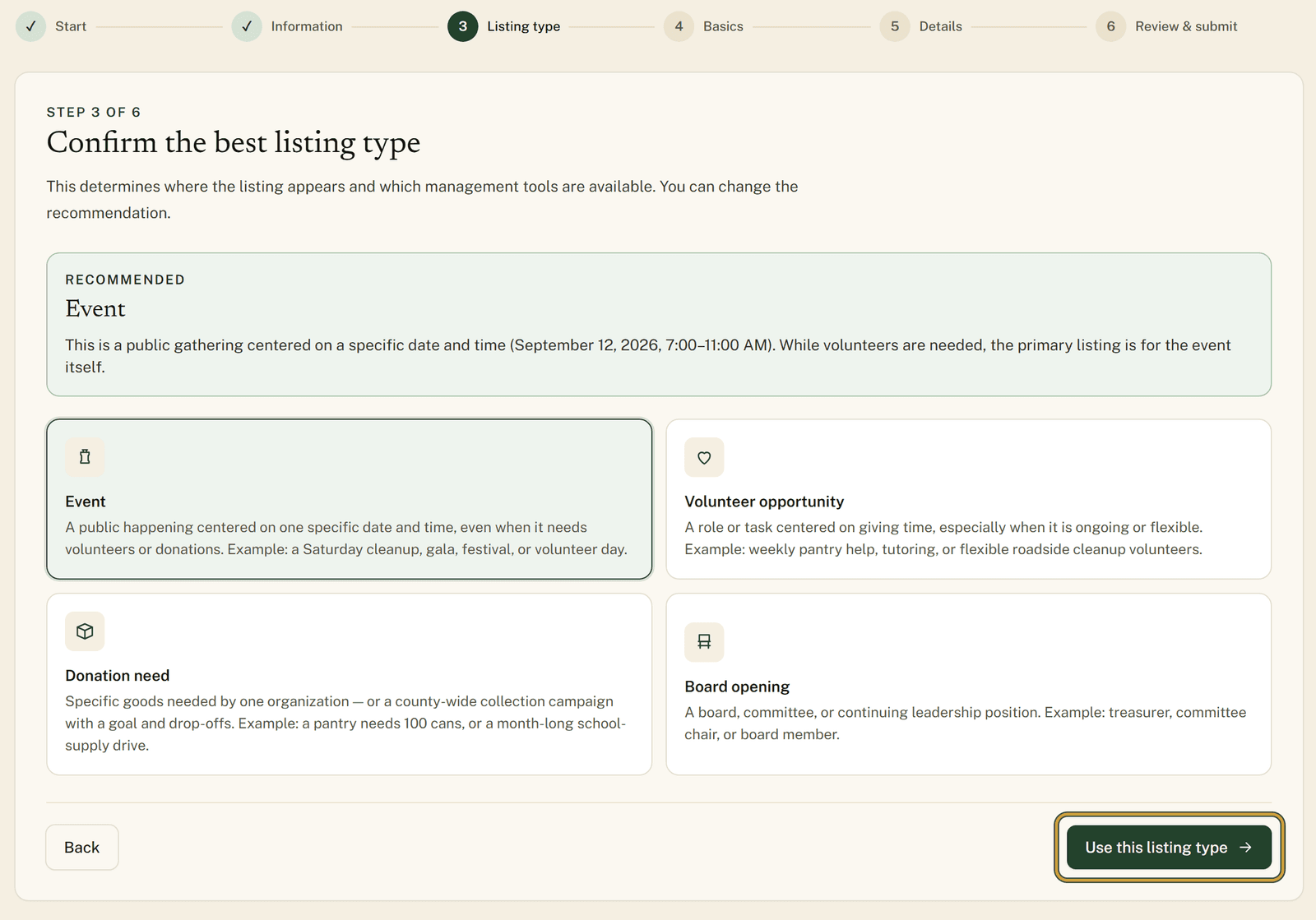
The posting wizard can read a flyer image, a PDF, pasted text from an email or a Facebook post, or a public webpage. It fills in the fields, picks which of the four listing types fits, and pulls the flyer in as the listing photo.
A Facebook link is the one source it cannot follow. Facebook does not let outside tools read most posts, so pasting the link gets you nowhere. Upload a screenshot of the post instead, or paste the caption text, and it works the same way as the flyer.
You start by choosing "Use something I already have." Then it asks where the information is now, and you point it at the flyer. If the date is on the flyer but the details are sitting in an email, "Add another source" lets you hand it both.
It reads what you gave it and suggests a listing type. You either agree with it or you change it.
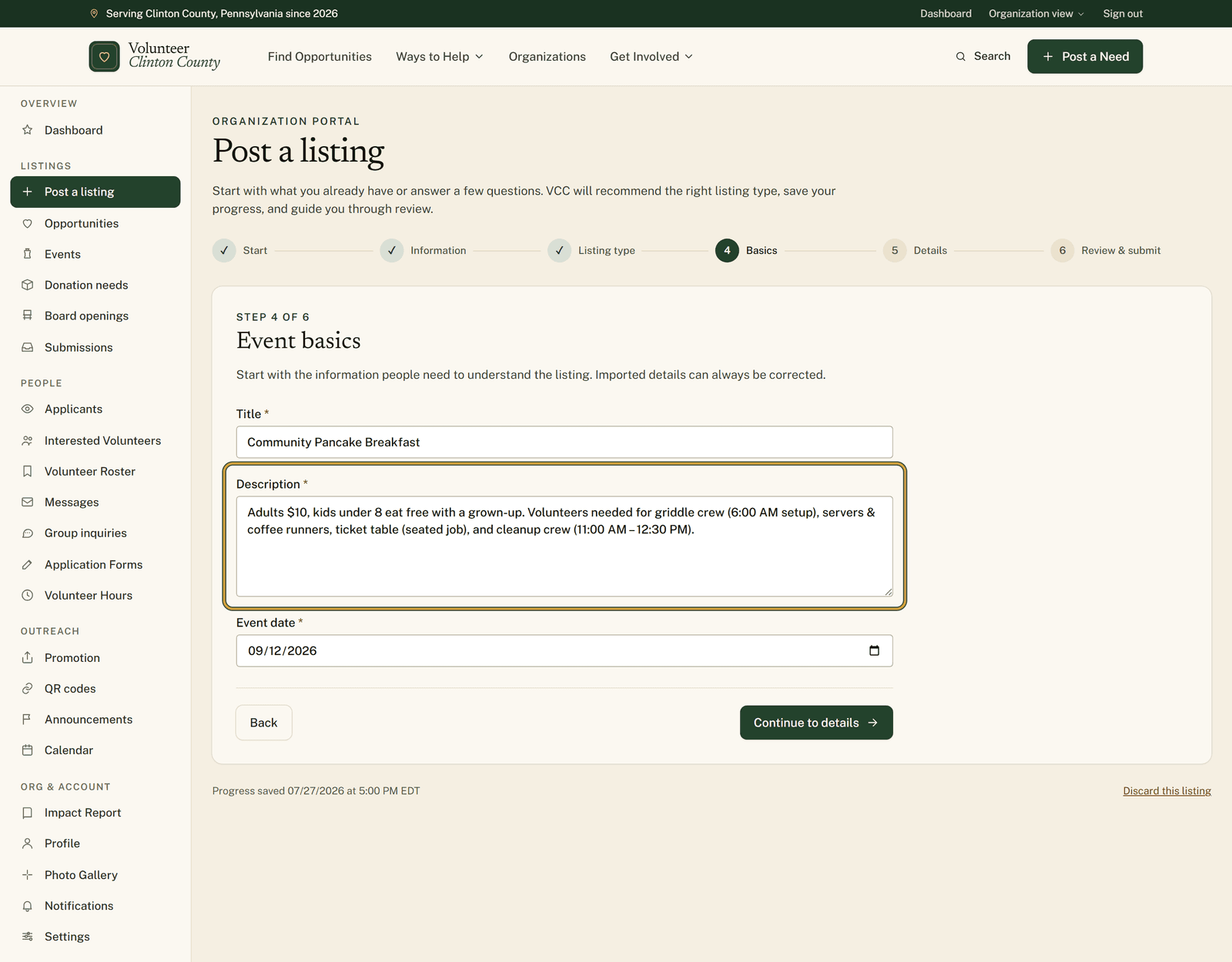
Then you are looking at a form that is already filled in. Your job shrinks to reading the Basics and Details steps and fixing whatever came out wrong.
Nothing moves without you
Nothing saves and nothing publishes until you read it over on "Review & submit" and send it yourself. When you do, you land on a confirmation that it was submitted, and the listing enters the normal county review queue.
It does not post anything to Facebook or anywhere else, and it never publishes a listing on its own. The last word is yours, and then a county reviewer's.
You do need an approved organization account before you can post anything, and registration takes a day or two to review. If you have not registered yet, start there and come back.
If your info is a flyer and a pinned post
The auxiliary in Renovo is not unusual. Most groups around here keep their volunteer info exactly this way: one flyer by the door, one post somebody pinned months ago, and one person who already has plenty to do. Getting that in front of the rest of the county should not cost that person another evening at the keyboard.
The help page walks the same path screen by screen if you want to look before you start: https://www.volunteerclintoncounty.org/help/turn-a-flyer-into-a-listing
The flyer is probably still taped to the door. Take a photo of it, open the posting wizard, and let the form do the typing this time.