Forward an email, get a listing without signing in
An approved organization can email its next event or donation need to the site and have the listing up in about ten minutes, with no sign-in and no form.
Subject: What the pantry needs this month
Canned soup, peanut butter, diapers. Drop-off is the side door, Tuesday and Thursday mornings. Call the office if you can help sort.
Some version of that email goes out every month from the food pantry in Renovo, to a volunteer list that has been more or less the same for years. It has the date, the place, the need, and the phone number. Everything a stranger would need in order to help is already sitting in it.
It just never leaves the list.
The second version is the one that never gets written
If you help run a small organization around here, you know the gap. The words exist. You sent them on a Tuesday night, probably from your phone. Getting them anywhere else means finding a computer, remembering a password, and typing the whole announcement over again into a web form. That retyping falls to whoever has the least time left in the week, which is why it mostly does not happen.
Put the site on the copy line
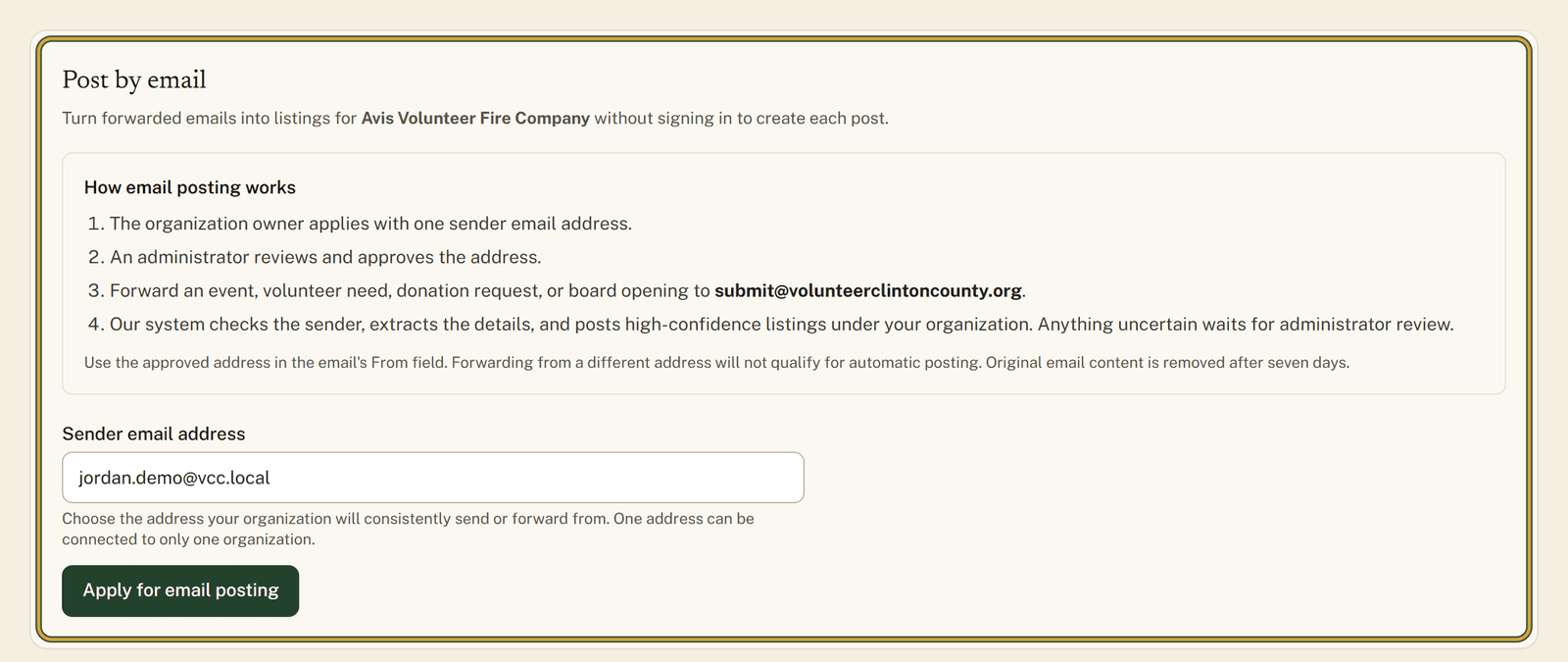
Post by email lets an organization already approved on the site send or forward a message to the site's intake address and have it turn into a listing. No sign-in, no form to fill out. New mail is picked up every ten minutes. What it does is create listings, so it will not edit or take down something you have already posted.
The setup lives on the Organization settings page, in a card called Post by email. Inside the card there is a short list titled "How email posting works" and a box for the sender email address.
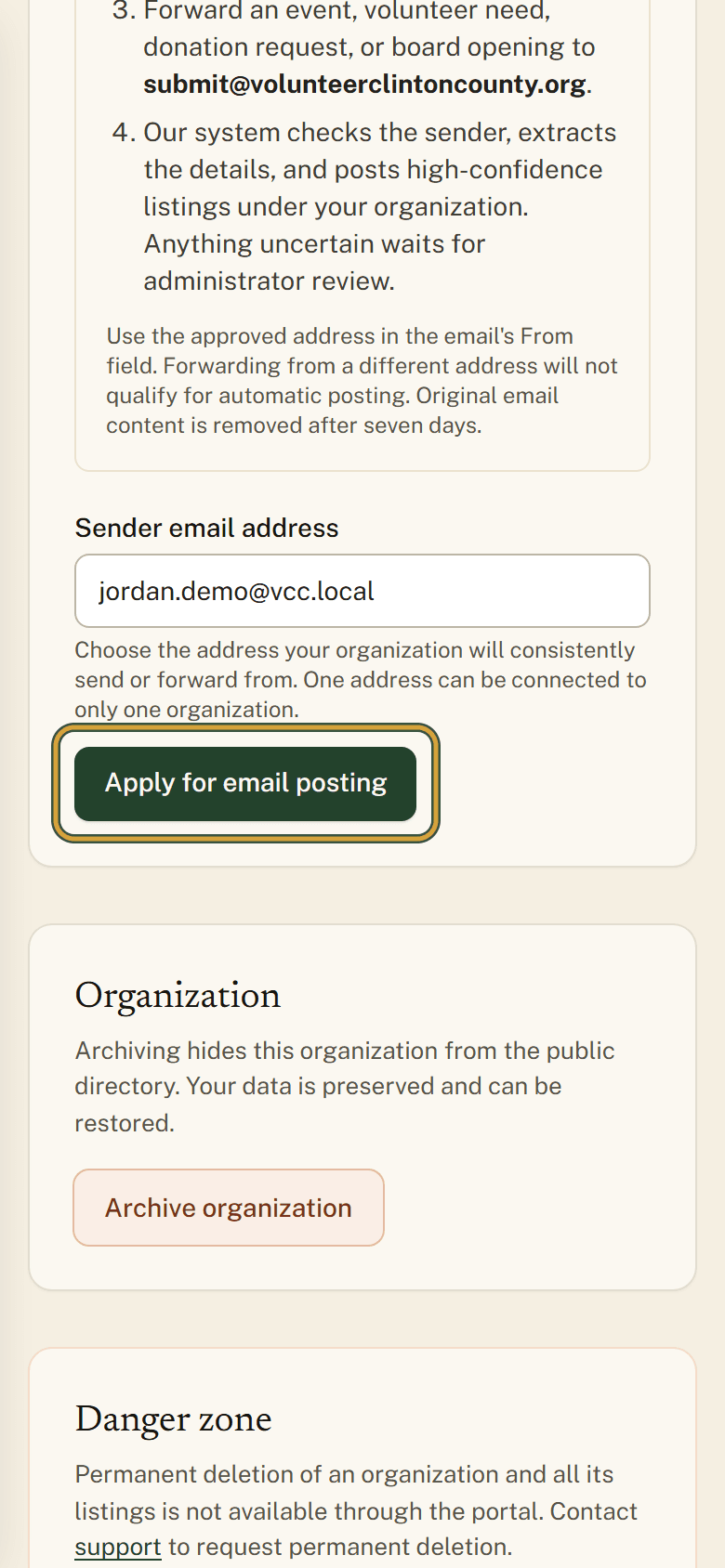
Only the organization's owner can do the setup, and it happens once. Put the one address your group always writes from under "Sender email address" and choose "Apply for email posting". A site administrator checks it. While that is happening the card reads "Awaiting review", and then it changes to "Approved". The approval is tied to that exact address, so mail forwarded out of a personal account or a second staff member's inbox will not be recognized. Name the address the group actually sends from.
Sending the first one
Once the card says "Email posting is ready", forward an event, a volunteer opportunity, a donation need, or a board opening to submitvolunteerclintoncountyorg. Nothing has to be written specially for the site. Send the same details you would put in an email to your members: what is happening, when and where, and who to contact.
If the message is clear and comes from the approved address, the listing goes live under your organization. If something is missing or unclear, it waits for site staff to read it before it appears in the directory. Either way it shows up under Submissions in the portal menu within about ten minutes, filled in from your email. Give it those ten minutes before you go looking for it.
The intake address is not a way to reach the site's staff or ask a general question. Mail sent there posts listings for your own organization, and that is the whole job it does.
Owners who want to see the card and the buttons before touching anything can read the ordered walkthrough at https://www.volunteerclintoncounty.org/help/post-a-listing-by-email.
The pantry's monthly email goes out again in a few weeks. Same side door, same phone number, one more address on the line. Owners turn that on from Open organization settings.