Six questions when you cannot say what you are looking for
The volunteer match quiz turns six taps into a filtered browse page. Here is what each question actually changes, and which answers quietly change nothing at all.
"I'd help with something. I just don't know what."
People say some version of that at the church coffee table, in the checkout line, to their daughter on the phone. They have a Tuesday evening going spare, or a truck, or thirty years of bookkeeping behind them, and no clue which organization around here could use any of it.
A filter panel is no help to that person. It assumes you already have the words. If you cannot say whether you want indoor work or a cause area, eleven sections of filters are just eleven more decisions.
Answering questions instead of ticking boxes
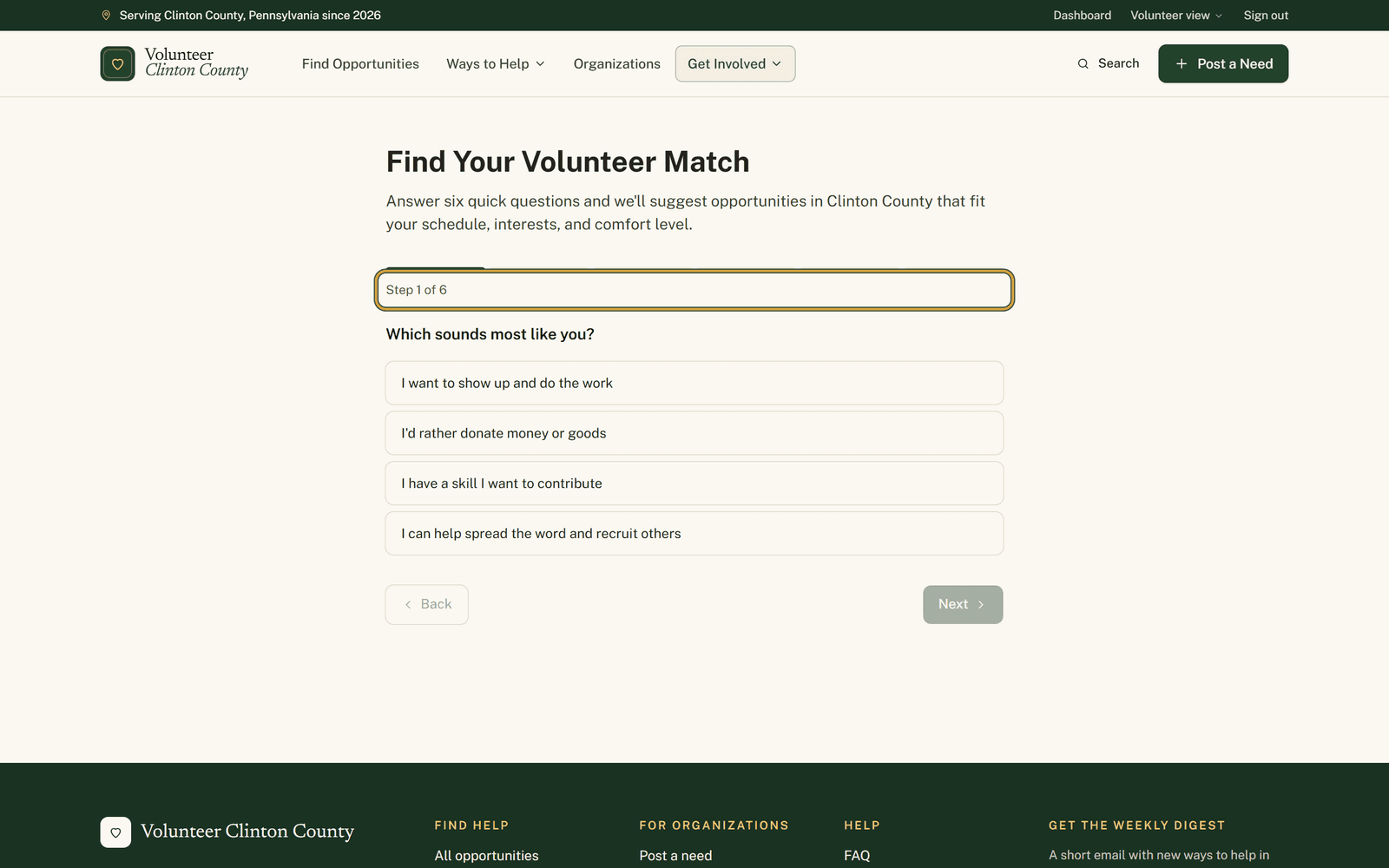
"Find Your Volunteer Match" asks you six things and gets out of the way. The first one is "Which sounds most like you?", then how much time you can give, whether you are coming on your own or with kids, a club, or as a student earning service hours. After that it asks about outdoor or indoor, whether any cause matters most to you, and whether you are comfortable with physical labor.
One tap per question. The page moves along on its own, except at the end, and "Back" is there when you want to change an answer you already gave.
The card at the end shows its work
Press "Find my match" and you get a card headed "Your match" with a name on it: Donation helper, Skill-based volunteer, Community connector or Hands-on helper. That name comes from the first question alone. It is a label for how you said you want to help rather than a score, and the other five questions do the real work.
Underneath, "Filters I will apply" lists what is about to happen to the listings, chip by chip. Read that row before you press anything. If it says something you did not mean, "Retake quiz" is right there.
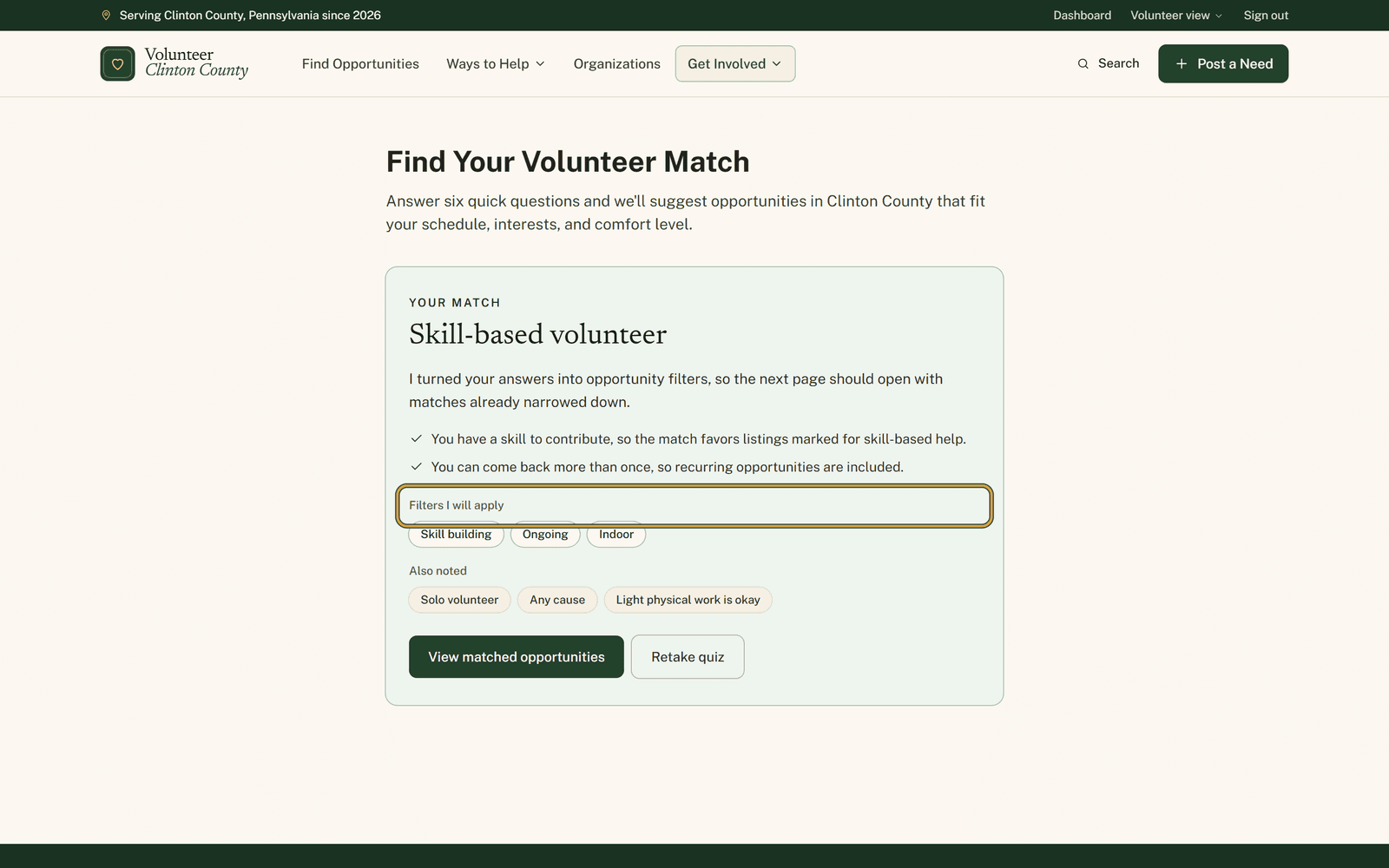
Some of your answers land in a greyer row called "Also noted" instead. That happens with the mild ones: "Just me", "Doesn't matter to me", "No preference" and "Light physical work is fine". They are recorded as what you said, but there is nothing in them to narrow with, so they change nothing about the results.
What it does and does not keep
Nothing is written down. No account, no email address, no record of your answers anywhere. Reload the page and you are back on question one. What the quiz produces is a web address for the browse page with your filters in it, which you can bookmark or send to somebody else.
That makes it a different thing from "Match setup" in the volunteer menu, which stores your causes, towns and availability against your account and feeds your dashboard from visit to visit.
The quiz keeps five causes to stay short: animals, children and youth, seniors, food and hunger, and environment and nature. The browse page carries fifteen. If yours is not among the five, choose no preference and tick it in the Cause section once you land.
And you can loosen anything after the fact. Every filter the quiz applied shows as a green badge above the results, ready to be unticked one at a time.
Every question and the card at the end are shown one at a time at https://www.volunteerclintoncounty.org/help/match-quiz if you would rather look before you start.
Thirty years of bookkeeping ended last month for a woman in Loganton, and she has open weeks in front of her with no idea what to search for. Six taps later the card calls her a Skill-based volunteer, shows her the filters, and one button puts the listings that actually want a bookkeeper in front of her.