The six-question quiz that narrows the listings for you
Six taps and the browse page opens with your schedule, your cause and your tolerance for heavy lifting already set.
The volunteer match quiz asks six questions about how you want to help, then turns the answers into filters on the opportunities page. The card at the end names every filter it is about to apply and hands you one button that opens the listings already narrowed. Nothing is stored: no account is involved, and reloading the page puts you back on question one.
Who this is for: People who know they want to help and cannot yet say what that means, and anyone who would rather answer questions than read a filter panel.
- 1
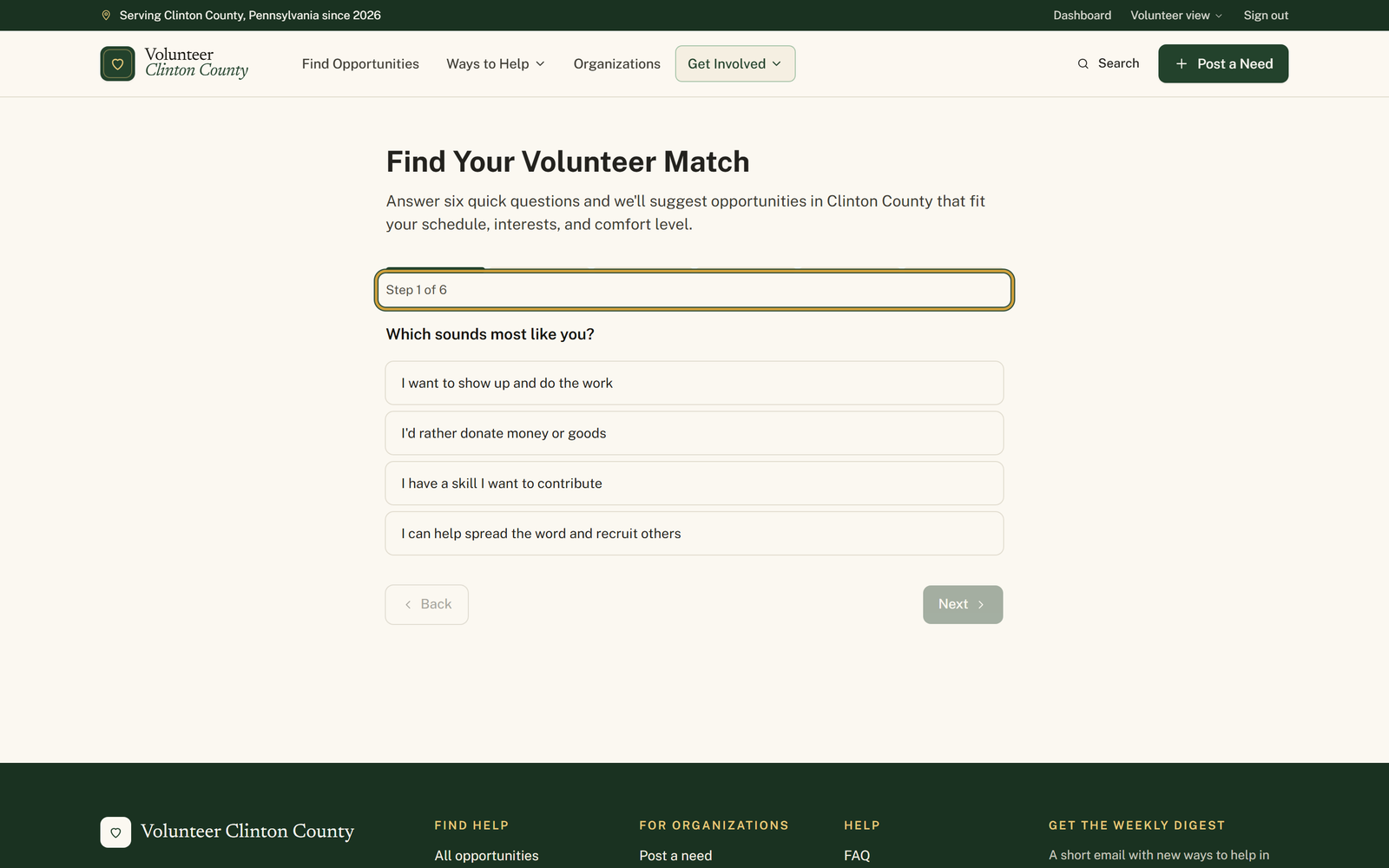
Open "Find Your Volunteer Match" and answer the opening question, "Which sounds most like you?", by tapping one of the four answers.
- 2
Work through the rest; the line under the progress bar reads "Step 3 of 6" as you go, and "Back" takes you to an answer you want to change.
- 3
Answer the last one, "Are you comfortable with physical labor?", then press "Find my match".
- 4
Read the chips under "Filters I will apply" on the card headed "Your match" and check they say what you meant.
- 5
Press "View matched opportunities" to land on the browse page with those filters already on, or "Retake quiz" to start again.
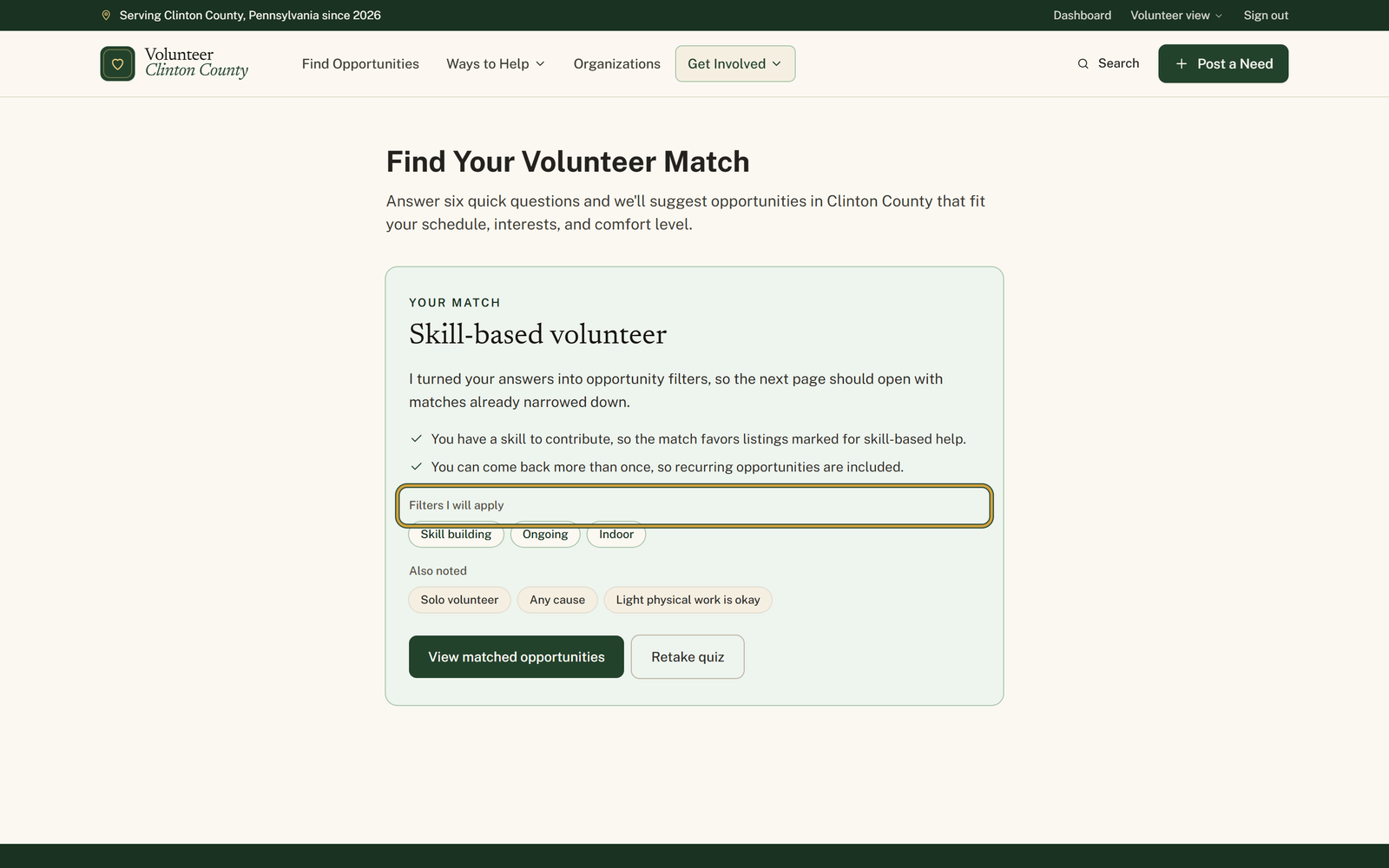
You'll know it worked when: A card headed "Your match" listing the filters it will apply, and a button that opens the listings with them switched on.
Watch out for: The mild answers do not narrow anything. Pick "Doesn't matter to me", "No preference" or "Light physical work is fine" and that answer shows up as a grey chip under "Also noted" rather than under "Filters I will apply", because there is nothing to filter on.
What this doesn't do: Not the "Match setup" in the volunteer menu. That one keeps your causes, towns and availability on your account and feeds your dashboard. The quiz forgets you the moment you close the tab, which is also why it needs no account.
No. The quiz runs entirely in your browser and never asks who you are. It also never writes anything down, so a reload puts you back at question one.
Into the web address of the browse page, and nowhere else. Press "View matched opportunities" and the filters are in the URL, which means you can bookmark that page or share it. If you want preferences remembered from visit to visit, that is "Match setup" in the volunteer menu, a separate thing tied to an account.
Because it was the neutral answer. "Just me", "Doesn't matter to me", "No preference" and "Light physical work is fine" appear under "Also noted" instead, as a record of what you said rather than a narrowing of the listings.
The quiz offers five to keep it short: animals, children and youth, seniors, food and hunger, and environment and nature. The browse page has fifteen. Choose no preference in the quiz, then tick your cause in the Cause section of the filter panel once you land there.
Yes, and the browse page is where you do it. Every filter the quiz applied shows as a green badge above the results; untick one in the filter panel, or press Clear all to start from everything.
The first question, on its own. It is a name for how you said you want to help, not a score. The other five questions do the real work of shaping the filters.
Volunteer Clinton County is a community directory. You browse what local organizations post and contact them directly. More guides