The filters for access, age and who a listing actually suits
Wheelchair access, no clearances, no heavy lifting, court-ordered hours, kids in tow. Where those filters live, what each one really matches, and why a blank box is not a no.
The hard part of volunteering with a wheelchair, a bad back or a court order in your hand is usually not the work. It is the asking. You have to call a stranger, explain your situation before you have even said hello properly, and then listen to how they take it. Do that twice and get a vague answer both times, and most people stop calling.
Some of those questions can be asked of the listings instead, before anyone has to say anything out loud.
Two sections carry most of it
On the opportunities page, "Who's it for?" is already open in the filter panel. It holds "Good for students", "Good for groups", "Good for families", "Good for seniors" and "Skill building".
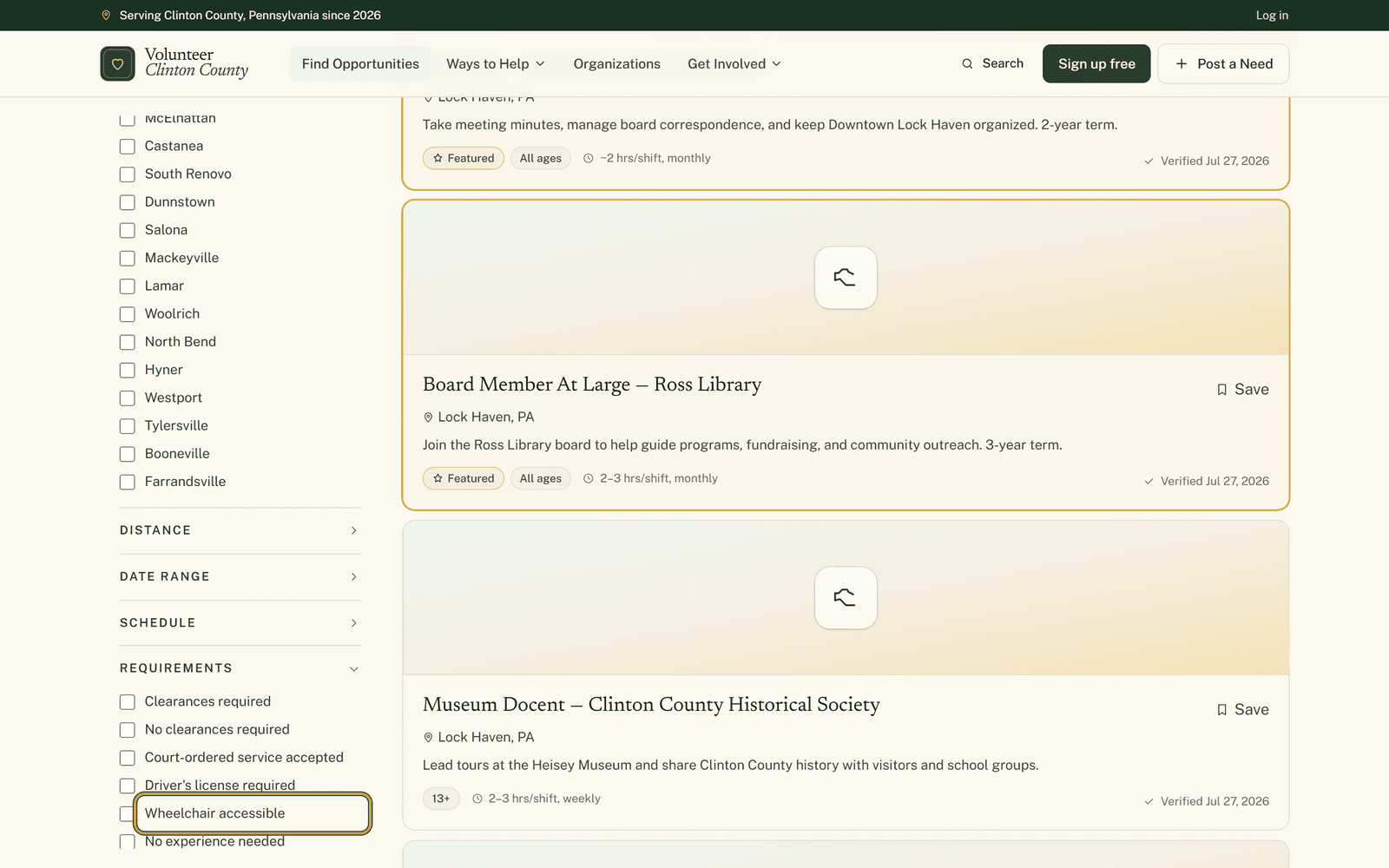
"Requirements" sits further down the panel, closed until you click it, and that is where the practical constraints live: no clearances required, court-ordered service accepted, driver's license required, no experience needed, training provided, physical labor involved, no physical labor, wheelchair accessible.
What the wheelchair box is really doing
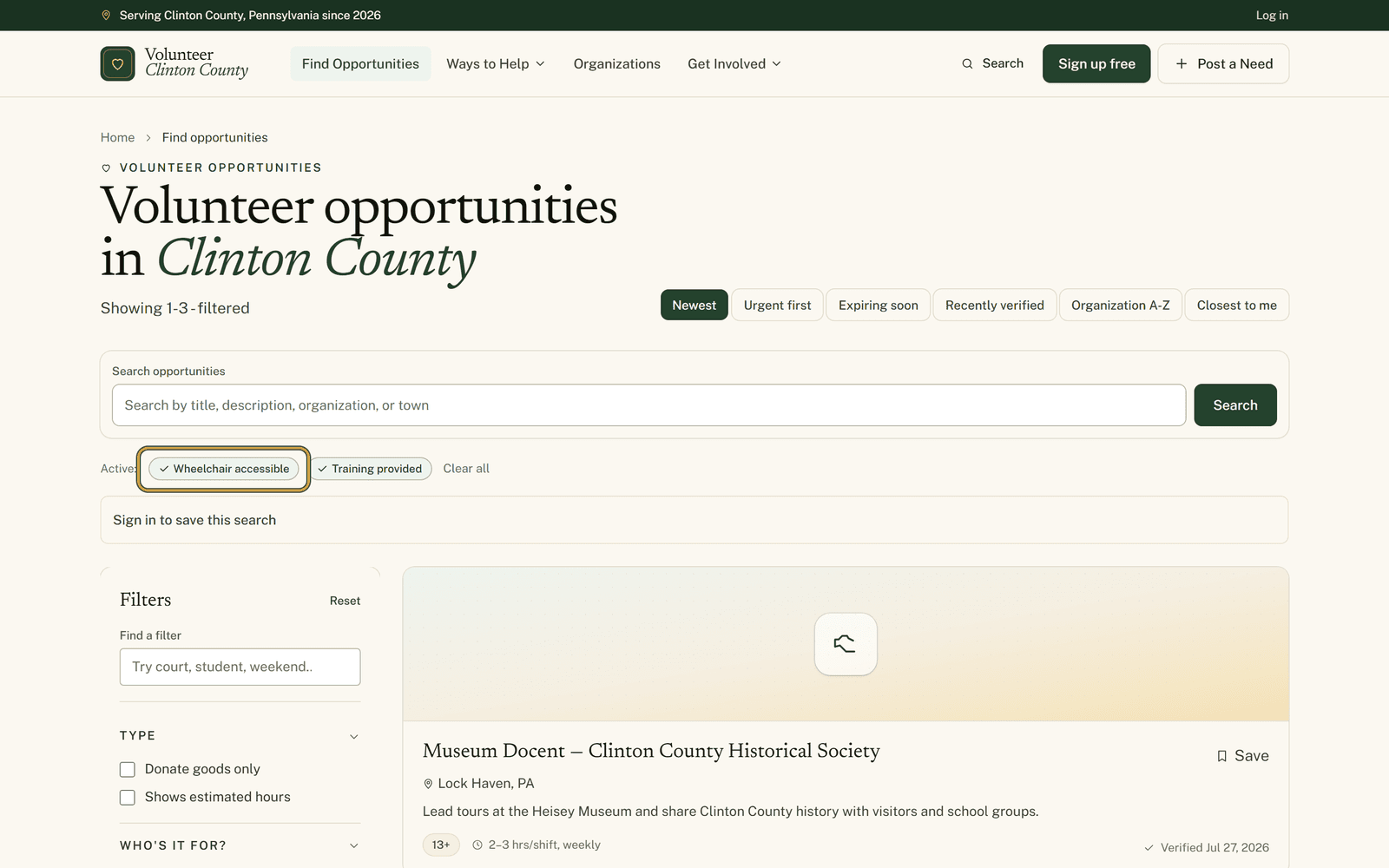
It searches for the word wheelchair in the access note the organization typed on the listing. That is the whole mechanism, and it is worth knowing before you lean on it.
A site with a level entrance and a wide door, described without that particular word, will not appear. A note warning you that there is no wheelchair access matches just as readily as one promising there is. The filter shortens the list. Reading the note is still yours to do, and so is the email if the note leaves anything open.
A blank box is not a no
Every one of these filters reads an answer the organization gave when it posted the listing. Plenty of listings never answered. When you tick a box, the quiet ones drop out alongside the ones that genuinely do not fit, and nothing on screen distinguishes the two.
So a short list is often a sign of thin listings rather than a thin county. If something looks right in every other respect, it is worth an email even though a filter hid it.
"No clearances required" carries the same wrinkle in a stranger form. It means the clearance list was filled in and left empty. A listing where nobody touched that field at all appears in neither the clearances-required results nor the no-clearances results.
"Court-ordered service accepted" is a little softer than it sounds. It keeps organizations that said yes and organizations that said case by case, so some of what you see is a maybe. Better to raise the paperwork early than on the morning you turn up.
Setting and age
"Setting" offers indoor, outdoor, remote and in-person. Pick one. Ticking indoor and outdoor together cancels the setting filter entirely while the badges above the results still name both, which looks like a bug and is really a contradiction. Indoor on its own keeps the listings marked both or varies, so choosing it does not cost you the flexible ones.
"Volunteer age" takes a real age rather than a bracket. The box underneath, about younger volunteers with a guardian, loosens the minimum age on listings that allow a supervised child. It leaves any maximum age exactly where it was.
The panel is photographed section by section at https://www.volunteerclintoncounty.org/help/accessibility-filters
A woman in Flemington gave up on the word accessible years ago. She ticks the wheelchair box and gets a handful of listings rather than the whole directory. Two describe an entrance and a sorting area with no steps. The third mentions a ramp round the back, so she writes to that one to ask about the door, which is a far easier email than the one that starts from nothing.