Put your clearance dates somewhere that will nudge you
PA clearances expire quietly and always at the wrong moment. One page holds the dates and warns you sixty, thirty and seven days out. Here is what it reminds you about, and what it never will.
A clearance expires without making a sound. Your phone stays quiet, the calendar on the fridge has nothing written on that square, and the paper in the drawer looks exactly as it did the week before. The date passes and everything seems fine right up until somebody asks to see it.
That is how a Scout leader in Beech Creek learned his ChildLine clearance had lapsed: on a Friday night before a Saturday campout, from a district volunteer holding a clipboard. His three certificates were in the kitchen drawer with the takeout menus the whole time.
One page for the dates
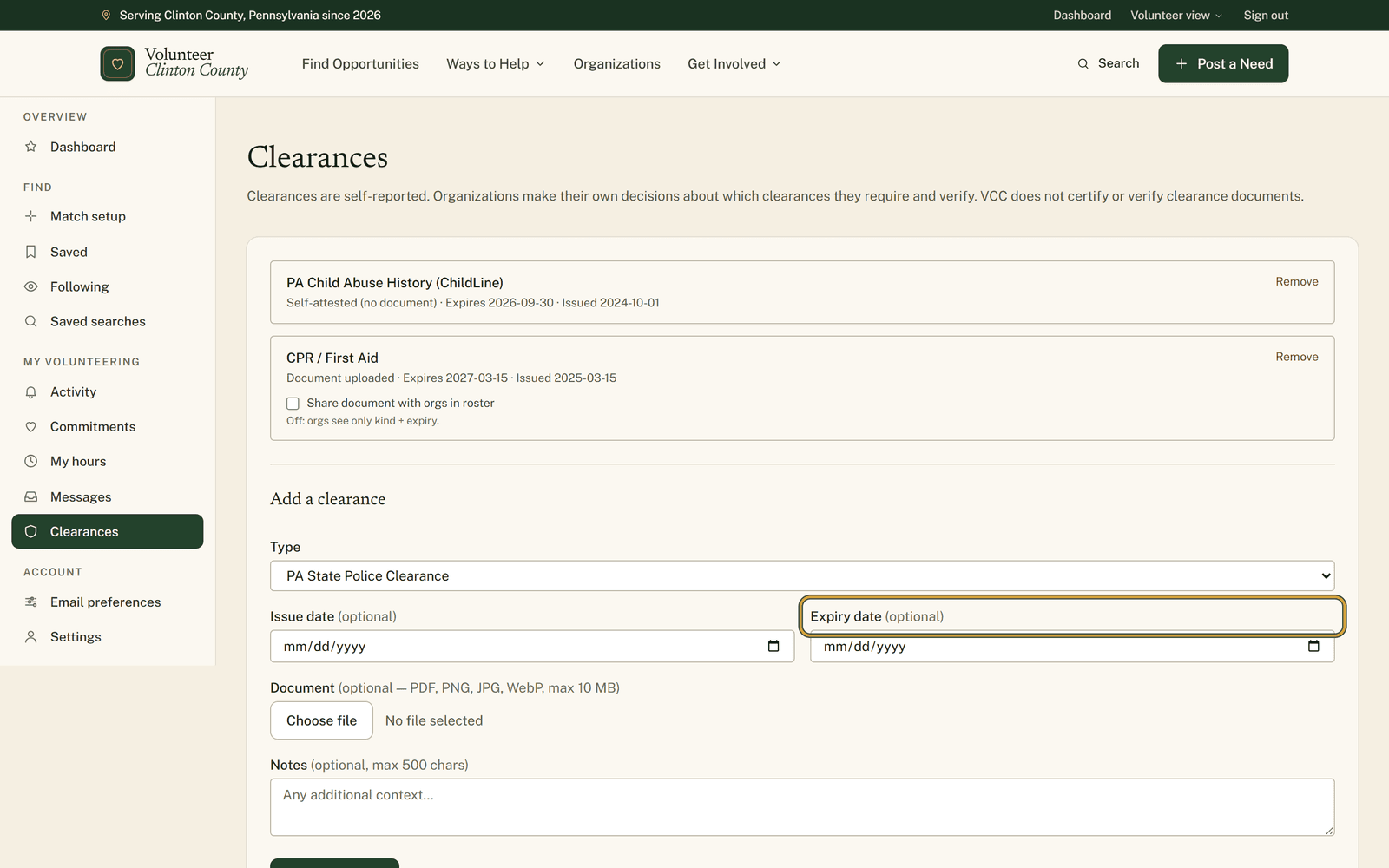
"Clearances" in the volunteer menu is a private list of what you hold. PA State Police, the ChildLine child abuse history, an FBI check, mandated reporter training, CPR and first aid, or anything else under "Other" with a label you write yourself.
Everything on it is self-reported, and the line under the heading says as much. Nothing here is certified, checked or renewed on your behalf. Each organization decides which clearances it wants and how it wants to see them. What this page does is remember dates.
Under "Add a clearance" you pick the type, then fill in the expiry. That field is marked optional and it is the only field the reminders read, which is a rough combination. A row with the box left blank sits there looking complete and will never warn you about anything.
The certificate itself is optional in a truer sense. Attach a PDF or a photo if you have the file handy, or skip it and the row reads "Self-attested (no document)" while working the same way.
What the warnings look like
Sixty days out, an email arrives headed with the clearance and how long it has left. The same again at thirty days, and again at seven. Each one also shows up in your notifications on the site.
Those three moments are exact dates rather than a running countdown. A clearance you add in April with two weeks left on it gets the seven-day warning and nothing before, and one you add the week it expires has no warning left to send. Typing the dates in early is what buys you the sixty-day notice.
If the email is more than you want, "Email preferences" in the volunteer menu has a "Clearance reminders" switch. Turn it off and the notice inside the site still appears.
Who gets to look
Nobody, to start with. Your clearances are yours.
That changes when you list yourself in the volunteer roster. While that switch is on, organization staff can see which kinds you hold and when they expire. The uploaded file is a separate decision again, held back until you tick "Share document with orgs in roster" on that particular row.
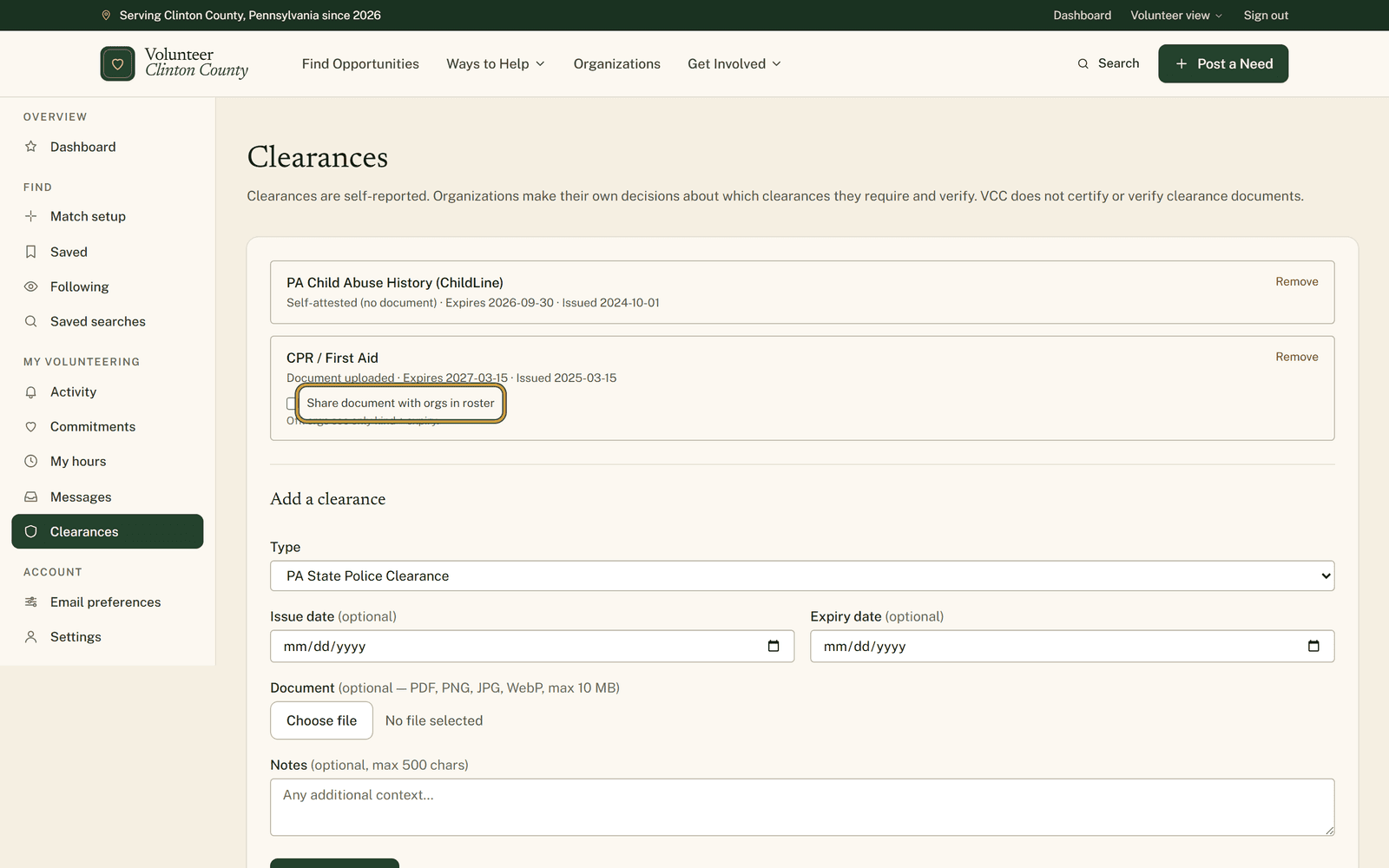
The help page goes through the form field by field, if you would rather see it before you open it: https://www.volunteerclintoncounty.org/help/clearance-expiry-reminders
Ten minutes with the drawer open and three dates typed in is the whole of it. After that the reminding is somebody else's job.