Picking a shift instead of committing to a whole event day
Larger events break into named roles with their own hours and a headcount. Here is how the calendar and the role picker work, and where the filters stop applying.
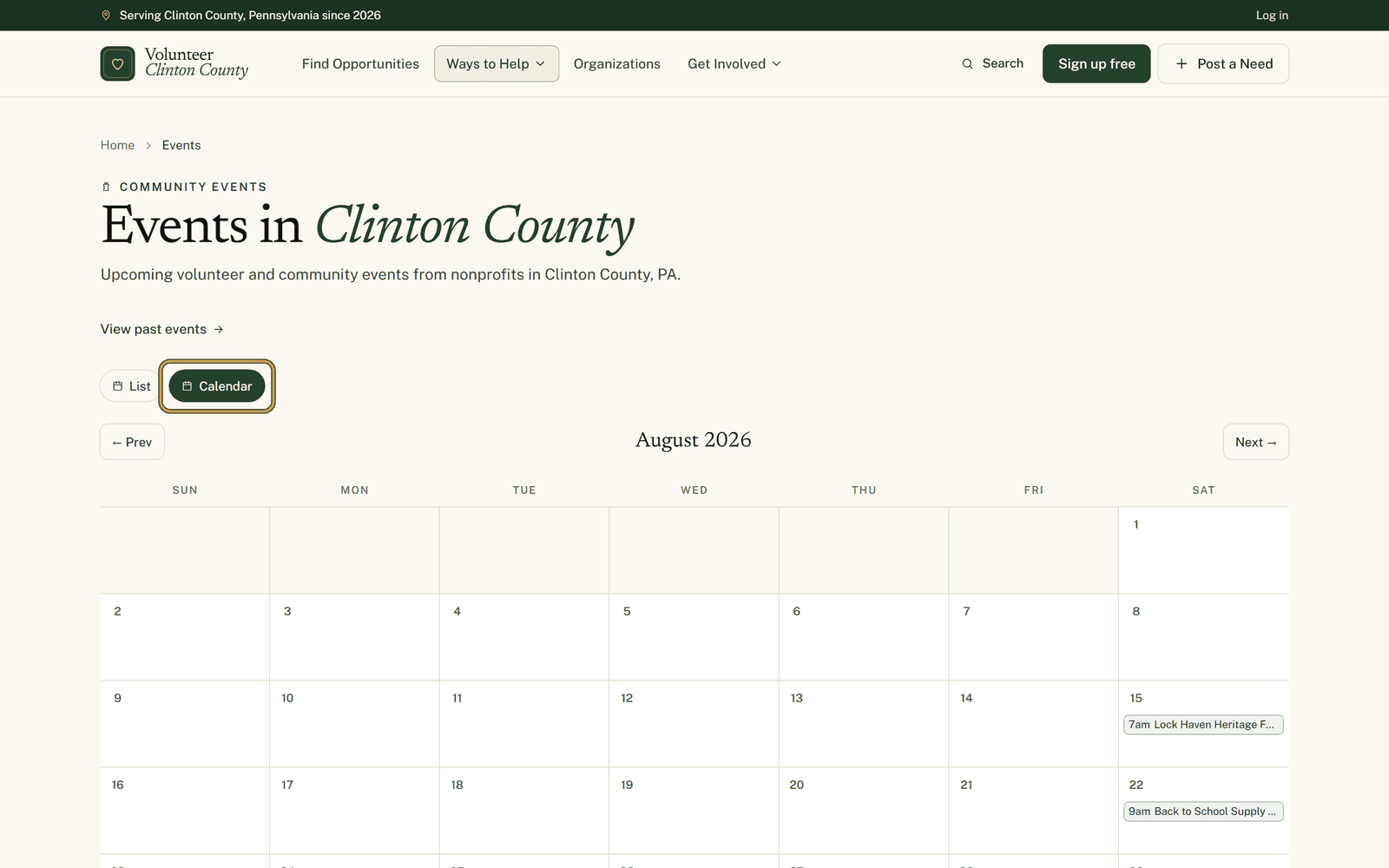
Seven in the morning until seven at night. That is a festival day on the Lock Haven riverfront, and nobody in their right mind signs up for the whole of it. Which is roughly why people read the notice, think "I could do a bit of that", and then never write back. There is no way to say yes to a bit of it.
On a bigger event day here, there is.
Roles, not whole days
Open one of those events, signed in, and the sidebar box reads "Pick a volunteer role". Underneath sit the jobs the organization actually needs covered, each with a name, its own hours and a line about what it involves. Vendor check-in from seven until one. The information booth over the middle of the day. Recycling stations from one until close. Signed out, that same box is headed "Volunteer roles" and offers "Sign in to pick a shift" instead, because a role is held against your name.
Below each one is a count, something like "3 of 8 filled". You are looking at how short-handed that particular hour is, which is a more useful thing to know than whether the event needs volunteers in general.
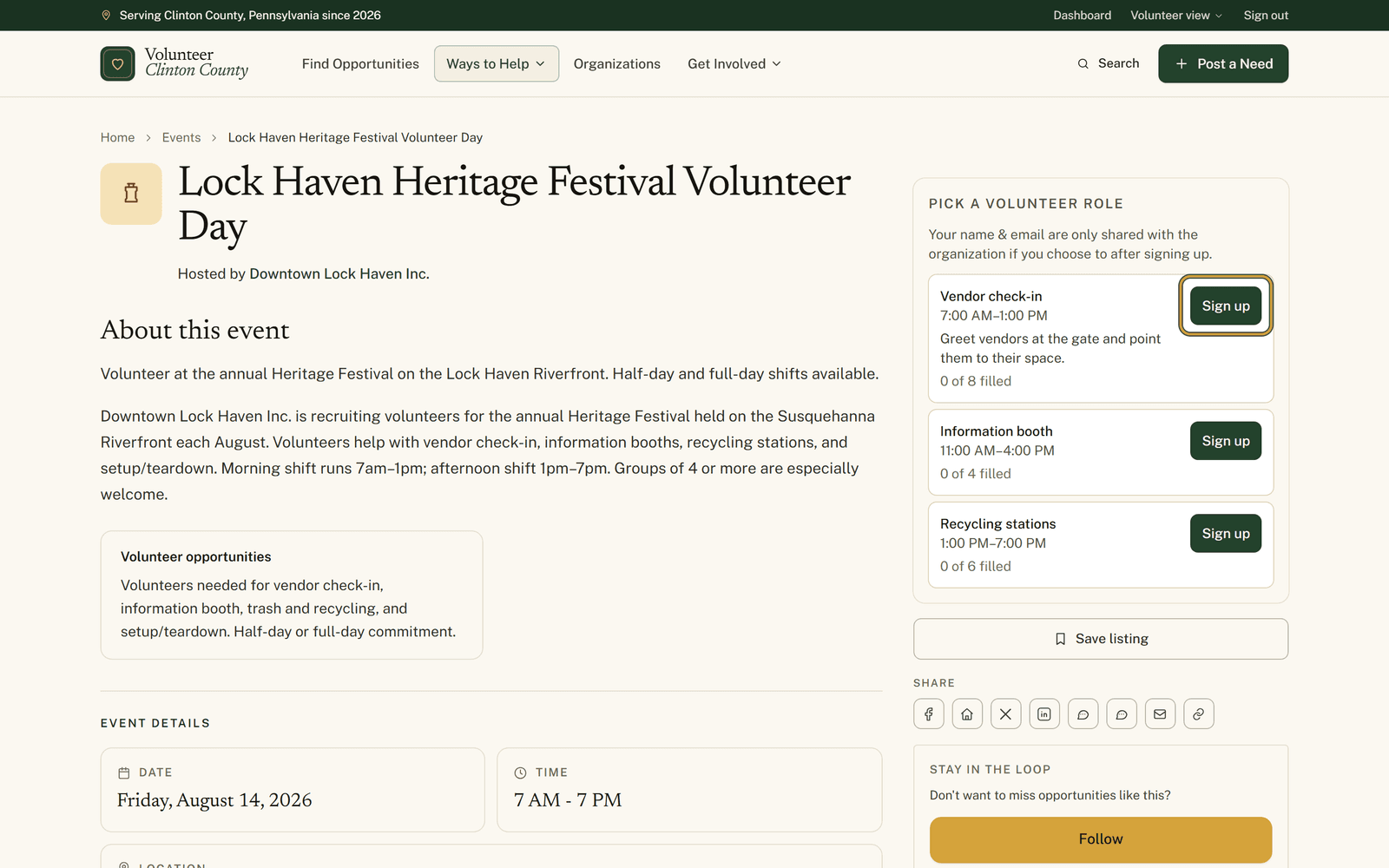
Press "Sign up" on the one that fits and a green "You're in" badge appears on it. Somebody with a clear morning and a christening at two takes vendor check-in, watches the count tick up, and knows exactly what she agreed to.
If a role has hit its cap, the button offers the waitlist instead and you get a gold badge. That is worth doing rather than skipping. People cancel in the last week, and organizers work down the queue.
Changing your mind is easier than it looks. Press "Sign up" on a different role and your place moves across without any need to cancel first. "Cancel" is there when you want to hand the spot back altogether.
Signing up for a role is not a ticket to an event. It is your name on the organization's list for those hours, and they may well be in touch about the details. What they learn about you is written above the roles: on most events your name and email only reach them if you decide to share them after signing up. Where the organization has attached its own questions to the listing, that line changes to say plainly that signing up passes your name and email along so they can follow up. It is worth reading before you press anything.
The month laid out
The events page opens as a list, with "Calendar" beside "List" at the top. The calendar view puts the month in front of you, with arrows either side of the heading to run forward or back. It is the right view when your question is about a particular Saturday rather than a particular cause.
It does behave differently from the list, in ways that catch people out. The filter panel goes away while the calendar is open and the filters stop applying with it, so what you see is everything published that month whatever you had narrowed to. A day cell also holds only three events. Busier days carry a "+N more" link that opens that single date back in the list view.
Plenty of events never need any of this. Smaller ones just ask whether you are Going or Interested, sometimes with a badge showing how full the day is, and a few send you off to the organization's own registration form.
Both the role picker and the calendar get a closer look at https://www.volunteerclintoncounty.org/help/event-pages-shifts
If you have a Saturday coming up and no particular plan for it, the calendar is a decent place to start looking.