Track your clearances and get warned before they lapse
List a clearance with the date it runs out, and reminders arrive sixty, thirty and seven days before that date.
Your clearances page is a private list of the background checks and certificates you hold, each with an expiry date you type in. When one of those dates is sixty, thirty or seven days off, a reminder lands in your email and in your notifications. Everything on the page is self-reported and nothing on it is verified here, as the line under the heading says plainly.
Who this is for: Volunteers whose place at the table depends on a ChildLine or State Police clearance, and who have already been caught out by one quietly running out.
Before you start: An account, since the list is private to you.
- 1
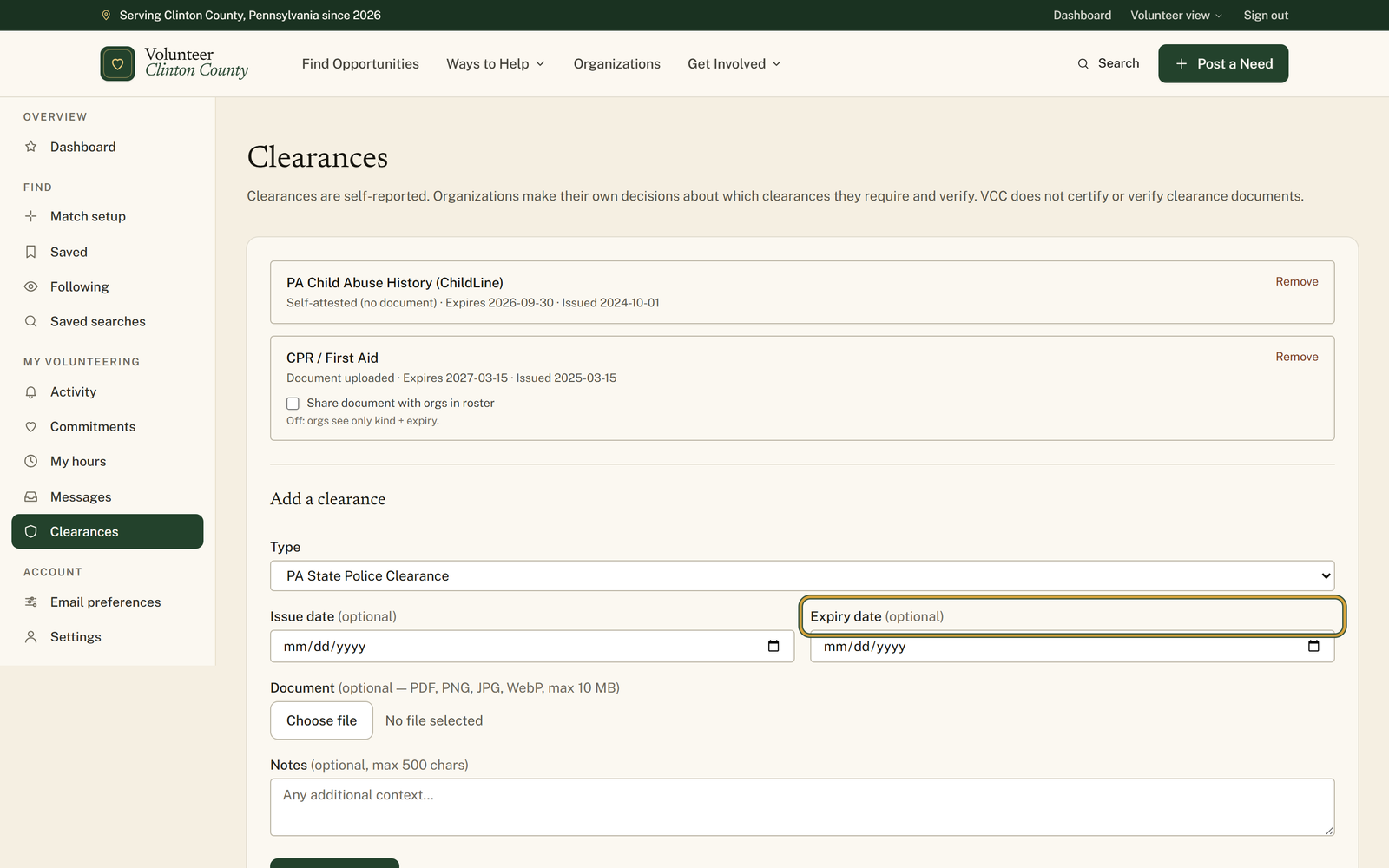
Open "Clearances" from the volunteer menu and scroll to the heading "Add a clearance".
- 2
Choose what it is under "Type", from "PA State Police Clearance" through "CPR / First Aid", or pick "Other" and write your own label.
- 3
Fill in "Expiry date". It is marked optional, but it is the only field the reminders read, so a blank one is never warned about.
- 4
Attach the certificate under "Document" if you have the file, in PDF, PNG, JPG or WebP up to 10 MB. Leaving it empty is fine.
- 5
Press "Add clearance" and check for "Clearance added." The new row reads either "Document uploaded" or "Self-attested (no document)", with the expiry beside it.
- 6
Tick "Share document with orgs in roster" on a row only if you want the file downloadable; left off, the note underneath reads "Off: orgs see only kind + expiry."
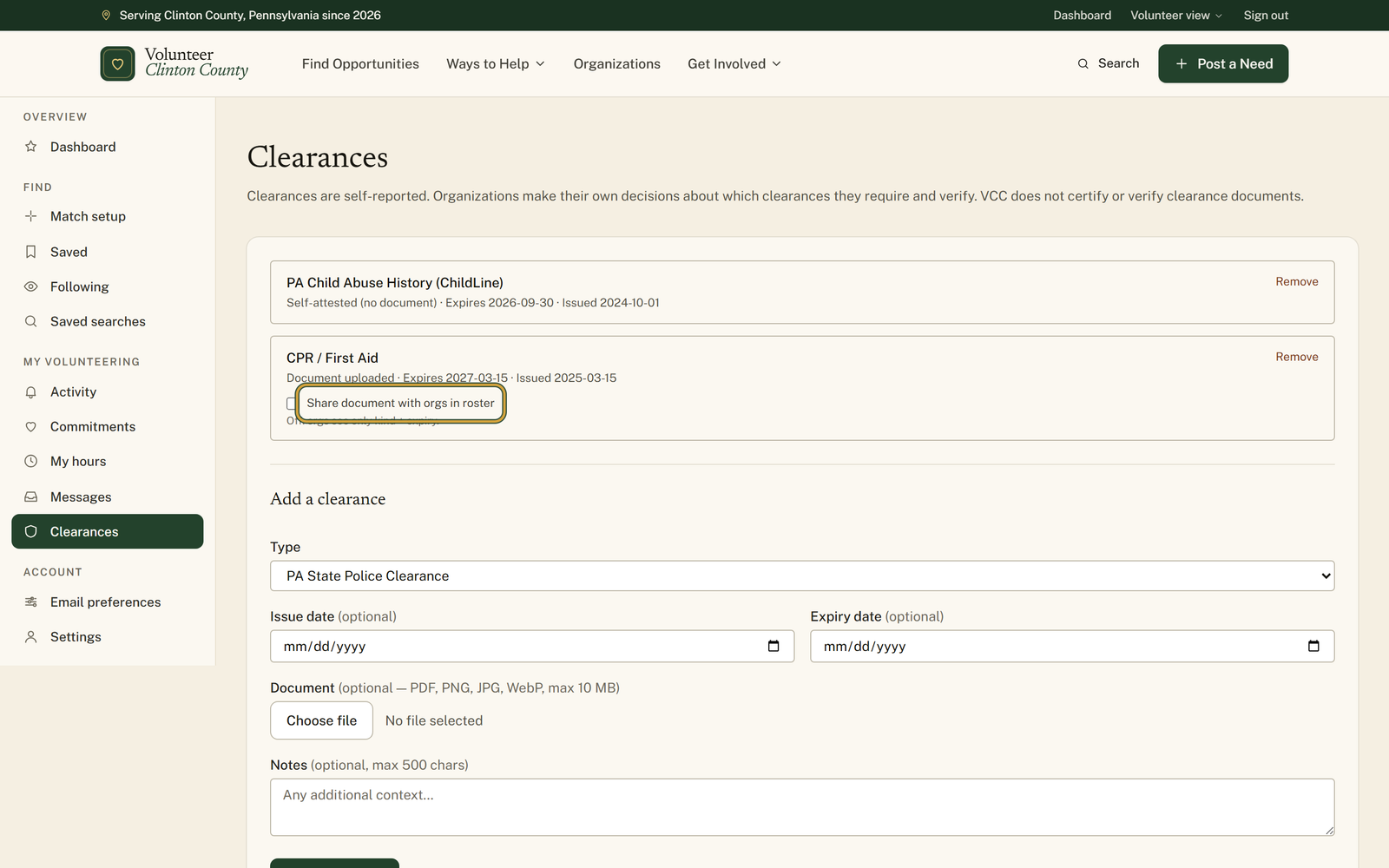
You'll know it worked when: A dated row on your clearances page, and an email headed Clearance reminder at sixty, thirty and seven days out.
Watch out for: The three reminders fire on exact dates, not on a countdown. A clearance you add with three weeks left on it gets the seven-day warning and nothing before it, and one added the week it expires gets nothing at all. Adding it early is what makes the sixty-day notice possible.
What this doesn't do: Not verification. Nothing here is checked, certified or renewed for you, and the page says so under its own heading. Each organization decides which clearances it wants and how it wants to see them.
No. They are self-reported, which the page states under its heading. Organizations decide for themselves which clearances they require and how they want to verify them. The list is a memory aid, not a credential.
Nobody, until you switch on the roster listing in your volunteer profile. While that switch is on, organization staff can see the kinds you hold and their expiry dates in the volunteer roster. The uploaded file stays out of reach unless you also tick the share box on that row.
Most likely "Expiry date" was left blank, since it is marked optional and is easy to skip. The other cause is timing: the reminders go out only when the expiry is exactly sixty, thirty or seven days away, so a date that was already closer than seven days when you added it has no reminder left to send.
Yes. Open "Email preferences" in the volunteer menu and switch off "Clearance reminders". The reminder still appears in your notifications on the site; only the email stops.
No. Leave it empty and the row reads "Self-attested (no document)", which still gets the reminders and still shows the kind and expiry to organizations if your roster listing is on. Upload it when you would rather not dig the PDF out of your email every time somebody asks.
Choose "Other" and a "Label" box appears where you write what it is, up to eighty characters. The reminders work the same way, and your label is what the email is headed with.
Volunteer Clinton County is a community directory. You browse what local organizations post and contact them directly. More guides