How to print a record of your approved volunteer hours
Log your hours, let the organization approve them, then print a dated Record of Volunteer Service. The date range trick and the one entry type that never prints are in here too.
The scholarship application has a line for it. So does the court paperwork, in blunter language: hours served, dates, the organizations you served, confirmed by somebody who is not you. Both want it on one page. Neither has any use for a shoebox of sign-in sheets or a coordinator who moved away in November.
If you have been logging your hours on Volunteer Clinton County as you go, that page already exists.
What the record actually is
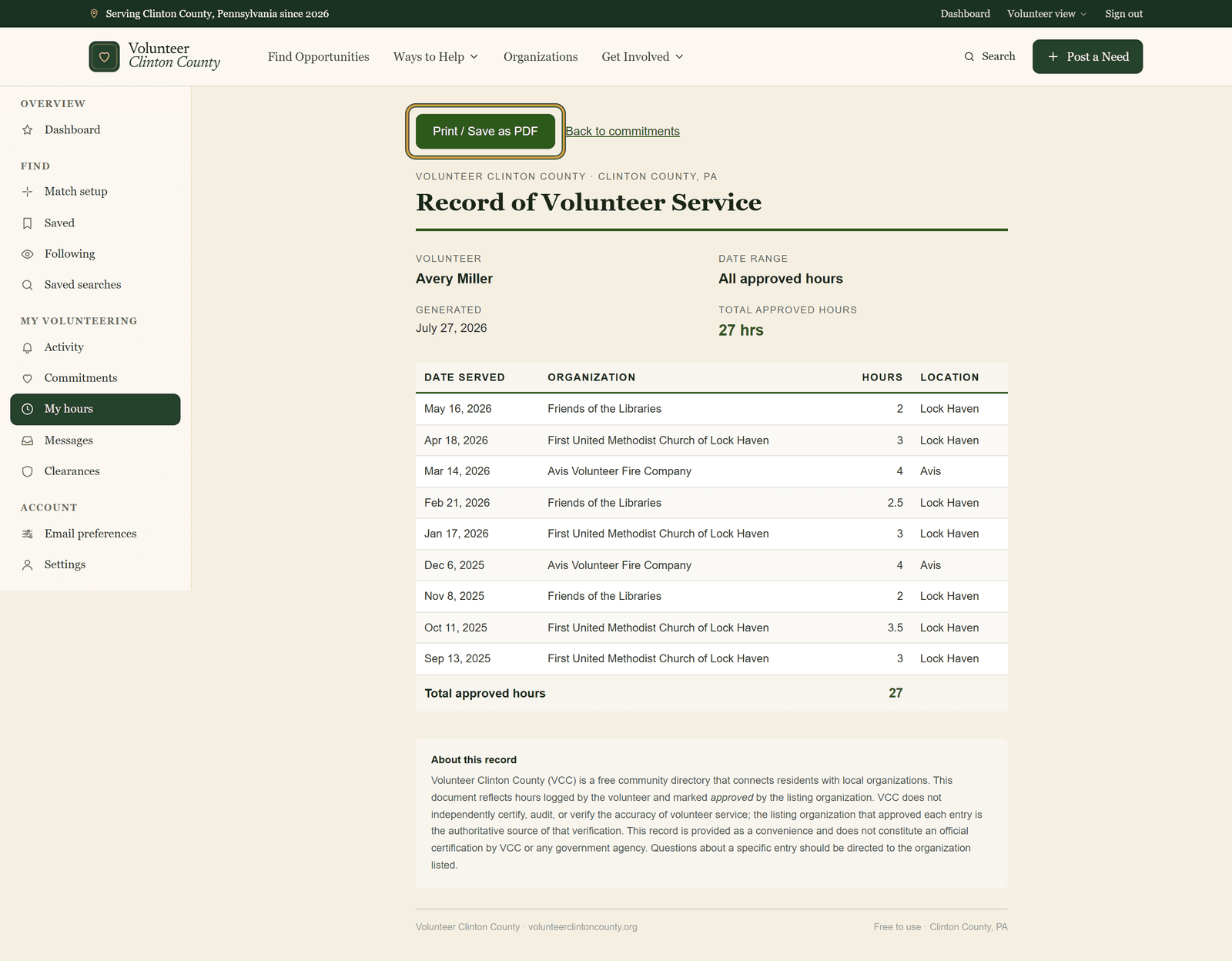
Your Record of Volunteer Service lists every hour an organization has approved, with the date you served, the group you served under, and a running total. Your name sits at the top, the total at the bottom. You open it from your commitments page and print it or save it as a PDF.
Only approved hours appear. Entries still waiting on the organization, and entries an organization disputed, stay off the page until they get sorted out on your commitments page. That restriction is what gives the record its weight, since the organization that approved an entry is the one vouching for it. It also means a good stretch of work can sit invisible while a coordinator catches up on review, which is the argument for logging each date while it is fresh rather than in the week the form is due.
Getting the hours approved in the first place
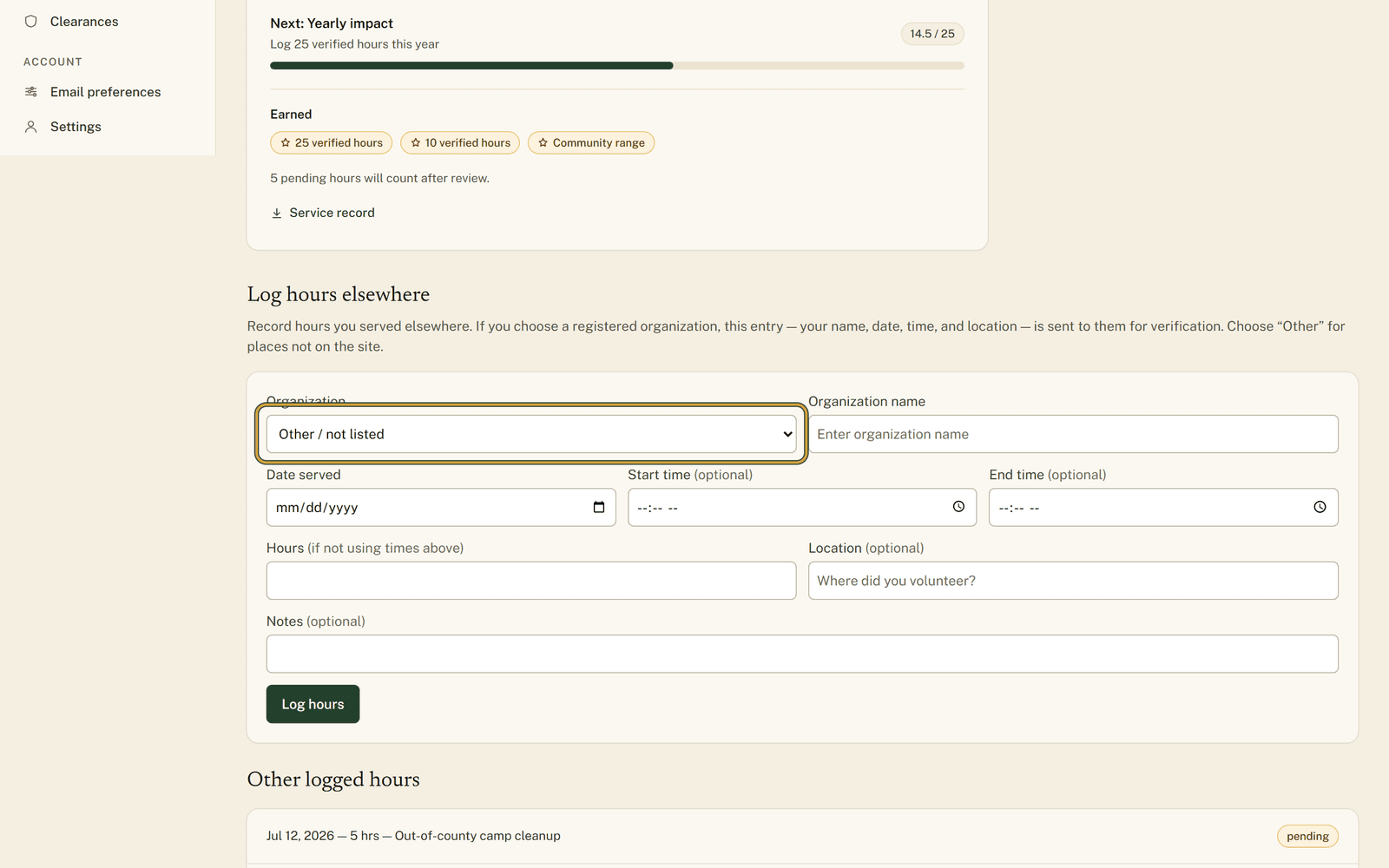
Open "My Commitments" and log each date you served, either against a commitment you signed up for through the site or through the "Log hours elsewhere" form. Choose the group under "Organization", fill in "Date served" and your hours, then press "Log hours". The organization reviews what you logged, and you are notified whether they approve it or dispute it. Approved entries carry a "Verified" badge.
One choice in that form decides whether an entry ever reaches paper. Hours logged under "Other / not listed" have no organization on the site able to approve them, so they sit pending indefinitely. They still work as a note to yourself. When the hours have to be confirmed by someone else, pick the organization from the list instead.
Once at least one entry is approved, "Print service record" opens the page.
Narrowing it to one school year
Most forms want a window rather than your entire history, and the record has no date picker on it. You set the window in the web address by hand:
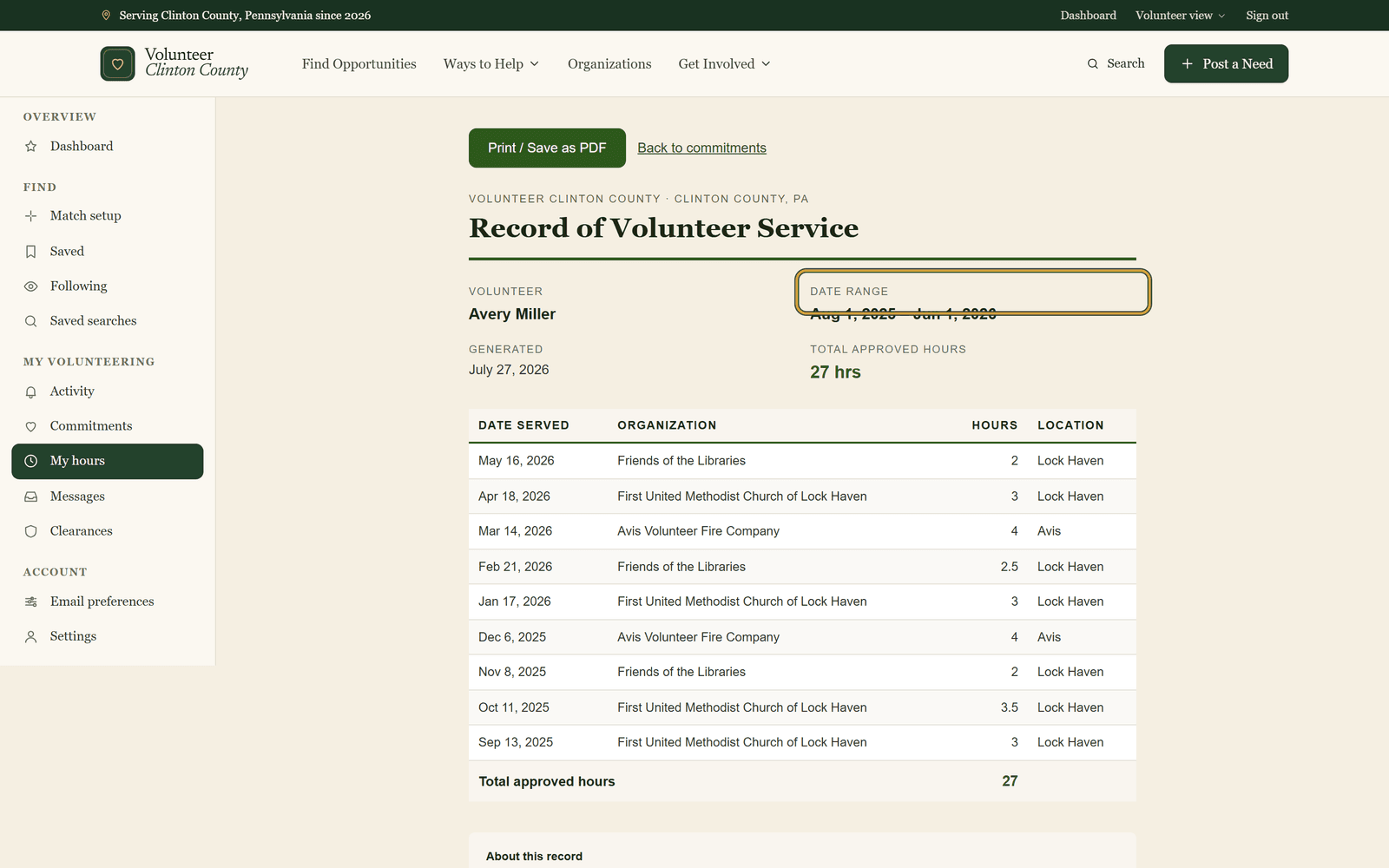
https://www.volunteerclintoncounty.org/volunteer/hours/certificate?from=2025-08-01&to=2026-06-01
The shape is ?from=YYYY-MM-DD&to=YYYY-MM-DD, so swap in the two dates your form covers and leave the rest alone. The "Date range" line at the top of the record confirms the window you are looking at.
Then press "Print / Save as PDF". Your browser opens its print window, where you pick a printer, or the save-to-PDF destination if the form wants a file uploaded rather than a page handed in. Each of those clicks is screenshotted on the help page at https://www.volunteerclintoncounty.org/help/print-your-service-record if you would rather follow along with pictures in front of you.
What you can honestly claim with it
A dated list of approved hours with the organizations named. It is not a reference letter, and it does not check anyone's background. For most forms, that was the whole of what was being asked for.
A March deadline, handled in October
A Central Mountain senior out in Mill Hall needs sixty confirmed service hours for a scholarship application due in March. She spent the fall at a food pantry in Lock Haven and two Saturdays on a trail cleanup near Beech Creek, and she logged each date the week she served it. By the time March arrives there is nothing to reconstruct and nobody to track down. The list is already sitting there, dated, with the organizations named and the total at the bottom.