Print a record of your approved volunteer hours
When a school or a court asks you to prove your volunteer hours, you print one dated page instead of hunting for sign-in sheets.
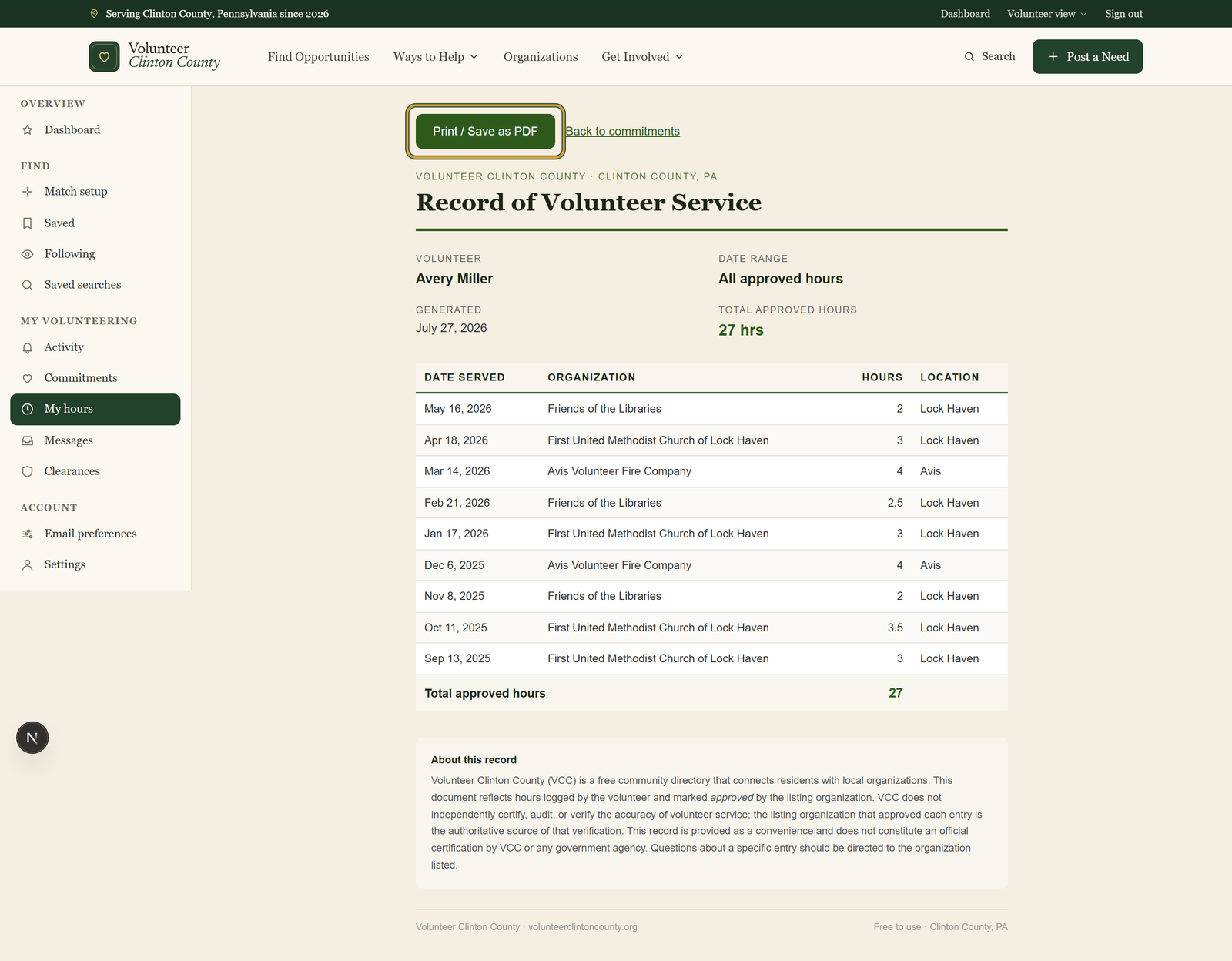
Your Record of Volunteer Service is a printable page listing every hour an organization has approved, with the date served, the group you served, and a running total. You open it from your commitments page and print it or save it as a PDF. It is not a reference letter and it does not check anyone's background.
Who this is for: Students and court-ordered volunteers who have to put their hours on paper for someone.
Before you start: At least one logged entry that an organization has already approved.
- 1
Open "My Commitments" and log each date you served, either on a commitment you signed up for or under "Log hours elsewhere".
- 2
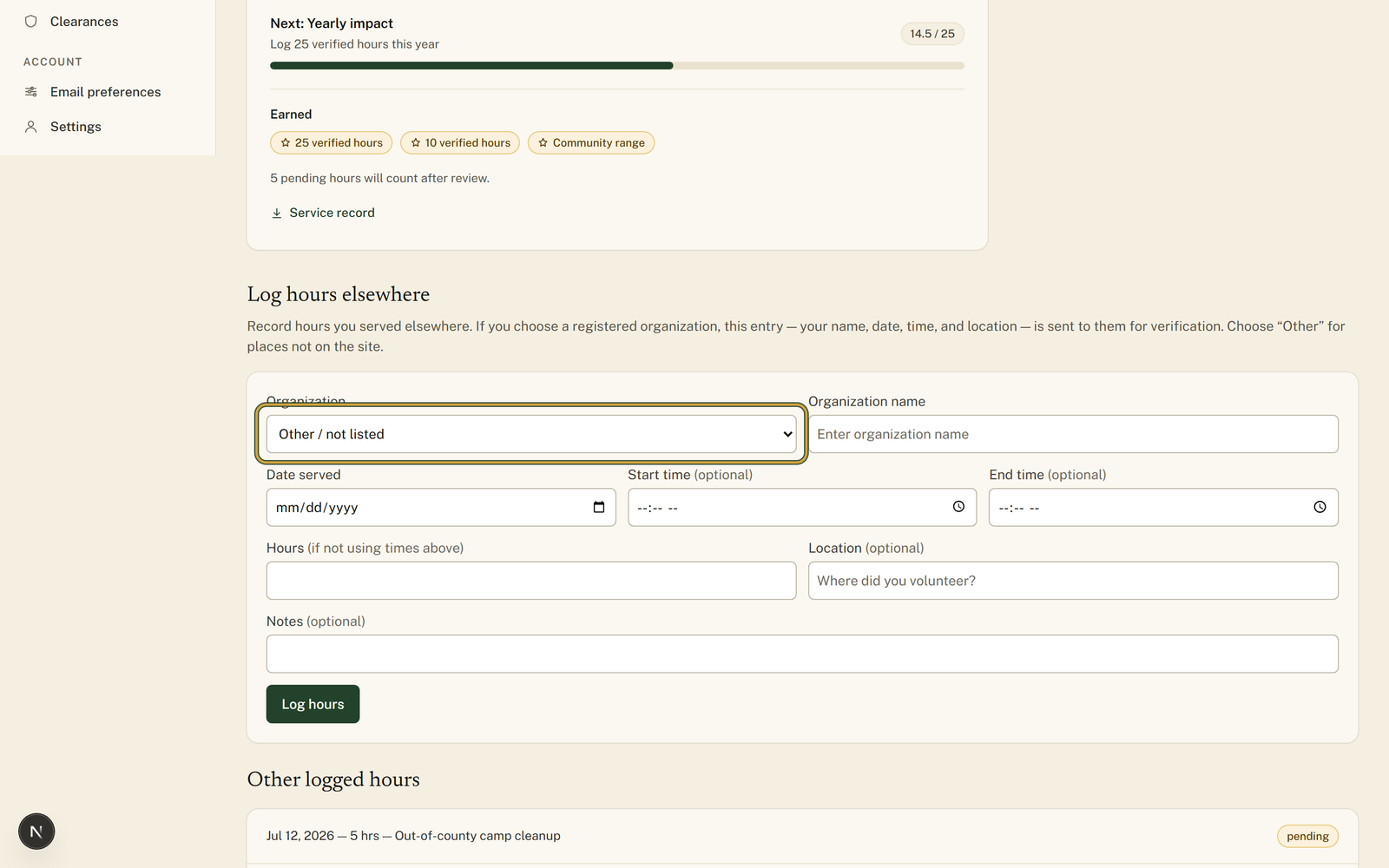
Pick the group you served under "Organization", fill in "Date served" and your hours, then press "Log hours".
- 3
Wait for that organization to review it. Approved entries show a "Verified" badge, and you are notified whether they approve or dispute it.
- 4
Click "Print service record" once an entry is approved to open your "Record of Volunteer Service" with every approved entry listed.
- 5
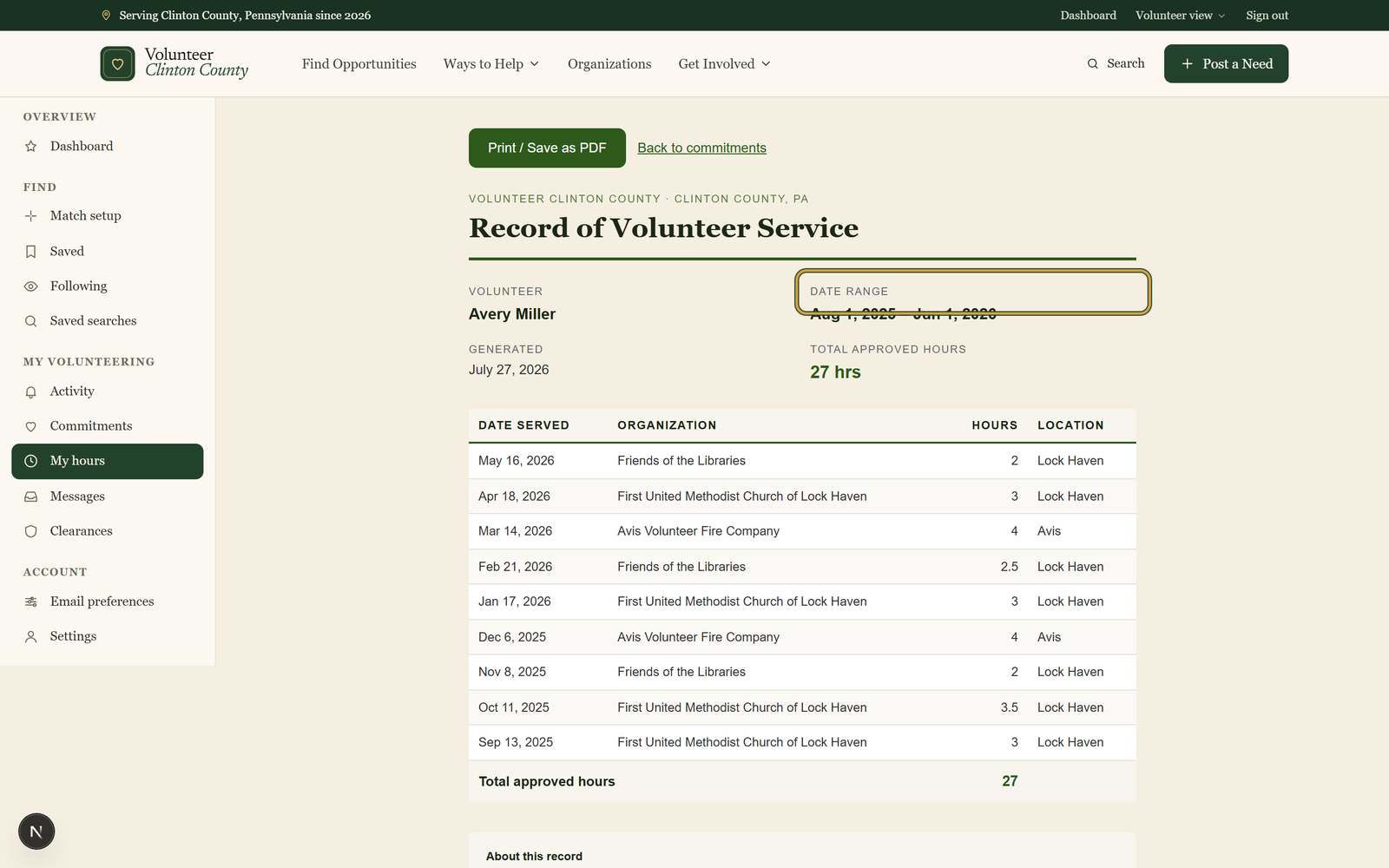
Narrow it to one school year by adding ?from=2025-08-01&to=2026-06-01 to the end of the web address; the "Date range" line confirms it.
- 6
Press "Print / Save as PDF" and choose your printer, or the save-to-PDF option, in the print window your browser opens.
You'll know it worked when: A dated page with your name, every approved date and organization, and the total, ready to print or save as a PDF.
Watch out for: Hours logged under "Other / not listed" have no organization able to approve them, so they stay pending and never reach the printed record.
What this doesn't do: Not a background check or a reference letter. It lists the dates and organizations behind your approved hours.
The record shows approved hours only. Entries still waiting on the organization, and entries the organization disputed, stay off the page until they are sorted out on your commitments page.
Add the dates to the end of the web address: https://www.volunteerclintoncounty.org/volunteer/hours/certificate?from=2025-08-01&to=2026-06-01. Change the two dates to the window your form covers. There is no date picker on the page, so this is the only way to narrow it.
You can log it under Other / not listed, and it stays on your commitments page as your own note. But no registered organization can approve that entry, so it stays pending and never appears on the printed record. When the hours have to go on paper, pick the organization from the list instead.
The organization that approved each entry is the one vouching for it. The page is a dated list of what they approved. It is not a reference letter and not a background check.
Press Print / Save as PDF, then pick the save-to-PDF destination in the print window your browser opens. The file looks the same as the printed page.
Volunteer Clinton County is a community directory. You browse what local organizations post and contact them directly. More guides