Say what you actually need this week in one line
Small asks that never justify a whole posting get one line at the top of your page, and it takes itself down on the date you pick.
Right now we need is a short ask, 140 characters at most, that shows in a gold band near the top of your public organization page and again on your card in the organizations directory. You pick the day it comes down, and it clears itself when that day passes. It is not a listing: nothing attaches a sign-up button to it, and posting one notifies nobody.
Who this is for: Any group whose real need changes week to week and rarely warrants a whole posting.
Before you start: Owner or manager access to an approved organization.
- 1
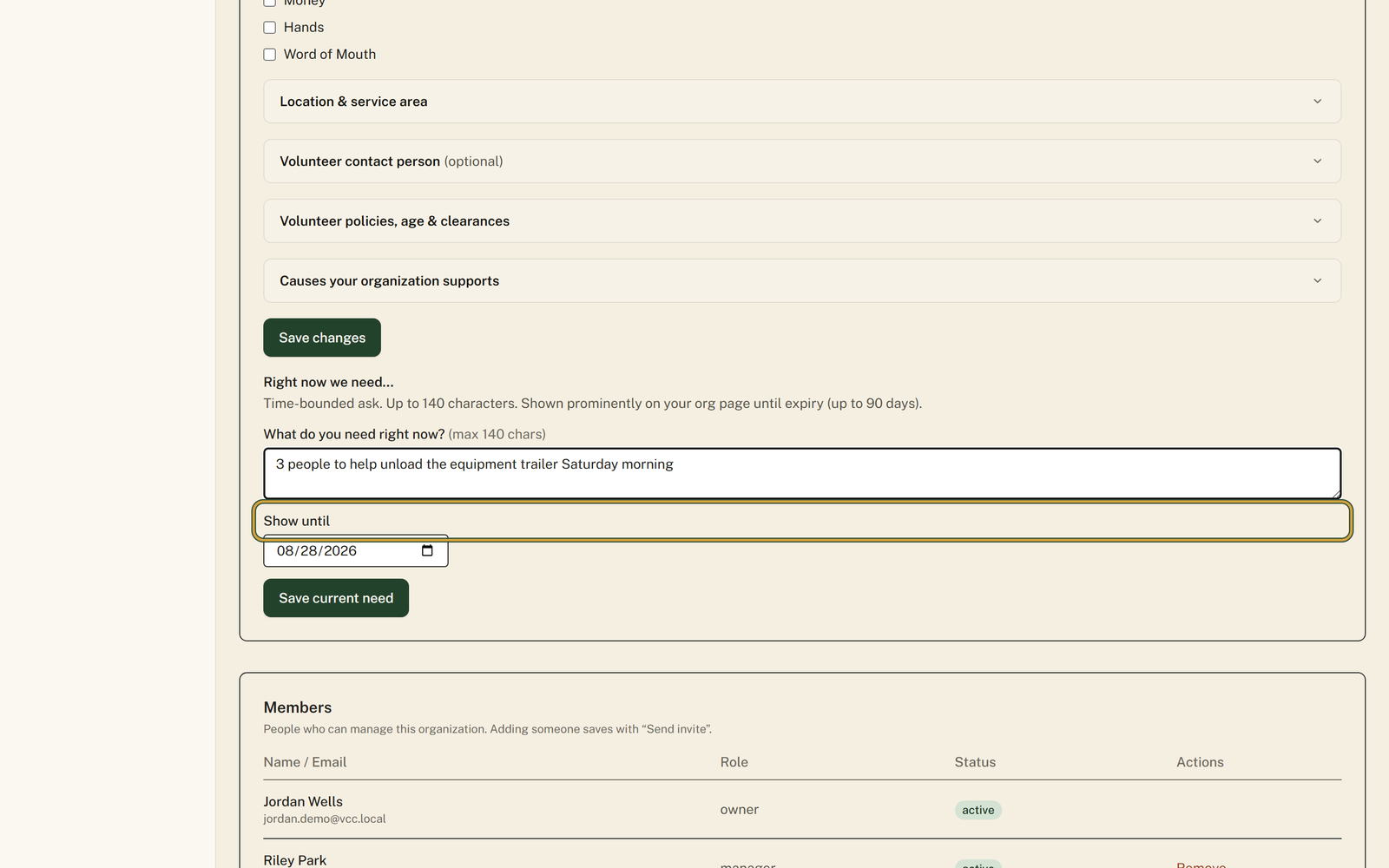
Open "Profile" in your portal menu and scroll past the "Save changes" button to the "Right now we need…" section at the bottom. The same two boxes also sit on your dashboard under "What does your org need this week?", where the buttons read "Update callout" and "Clear callout" instead.
- 2
Write the ask into "What do you need right now?" the way you would say it to a neighbor. The box stops at 140 characters on purpose.
- 3
Set "Show until" to the day the ask stops being true. It opens 30 days out and refuses any date more than 90 days from today.
- 4
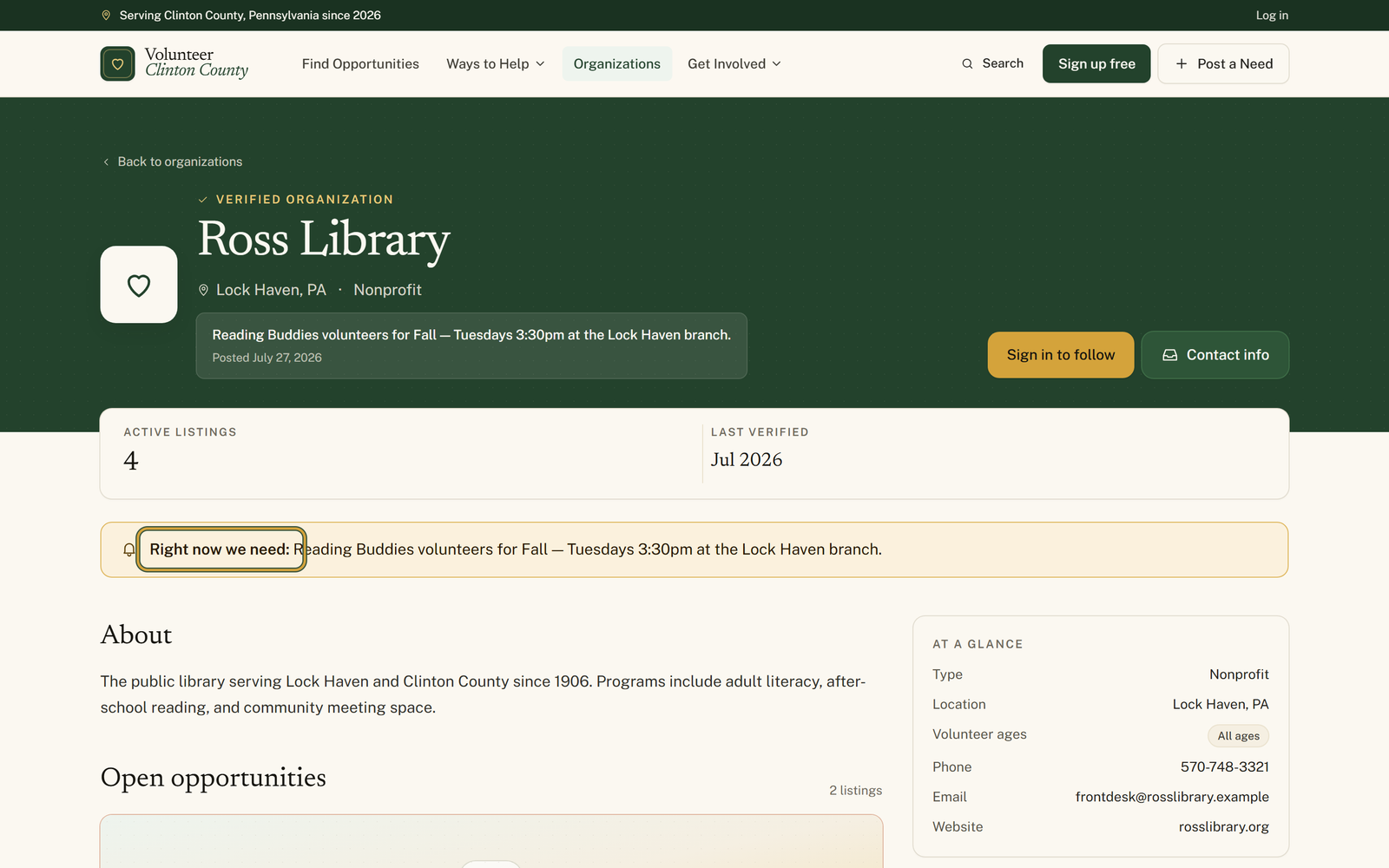
Press "Save current need", then open your public page: the ask shows once in the header under your organization name, and again in a gold band reading "Right now we need:" above your About section.
- 5
Press "Clear current need" inside the "Current callout" box, which only appears once you have saved one, if somebody answers the ask early. Otherwise leave it and let the date retire it for you.
You'll know it worked when: A gold band on your organization page reading Right now we need, and a Needs this month line on your card in the organizations directory.
Watch out for: Only owners and managers can set it. Anyone on your team with the poster or viewer role opens the Organization Profile page and gets a line saying they are not an owner or manager of any organization.
What this doesn't do: This is a line of text, nothing more. Nobody is emailed when you save one, there is no sign-up button attached to it, and people who read it get in touch with you the usual way.
Twice on your own page, once in the directory. In the header under your organization name it appears with the date you posted it. Further down, just above your description, it appears again in a gold band reading Right now we need followed by your line. And on your card in the organizations directory it reads Needs this month, with the date you set it, so somebody scrolling the county sees it without opening your page.
The band disappears from your page and the line disappears from your card. Nothing is deleted from your profile and nothing breaks; the ask simply stops showing. That is the point of the date, so a February visitor never reads about a truck you unloaded in November.
The Show until box opens 30 days out and will not take a date more than 90 days from today. If you need something longer than that, it is probably a real posting rather than a callout, so open Post a listing instead.
No. It is a line on your page, not an alert. Nobody is emailed, it does not appear in search filters, and it does not create a record anyone can sign up for. People who read it get in touch the same way they would about anything else on your page.
Setting the callout takes the owner or manager role. If your role is poster or viewer, the Organization Profile page tells you that you are not an owner or manager, and the section is not there to fill in. Ask whoever holds the owner role to change your role or post the callout themselves.
Volunteer Clinton County is a community directory. You browse what local organizations post and contact them directly. More guides