Print verified volunteer hours for grants and your board
When an application asks how many volunteer hours you had last year, the total is already counted and ready to print.
The Impact Report adds up the volunteer hours your organization has approved over any date range, breaks them out by listing and by month, and prints as a report you can put in a packet or download as a spreadsheet. Hours reach it two ways: a volunteer logs them, or someone gets checked in at one of your events and that shift is recorded for them. Nothing counts until your organization approves it, so work that was never recorded here will not appear.
Who this is for: Small nonprofits, fire companies and church groups filling in a grant application or a board packet.
Before you start: Owner, manager or poster access to your organization, and at least one hours entry you have approved.
- 1
Open "Volunteer Hours" in your portal menu and press "Approve" on each entry you can vouch for, because only approved hours reach the totals.
- 2
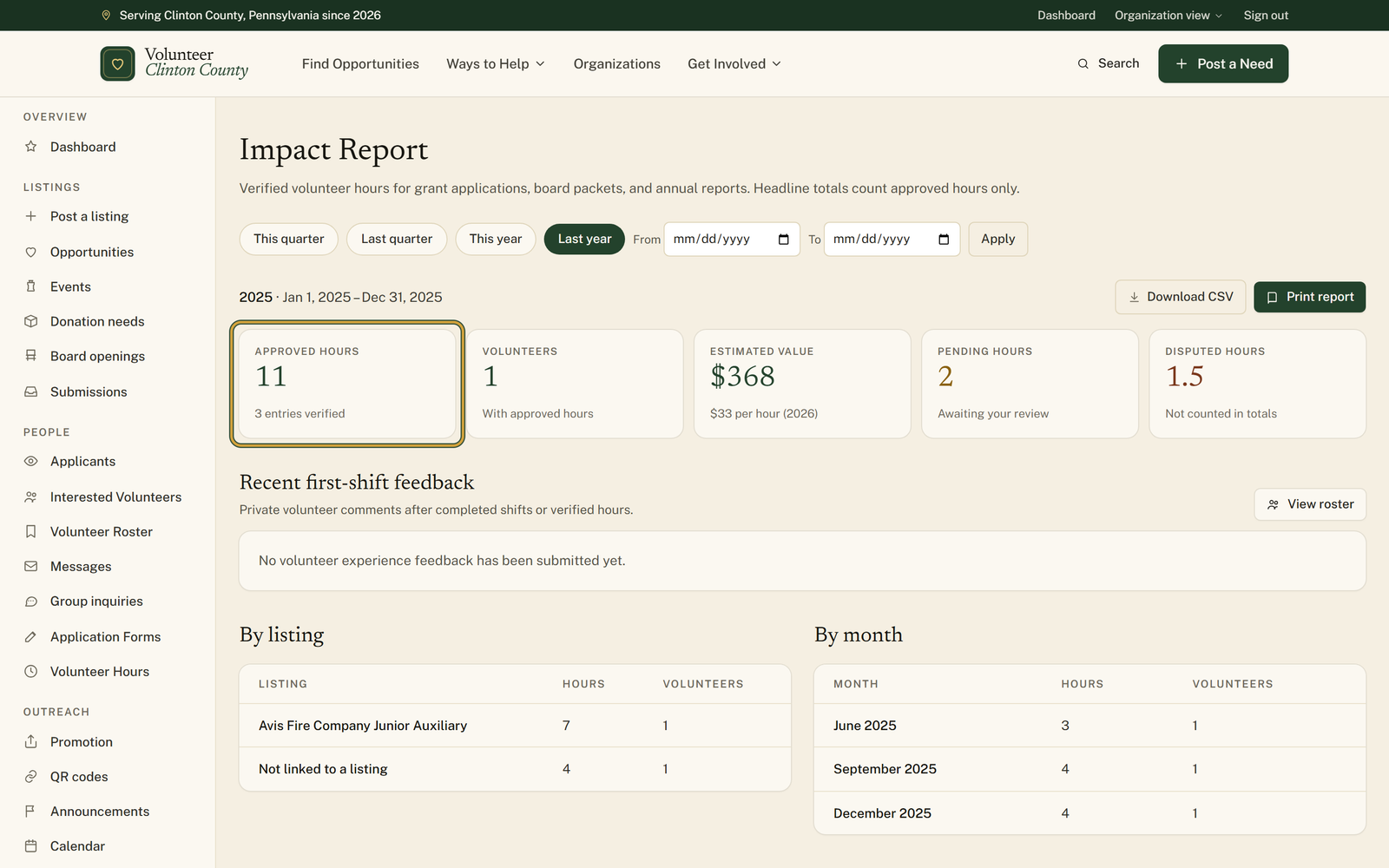
Open "Impact Report" from the portal menu and choose a period: "This quarter", "Last quarter", "This year" or "Last year".
- 3
For a window that matches a funder's reporting period exactly, type dates into "From" and "To" and press "Apply".
- 4
Read the headline numbers across the top, then scroll past "Recent first-shift feedback" to the "By listing" and "By month" tables for the breakdown a grant reviewer usually asks for.
- 5
Press "Print report" to open the "Volunteer Impact Report" in a new tab, then press "Print / Save as PDF" for the copy that goes in the packet.
- 6
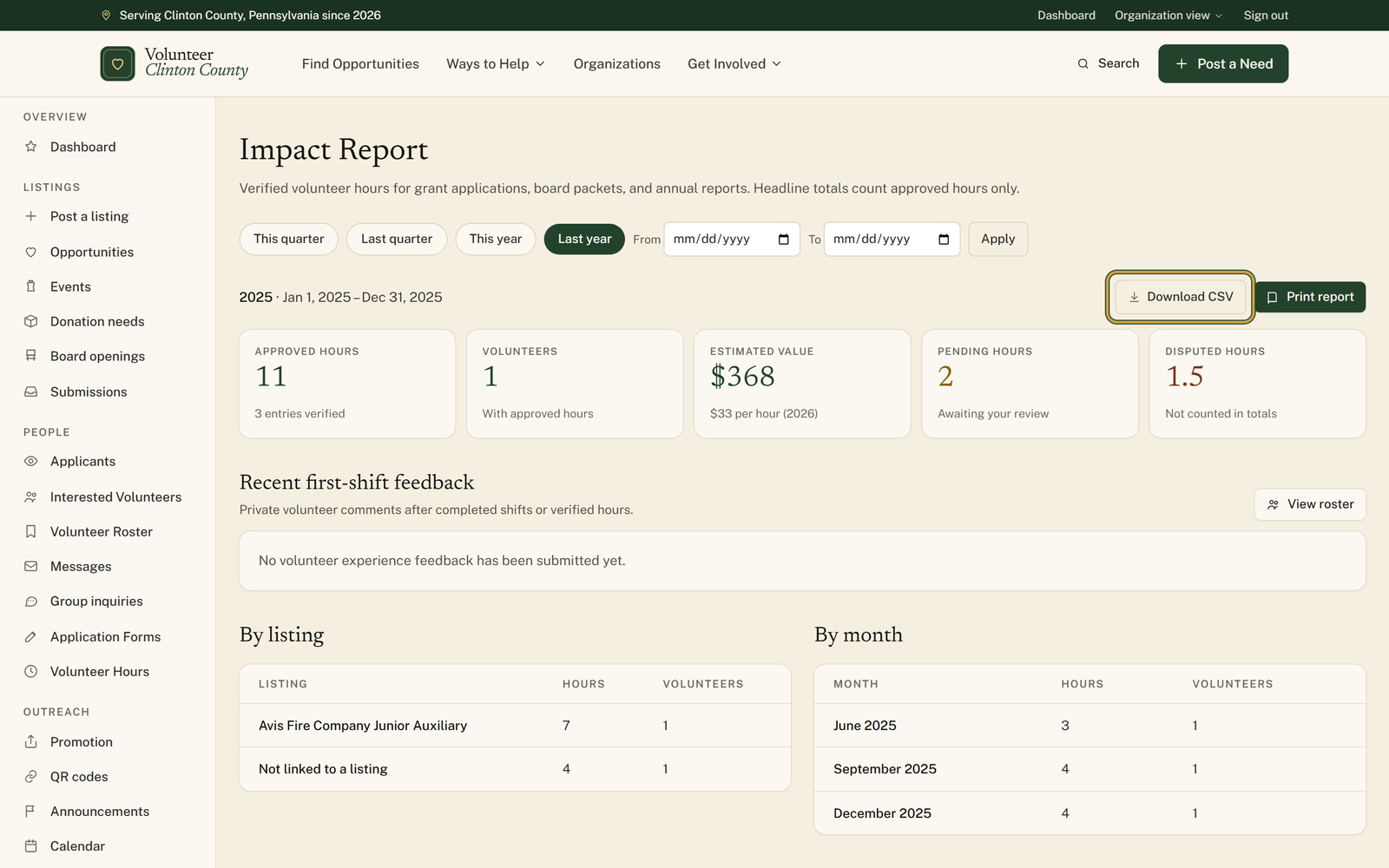
Choose "Download CSV" when someone wants the entry-by-entry detail behind the totals as a spreadsheet.
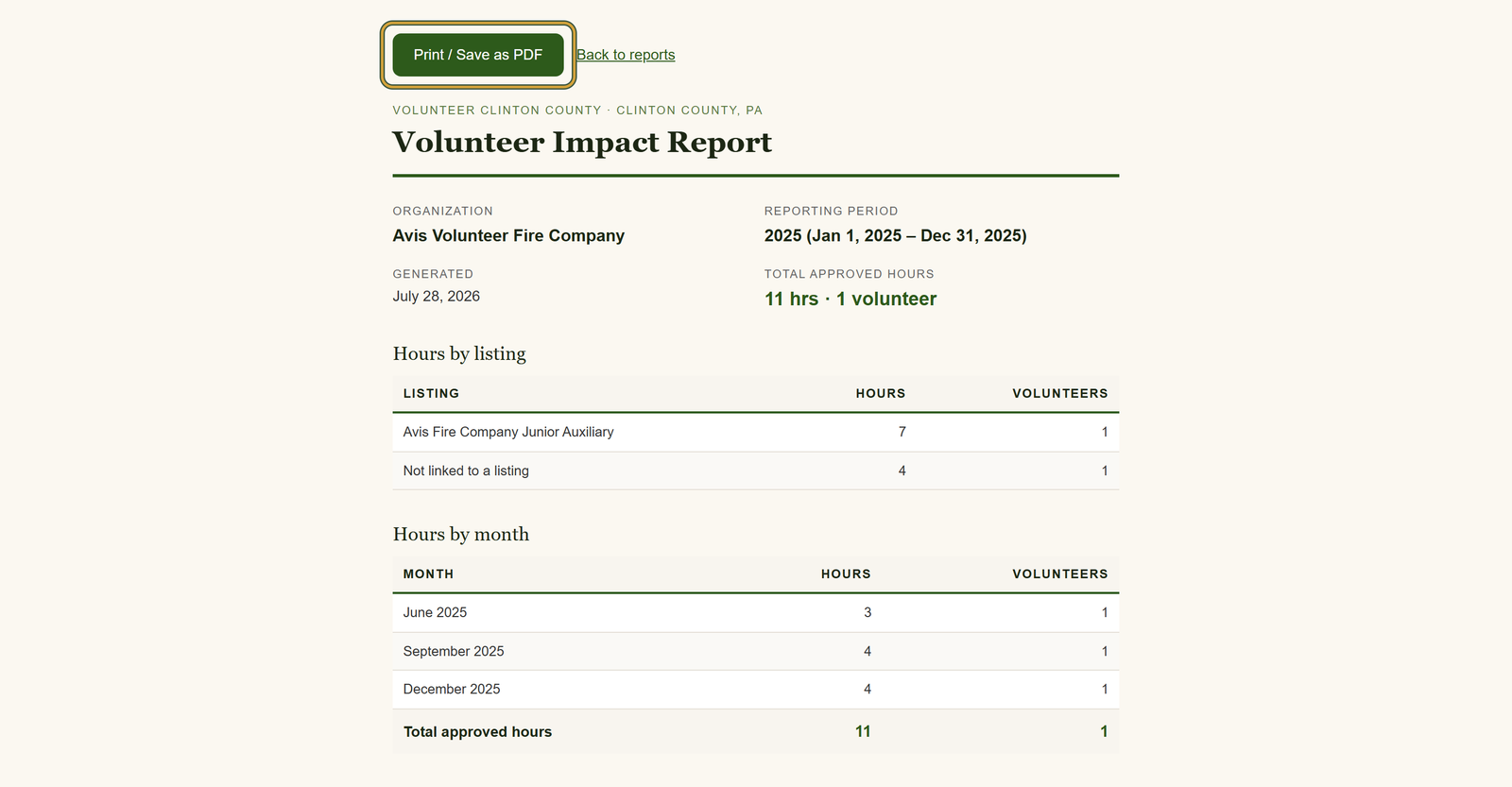
You'll know it worked when: A dated Volunteer Impact Report with your organization's name, the reporting period, total approved hours and volunteers, and the same hours listed by listing and by month.
Watch out for: The "Estimated value" dollar figure appears on the screen version only. The printed report carries hours and volunteers, so if a funder wants the dollar amount you have to copy it across yourself.
What this doesn't do: Not an official certification, and not a headcount of everyone who has ever helped you. It reports the hours recorded here that your organization approved.
Approved ones. Anything a volunteer logged, and anything created when someone was checked in at one of your events, sits as Pending hours until someone at your organization reviews it; anything you disputed shows as Disputed hours. Neither is added into the headline total or the printed report, so review what is waiting on the Volunteer Hours page before you print.
Yes. The four buttons cover this quarter, last quarter, this year and last year, and the From and To boxes next to them take any two dates. Press Apply and every number on the page, the printed report and the CSV all follow that range. If you have not chosen anything, the page opens on the current year.
The screen version does. Estimated value multiplies your approved hours by a standard per-hour rate, and the line under the number names the rate and the year it comes from. That line is rounded to the nearest dollar, so the total will not divide out exactly. The printed report does not repeat it, so type it into your application yourself if the funder wants a dollar figure.
One row per entry in the date range: volunteer, date served, hours, start and end time, location, listing and status. Unlike the totals, it includes pending and disputed entries too, which is what the status column is for. The file is named for the range, like vcc-impact-2025-01-01-to-2025-12-31.csv.
They still count if you approved them. In the by-listing table they are grouped under Not linked to a listing, which is where hours land when a volunteer logged them for your organization without signing up through a specific posting first.
Volunteer Clinton County is a community directory. You browse what local organizations post and contact them directly. More guides