Type the word you'd use and the right filter appears
Tucked at the top of the opportunity filters is a small box that finds the filter you want when you type a word you would actually say.
"Find a filter" is a search box at the top of the Filters panel on the opportunities page. Type a word like outside or court and the panel hides every filter that does not match, opening the sections that are normally collapsed. It searches the names of the filters, not the opportunities themselves.
Who this is for: Anyone who opens the filter panel, counts eleven sections, and would rather not read all of them.
- 1
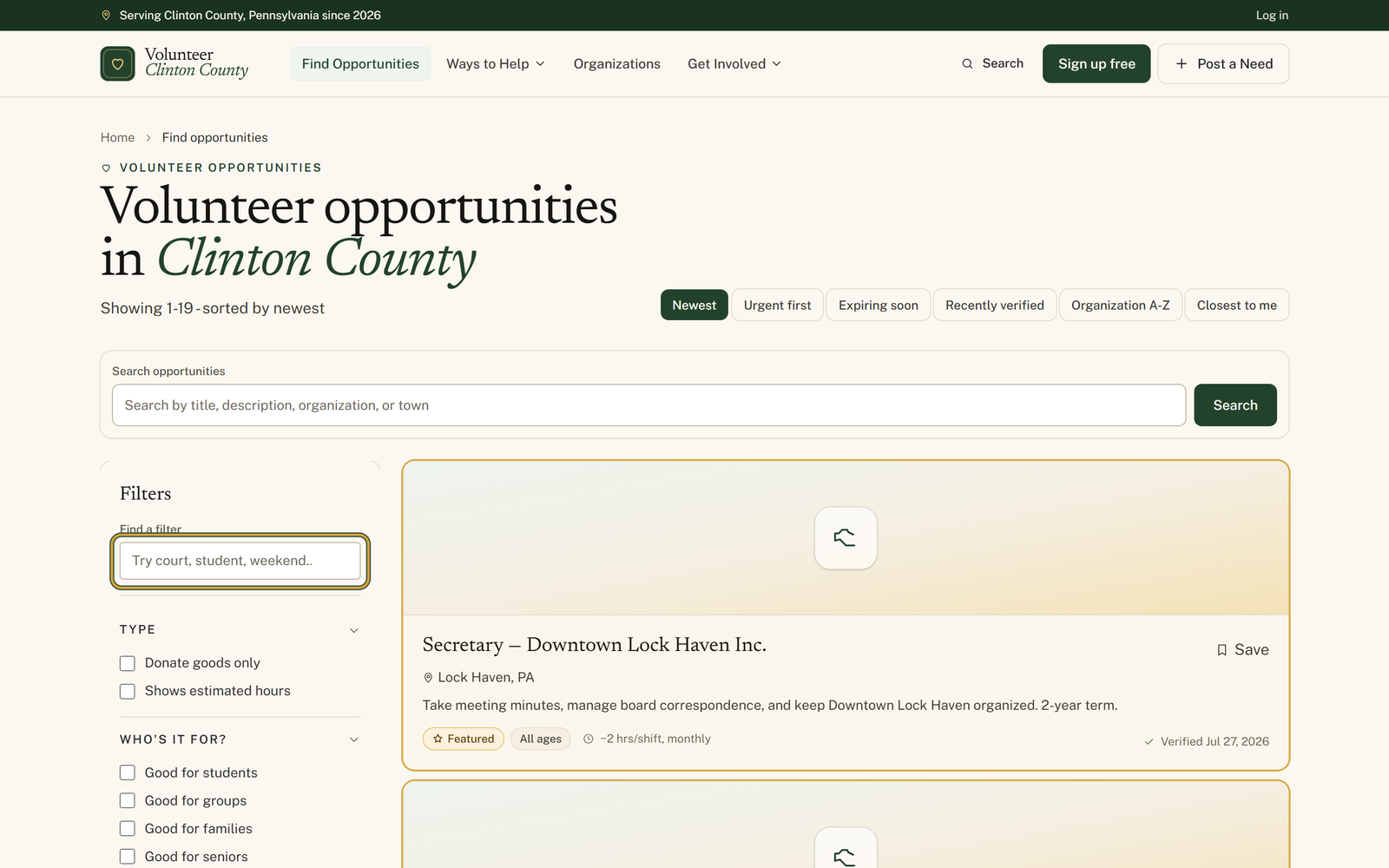
Open "Volunteer opportunities" and look down the left side for the "Filters" panel; on a phone, tap "Filters" first to open it.
- 2
Type one plain word into the box under "Find a filter", the one that starts out reading "Try court, student, weekend...".
- 3
Type outside, for instance, and the panel narrows to "Outdoor opportunities" under "Setting", with closed sections opening on their own.
- 4
Tick the checkbox beside the filter you were after, such as "Outdoor opportunities". The listings only change once you tick it.
- 5
Empty the box using the x at its right, labeled "Clear filter search", to bring the other sections back; "Reset" drops the filters you ticked.
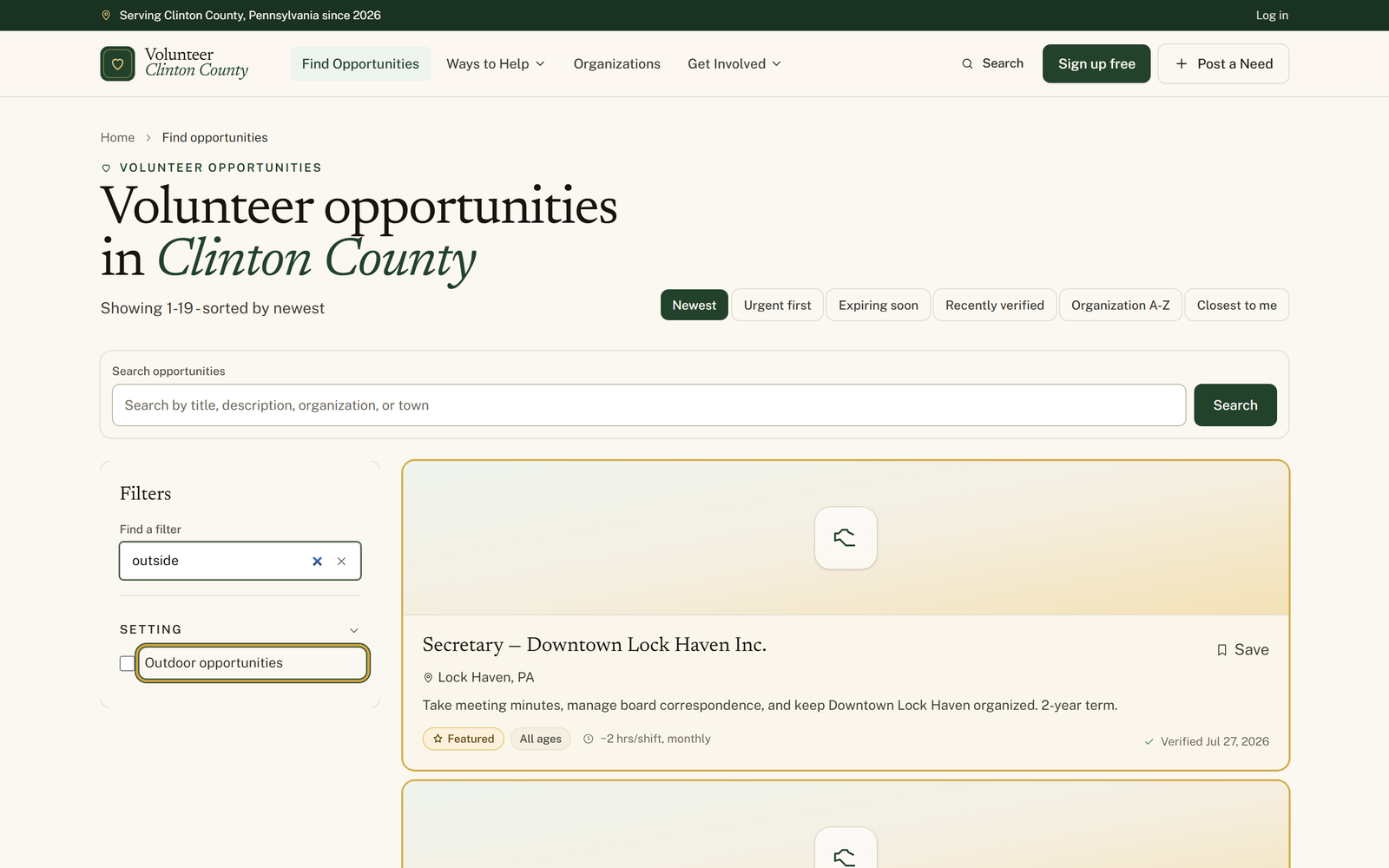
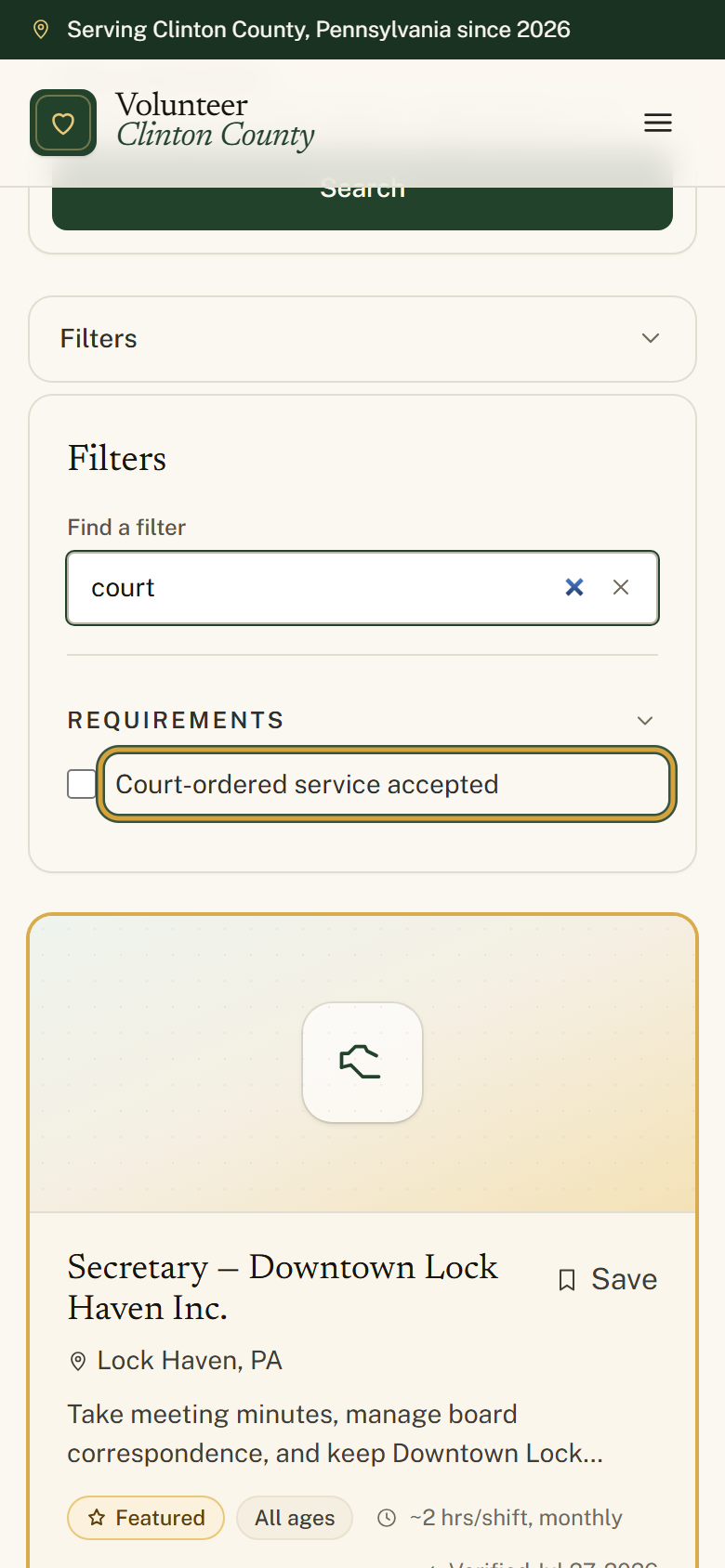
You'll know it worked when: The panel shows only the filters that match your word, with the section they sit in already open and ready to tick.
Watch out for: Typing in the box narrows the filter panel and nothing else. The opportunities themselves stay exactly as they were until you tick the checkbox beside the filter it turned up.
What this doesn't do: Not a search of the listings themselves. To look for a word like pantry or Renovo, use the "Search opportunities" box above the results.
No. It only narrows the filter panel so you can find the right filter. The opportunities stay as they were until you tick the checkbox beside the filter it found.
The box searches the names of the filters, not the listings. One word works better than two here: food turns up the Food & Hunger cause. When you want to search the listings themselves, use the Search opportunities box above the results.
While there is a word in the box, every section holding a match opens so you can see what matched. Empty the box and the sections go back to how you had them.
No, but it is a real edge. Distance and Date range hold pickers rather than checkboxes, so they match on a short fixed list of words instead of on what is inside them. Type distance and the Distance section opens; type date or range for Date range. Type miles or town and neither one shows up.
A few for each filter. Outside finds Outdoor opportunities, probation finds Court-ordered service accepted, and saturday finds Weekend opportunities. Type the word you would say out loud and it usually lands.
Volunteer Clinton County is a community directory. You browse what local organizations post and contact them directly. More guides