Take over the page that already lists your group
If your organization is already in the directory and nobody is looking after the page, you can ask to become the person who does.
Claiming is how you become the person who runs an organization page that already exists. You fill in a short form, confirm your email from a link, and the request goes into a review queue rather than switching anything over on the spot. A page that already has somebody running it cannot be claimed; you are pointed at that person instead.
Who this is for: Anyone at an organization that is already listed here but has nobody with access to the page.
Before you start: An organization page with no active administrator, and an email address you read.
- 1
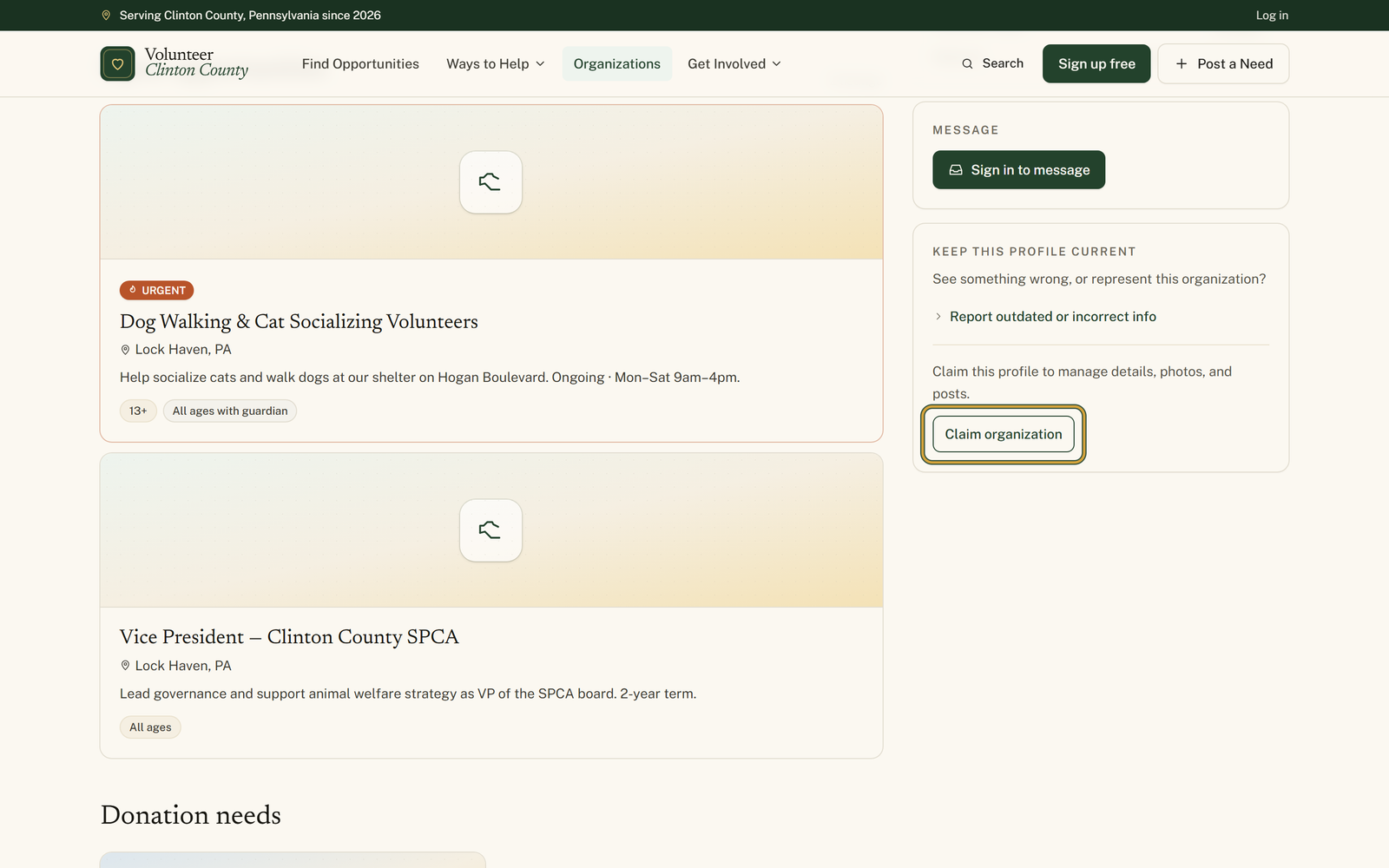
Find your organization in the directory and press "Claim organization" in the right-hand column, under the line about managing details, photos, and posts.
- 2
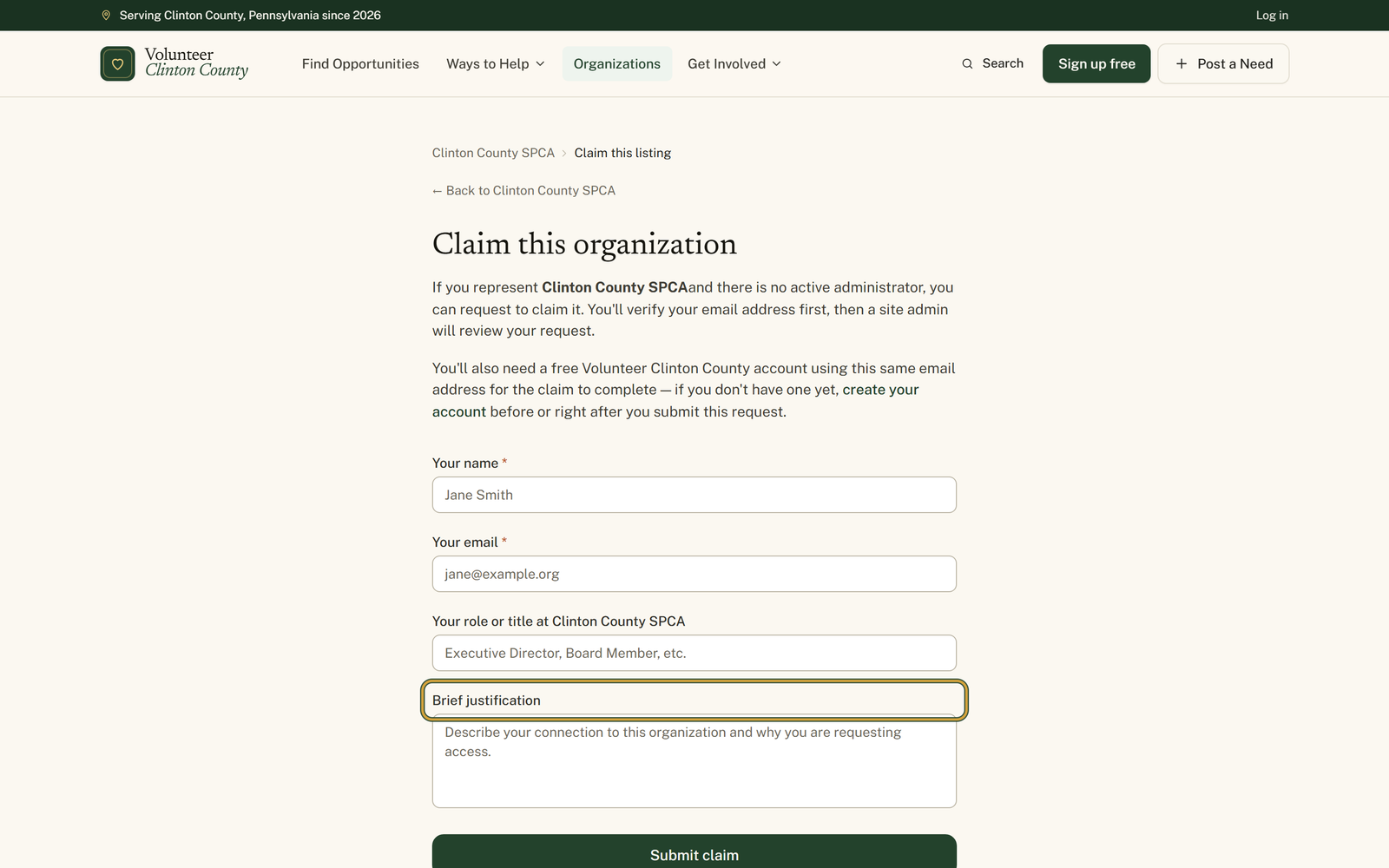
Fill in "Your name" and "Your email" on the claim form. Everything that follows runs on that address, so pick the one you actually use for the organization.
- 3
Say what you do there in the "Your role or title" box, and use "Brief justification" to explain your connection. That is what a reviewer reads.
- 4
Press "Submit claim", then open your email and follow the verification link within seven days. The site answers with "Email verified".
- 5
Follow "create your account" on the claim page and sign up with that same email address, because the claim cannot finish without a matching account.
- 6
Watch for the decision email. Once it says approved, your organization is waiting under "Dashboard" in the organization portal.
You'll know it worked when: A Claim submitted confirmation, then an Email verified page after you follow the link, then a decision by email either way.
Watch out for: The claim cannot complete without an account on the same email address you claimed with. Submit with one address and sign up with another and the approval stalls, and you get an email asking you to register properly.
What this doesn't do: Nothing moves on its own. The page is unchanged while a claim is pending, and every request is read by a person before any access is granted.
Open the organization page and look down the right-hand column. If there is a Claim organization button, nobody is running that page. If somebody already is, the claim page tells you the organization already has an active administrator and asks you to contact them directly.
How you are connected and why access should go to you. A board member, a pastor, the person who has run the food drive for six years. A reviewer is deciding whether to hand your organization's public page to a stranger, so a couple of specific sentences do more than a formal paragraph.
The link stays good for a week. After that it stops working and the page says the verification link expired, so submit the claim when you have a minute to open your email rather than in the middle of something else.
No. A second attempt tells you either that a verification link was already sent and to check your spam folder, or that your claim is already verified and waiting for review. Neither creates a duplicate. If the first link has aged out, submitting again issues a fresh one.
You get an email, and the organization appears in your portal when you sign in. From there you edit the description, contact details and photos, post opportunities, events and donation needs, and invite the rest of your team so the page never depends on one person again.
Volunteer Clinton County is a community directory. You browse what local organizations post and contact them directly. More guides